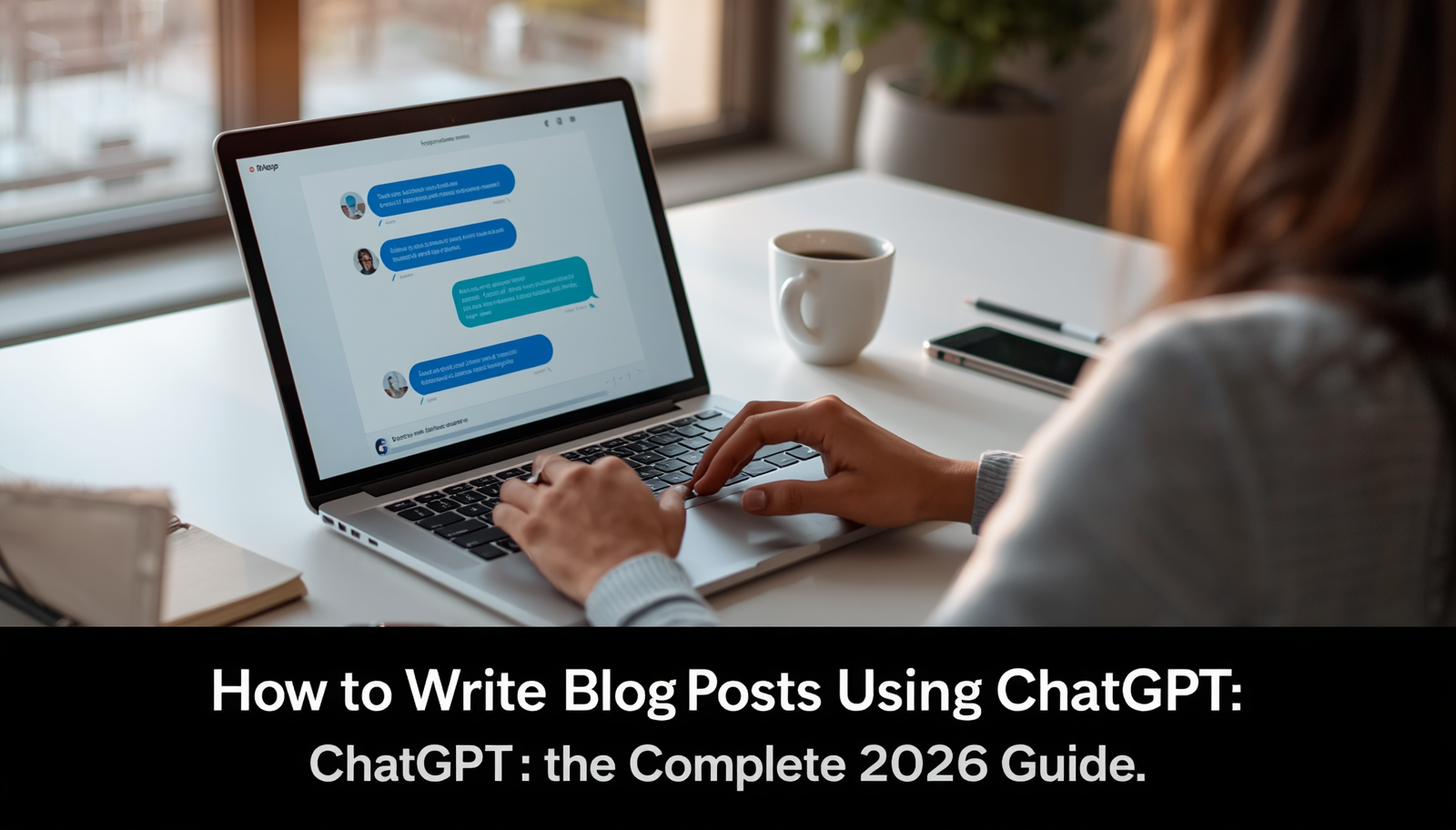
If you’ve been putting off starting a blog because writing feels overwhelming, you’re not alone.
Most beginners get stuck before they even publish their first post. They stare at a blank page, wondering how to structure their thoughts, where to start, and how to make their writing sound good.
That’s exactly where ChatGPT comes in.
Over the past couple of years, ChatGPT has quietly become one of the most useful tools in a blogger’s toolkit. It doesn’t replace your voice or your ideas — but it helps you get those ideas onto the page faster, with less stress and fewer roadblocks.
In this guide, we’ll walk through exactly how to write blog posts using ChatGPT, from brainstorming topics to publishing a polished, SEO-friendly article. Whether you’re a small business owner trying to grow your website traffic, a freelancer building a portfolio, or someone just starting out with AI writing tools, this guide is for you.
We’ll cover practical prompts, common mistakes, SEO best practices, and how to keep your content sounding human — because that’s what really matters in 2026.
Let’s get into it.
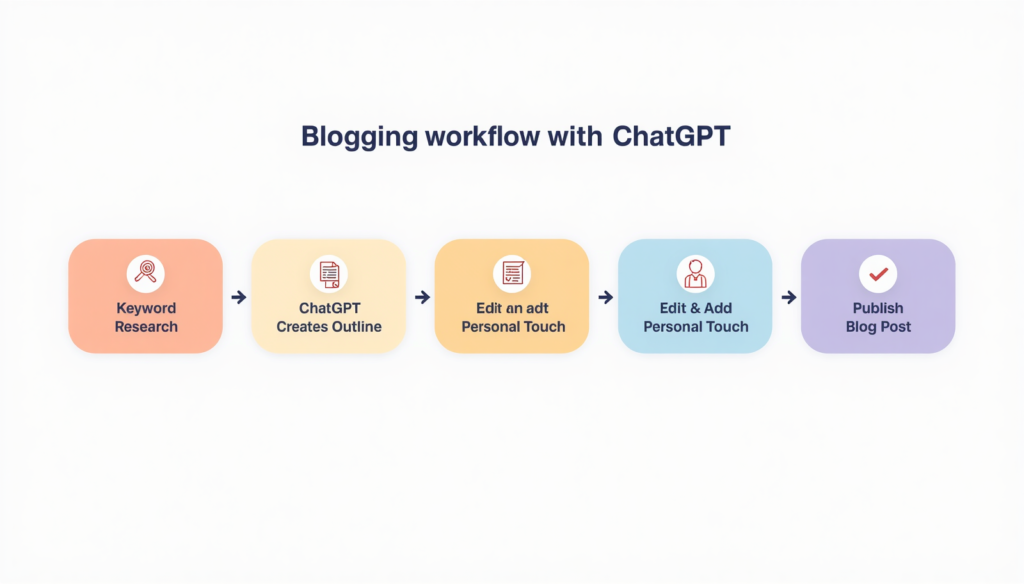
Table of Contents
- What Is ChatGPT?
- Why Bloggers Use ChatGPT
- Benefits of Using ChatGPT for Blog Writing
- Step-by-Step Guide to Writing Blog Posts with ChatGPT
- Best ChatGPT Prompts for Bloggers
- Common Mistakes to Avoid
- SEO Tips When Using ChatGPT
- Pros and Cons of Writing with ChatGPT
- Can Google Detect AI Content?
- Best Practices for Publishing AI-Assisted Articles
- Useful Resources for Bloggers
- Frequently Asked Questions.
What Is ChatGPT?
ChatGPT is an AI chatbot developed by OpenAI that can understand natural language and generate human-like text in response.
Think of it as a writing assistant you can talk to. You type a question or request, and it responds almost instantly with a draft, an idea, or an answer.
For bloggers, this means you can ask ChatGPT to help brainstorm topics, write outlines, draft sections, suggest headlines, and even proofread your work.
It’s not a magic button that writes perfect articles on its own. But when used correctly, it can cut your writing time in half while helping you think through your content more clearly.
If you’ve never used it before, you can access ChatGPT through OpenAI’s official website, where you can create a free account and start chatting right away.
Why Bloggers Use ChatGPT
Bloggers are busy. Many are juggling content creation with marketing, social media, client work, and sometimes a full-time job on top of it all.
ChatGPT has become popular because it solves one of the biggest pain points in blogging: getting started.
Here’s why so many bloggers, freelancers, and small business owners have added ChatGPT to their workflow:
It helps beat writer’s block by generating ideas on demand. Instead of staring at a blank screen, you get a starting point you can build on.
It speeds up research. While you should always verify facts independently, ChatGPT can help you understand a topic quickly before you dive deeper.
It improves consistency. If you publish weekly, ChatGPT can help you maintain a steady tone and structure across posts.
It supports non-native English speakers. Many content creators whose first language isn’t English use ChatGPT to refine grammar and phrasing.
It saves time on repetitive tasks like writing meta descriptions, FAQs, and social media captions.
None of this means ChatGPT does the work for you. It means it removes friction so you can focus on the parts of writing that actually require your expertise and personal voice.
Benefits of Using ChatGPT for Blog Writing
Let’s break down the real benefits bloggers experience when they learn how to write blog posts using ChatGPT effectively.
Faster content production. What used to take three or four hours can often be done in half that time, especially for outlines and first drafts.
Better structure. ChatGPT is good at organizing information logically, which helps readers follow your content more easily.
Improved SEO foundations. You can ask ChatGPT to help with keyword-focused headings, meta descriptions, and FAQ sections that align with how people search.
More consistent publishing schedule. Many blogs fail simply because the owner runs out of steam. AI assistance can help you stay consistent.
Lower barrier to entry. You don’t need to be a professional writer to start a blog anymore. ChatGPT helps level the playing field for beginners.
Versatility across niches. Whether you blog about cooking, finance, fitness, or technology, ChatGPT can adapt to different topics and tones.
The key takeaway here is that ChatGPT is a productivity multiplier — not a replacement for your knowledge, experience, or personality.
[Image 2] Prompt: “Step-by-step blogging workflow showing idea generation, content writing, editing and publishing with AI assistance, clean infographic style, 16:9 ratio”
Step-by-Step Guide to Writing Blog Posts with ChatGPT
This is the part most beginners care about most: the actual process. Let’s break it down into clear, repeatable steps.
Step 1: Start With Keyword Research
Before you even open ChatGPT, you need to know what people are actually searching for.
Tools like Google Trends, Google Search Console, and free keyword tools can help you identify search terms related to your topic.
Once you have a few keyword ideas, you can ask ChatGPT to help you brainstorm related subtopics, questions, and angles. For example, if your main keyword is “how to write blog posts using ChatGPT,” ChatGPT can help you think of related ideas like “ChatGPT blogging tips” or “AI writing tools for beginners.”
Step 2: Create an Article Outline
A good outline is the backbone of a good blog post.
Ask ChatGPT to create a logical outline based on your topic and target keyword. Give it context about your audience, your goal, and the tone you want.
A solid outline usually includes an introduction, several H2 sections, subheadings where needed, and a conclusion. This structure also helps with SEO, since search engines use headings to understand what your content covers.
Step 3: Write the Introduction
Your introduction needs to hook the reader and tell them what they’ll get from the post.
You can ask ChatGPT to draft a few introduction options, then pick the one that feels most like “you.” Don’t just copy and paste — read it aloud, tweak the wording, and add a personal touch if relevant, like a quick story or example from your own experience.
Step 4: Generate Headings and Subheadings
Once your outline is ready, ChatGPT can help expand each section into clear, keyword-aware headings.
Good headings should be specific, scannable, and naturally include relevant phrases people might search for — without sounding stuffed or unnatural.
Step 5: Draft the Body Content
This is where ChatGPT really shines for speed.
Work section by section. Ask ChatGPT to write a draft for one heading at a time, rather than the whole article at once. This gives you more control and makes editing easier.
As you go, add your own insights, examples, opinions, and experiences. This is what makes your content stand out — and it’s also what search engines and readers value most.
Step 6: Create an FAQ Section
FAQs are great for SEO because they often match “People Also Ask” questions on Google and can appear in featured snippets.
Ask ChatGPT to generate common questions related to your topic, then write clear, concise answers. Keep each answer focused and easy to scan.
Step 7: Write the Conclusion
A strong conclusion summarizes your main points and gives the reader a next step — whether that’s trying a tip, reading another article, or leaving a comment.
Ask ChatGPT for a few conclusion drafts, then personalize the tone so it matches the rest of your article.
Step 8: Edit, Proofread, and Add Your Voice
This step is non-negotiable.
Read through the entire article. Fix anything that sounds robotic, repetitive, or generic. Add personal anecdotes, examples from your own experience, or insights specific to your niche.
Run the final draft through a grammar checker like Grammarly to catch typos and awkward phrasing before you hit publish.
Best ChatGPT Prompts for Bloggers
Here are 15+ practical prompts you can copy, paste, and customize for your own blog.
- “Suggest 10 blog post ideas about [your topic] for a U.S. audience of beginners.”
- “Create a detailed blog post outline for the topic ‘[your topic]’ targeting the keyword ‘[your keyword]’.”
- “Write three different introduction options for a blog post about [your topic], each in a conversational tone.”
- “Suggest 8 SEO-friendly headings for an article about [your topic].”
- “Write a 150-word section explaining [specific subtopic] in simple terms for beginners.”
- “Generate 8 frequently asked questions and short answers about [your topic].”
- “Write a conclusion for a blog post about [your topic] that includes a call to action.”
- “Suggest 5 alternative titles for a blog post about [your topic] that are click-worthy but not clickbait.”
- “Write a meta description under 160 characters for an article about [your topic].”
- “Rewrite this paragraph to sound more conversational and less formal: [paste paragraph].”
- “Suggest internal linking ideas for a blog post about [your topic] on a [your niche] website.”
- “Create a list of 10 long-tail keyword variations related to ‘[your main keyword]’.”
- “Simplify this paragraph so a 12-year-old could understand it: [paste paragraph].”
- “Suggest image ideas and alt text for a blog post about [your topic].”
- “Write a short social media caption to promote a blog post about [your topic].”
- “Suggest a content calendar with 10 blog post ideas for the next month on [your niche].”
- “Identify any repetitive phrases in this article and suggest alternatives: [paste article].”
These prompts work best when you’re specific. The more context you give ChatGPT about your audience, tone, and goals, the better the output.
[Image 3] Prompt: “Content creator using AI tools to optimize blog articles, realistic office environment, professional editorial photography, 16:9 ratio”
Common Mistakes to Avoid
Even though ChatGPT is a powerful tool, plenty of bloggers make avoidable mistakes that hurt their content quality and SEO performance.
Publishing without editing. Raw AI output often sounds generic. Always review and personalize before publishing.
Ignoring fact-checking. ChatGPT can sometimes generate inaccurate or outdated information. Always verify facts, statistics, and claims independently.
Keyword stuffing. Repeating your target keyword too many times can hurt readability and may trigger SEO penalties.
Writing entire articles in one prompt. This often leads to repetitive structure and shallow content. Work section by section instead.
Skipping personal experience. Generic AI content lacks the real-world insights that build trust with readers and search engines alike.
Forgetting about formatting. Long blocks of text are hard to read. Use short paragraphs, bullet points, and clear headings.
Not adding original images or examples. Stock-feeling content performs worse than posts with unique visuals, screenshots, or examples.
Avoiding these mistakes is one of the easiest ways to make your AI-assisted content feel authentic and valuable.
SEO Tips When Using ChatGPT
SEO is what helps your blog get discovered on Google. Here’s how to combine SEO best practices with AI blog writing.
Keyword placement. Use your primary keyword naturally in the title, the first 100 words, at least one heading, and the conclusion. Avoid forcing it into every paragraph.
Internal linking. Link to other relevant articles on your blog. This helps readers explore more content and helps search engines understand your site structure. Ask ChatGPT to suggest natural places to add internal links based on your existing content.
Image optimization. Use descriptive file names and alt text for every image, such as “chatgpt-blogging-workflow.jpg” instead of “image1.jpg.” Compress images so your pages load quickly.
Meta descriptions. Keep meta descriptions between 150–160 characters, include your primary keyword, and make them sound enticing rather than robotic.
Schema markup basics. Schema markup is code that helps search engines understand your content better, which can lead to rich results like FAQ dropdowns in search listings. Many website platforms and plugins (like Yoast SEO for WordPress) can add basic schema automatically — you don’t need to be a developer to use it.
Combining these SEO fundamentals with AI-assisted writing gives your content a much better chance of ranking well over time.

Pros and Cons of Writing with ChatGPT
Like any tool, ChatGPT has strengths and limitations. Here’s a balanced look.
Pros
It dramatically speeds up the writing process, especially for outlines and first drafts.
It helps overcome writer’s block and gives you a starting point when you’re stuck.
It’s useful for brainstorming titles, headings, and FAQ ideas.
It can adapt tone and style based on your instructions.
It’s accessible and affordable, even for beginners on a tight budget.
Cons
It can produce generic or repetitive phrasing if not guided carefully.
It may generate inaccurate information, so fact-checking is essential.
Overreliance can lead to a loss of personal voice, which readers notice.
It doesn’t have firsthand experience, so it can’t replace genuine expertise or storytelling.
Search engines may deprioritize content that feels low-effort or purely AI-generated without human input.
The takeaway: ChatGPT works best as a collaborator, not a replacement for your own knowledge and judgment.
Can Google Detect AI Content?
This is one of the most common questions bloggers ask, and the honest answer is a bit nuanced.
Google has stated publicly that its focus is on content quality, not on whether content was created with AI assistance. Google’s guidelines emphasize helpful, reliable, people-first content — regardless of how it was produced.
That said, Google’s systems are designed to identify low-quality content, including content that’s repetitive, shallow, or created primarily to manipulate search rankings. AI-generated content that lacks originality, accuracy, or genuine value is more likely to underperform — not necessarily because it’s “AI,” but because it’s low quality.
The safest approach is simple: use ChatGPT as a drafting tool, then add your own expertise, examples, and editing. Focus on creating content that genuinely helps your readers, and you’ll be in good shape regardless of how the first draft was written.
Best Practices for Publishing AI-Assisted Articles
Before you hit publish, run through this checklist to make sure your AI-assisted content is ready for prime time.
Read the entire article out loud. If something sounds awkward or robotic, rewrite it in your own words.
Add at least one personal example, opinion, or experience related to your topic. This builds trust and authority.
Fact-check any statistics, dates, or claims using reliable sources.
Break up long paragraphs into shorter ones for mobile readability.
Add relevant images with proper alt text and compressed file sizes.
Include internal links to related posts on your blog.
Double-check your meta title and meta description for length and keyword placement.
Run a final grammar and plagiarism check before publishing.
Following this checklist helps ensure your content meets both reader expectations and search engine quality standards.
Useful Resources for Bloggers
Here are some tools that pair well with ChatGPT and can help you build a stronger, more sustainable blog.
ChatGPT (official website): Your main AI writing assistant for brainstorming, outlining, and drafting content quickly.
Google Search Console: A free tool that shows how your site performs in Google search, including which keywords bring in traffic and any technical issues to fix.
Google Analytics: Helps you understand who’s visiting your blog, which posts perform best, and how readers behave on your site.
Google Trends: Useful for spotting rising topics and seasonal trends in your niche before you write about them.
Grammarly: A grammar and style checker that helps polish your writing and catch mistakes before publishing.
Canva: An easy-to-use design tool for creating featured images, social media graphics, and infographics — even if you have zero design experience.
Together, these tools cover research, writing, design, and performance tracking — everything you need to run a blog efficiently.
Frequently Asked Questions
1. Is it free to use ChatGPT for blog writing?
Yes, ChatGPT offers a free version that’s suitable for most beginner bloggers. Paid plans offer additional features and faster response times.
2. Will my blog get penalized for using ChatGPT?
Not simply for using AI assistance. However, low-quality, unedited, or purely AI-generated content without human input may underperform in search rankings.
3. How long should a blog post be for SEO?
There’s no fixed rule, but most well-performing blog posts fall between 1,000 and 2,500 words, depending on the topic and competition.
4. Can ChatGPT write an entire blog post by itself?
It can generate a full draft, but the best results come from working section by section and adding your own edits, examples, and voice.
5. Do I need to disclose that I used ChatGPT?
There’s no legal requirement for most blogs, but transparency builds trust. Some creators mention AI assistance in their editorial policy.
6. What’s the best way to start using ChatGPT for blogging?
Start small. Use it to brainstorm topics or create an outline for your next post, then gradually expand to drafting sections as you get comfortable.
7. Can ChatGPT help with SEO?
Yes, it can help with keyword brainstorming, meta descriptions, headings, and FAQ sections — but it should be paired with proper keyword research tools.
8. How do I make AI-written content sound more human?
Add personal stories, opinions, specific examples, and conversational language. Edit out repetitive or overly formal phrasing.
ChatGPT is a powerful assistant for bloggers, but it works best as a collaborator rather than a replacement for your own voice and expertise.
Use it to speed up research, outlining, and drafting — then add your personal experience, fact-check claims, and edit for tone.
Combine AI assistance with solid SEO fundamentals like keyword placement, internal linking, image optimization, and meta descriptions.
Google cares about content quality and helpfulness, not whether AI was involved in the writing process.
A simple editing checklist before publishing can make the difference between generic AI content and genuinely valuable blog posts.
Ready to keep leveling up your blogging skills? Explore more AI tutorials and guides on our blog to learn how to use AI tools to grow your content, save time, and reach more readers in 2026 and beyond.