Let’s be honest — job hunting in 2026 is not what it was five years ago.
The days of sending a plain Word document resume and waiting for a callback are long gone. Today, most large companies use Applicant Tracking Systems (ATS) that automatically screen, score, and reject resumes before a single human recruiter ever lays eyes on them. According to Jobscan, over 98% of Fortune 500 companies use ATS software to filter candidates. That means your perfectly written resume could be sitting in a digital trash can right now — simply because it’s missing a keyword or using the wrong format.
Add to that the sheer volume of applicants competing for every open position. A single LinkedIn job posting can attract 200 to 500 applications within 24 hours. Standing out is no longer just about being qualified. It’s about being visible, strategic, and fast.
That’s exactly where the best AI tools for job seekers come in.
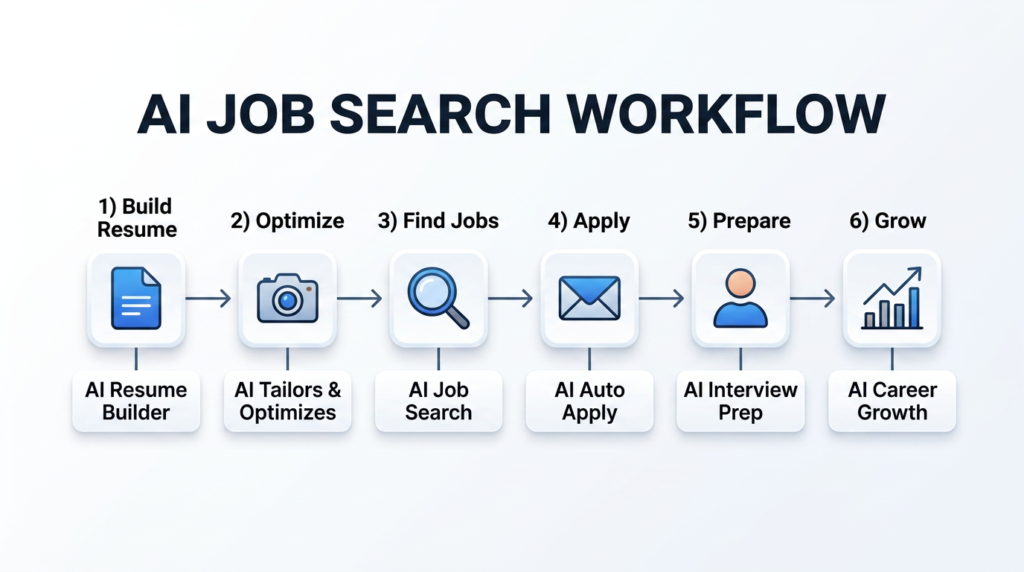
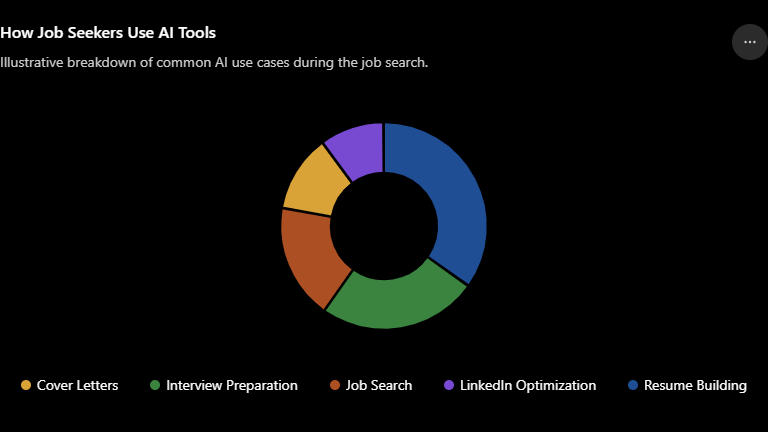
AI tools are changing the entire job search game — from building ATS-friendly resumes in minutes, to practicing mock interviews with real-time feedback, to personalizing cover letters for each application, to optimizing your LinkedIn profile so recruiters actually find you. These tools don’t replace your effort or experience, but they dramatically amplify it.
In this guide, you’ll discover the 15 best AI tools for job seekers in 2026, covering everything from AI resume builders and cover letter generators to interview prep platforms and LinkedIn optimization tools. Whether you’re a fresh graduate, a mid-career professional making a pivot, or a seasoned executive aiming higher — there’s something here for you.
Let’s dive in.
Why AI Is Becoming Essential for Job Seekers
The hiring process has changed more in the last three years than it did in the previous two decades. Here’s why AI is no longer optional for serious job seekers.
ATS Is the First Gatekeeper
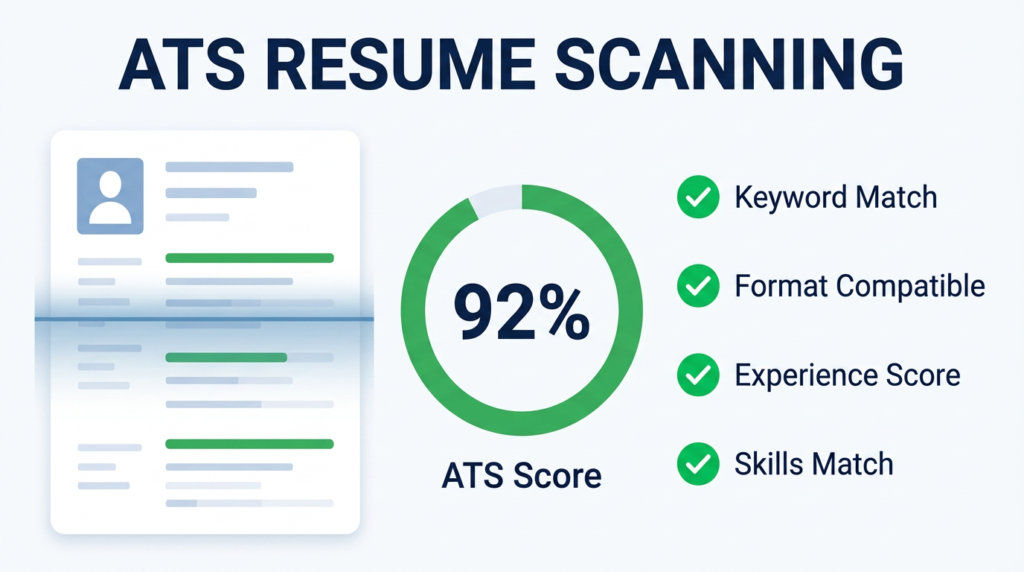
Before a recruiter reads your resume, software reads it first. ATS platforms like Workday, Greenhouse, and iCIMS parse your resume for keywords, job titles, skills, and formatting. If your resume isn’t structured correctly — or if it’s missing keywords from the job description — it gets filtered out automatically. AI resume tools solve this by analyzing job postings and tailoring your resume to match.
The Volume Problem Is Real
According to the U.S. Bureau of Labor Statistics, the job market remains intensely competitive across most sectors. With remote work opening roles to global applicants, you’re no longer competing with people in your city — you’re competing with everyone. AI helps you move faster and smarter than the average applicant.
Personalization at Scale
One of the biggest job search mistakes people make is sending the same generic resume to every employer. AI tools can generate a customized, tailored resume and cover letter for each application in minutes — something that used to take hours.
Interview Preparation Has Gone Digital
Virtual interviews are now standard across almost every industry. AI interview tools let you practice with real questions, get instant feedback on your answers, body language, filler words, and tone — so you walk into the actual interview with real confidence.
Career Planning Is Getting Smarter
Beyond just finding a job, AI career tools now help you identify skill gaps, map career trajectories, suggest certifications, and even predict which roles are most likely to be in demand in your field over the next five years.
The bottom line? AI doesn’t guarantee you a job. But candidates who use AI tools intelligently are applying smarter, interviewing better, and landing offers faster.
How We Selected These AI Tools
With hundreds of AI tools flooding the market, we applied a strict evaluation framework to find the ones actually worth your time:
- Ease of Use: Can a non-technical person use this without a learning curve?
- AI Quality: Does the AI output sound human, professional, and tailored — or generic?
- Resume Quality: Does it produce ATS-optimized, visually clean resumes?
- Interview Assistance: Does it offer mock interviews, feedback, and question banks?
- Free Plan Availability: Is there a genuinely useful free tier?
- Pricing: Is the paid plan reasonably priced for job seekers on a budget?
- Privacy: Does the platform handle your personal data responsibly?
- User Reviews: What are real users saying on platforms like G2 and Trustpilot?
- Overall Value: Does it solve real problems across multiple stages of the job search?
Every tool on this list was evaluated against these criteria. We’ve included honest pros and cons for each — because no tool is perfect, and you deserve to know the trade-offs before investing your time.
15 Best AI Tools for Job Seekers in 2026
1. ChatGPT
Overview
ChatGPT by OpenAI is the most versatile AI assistant available today. While it’s not specifically designed for job seekers, its capabilities make it a powerhouse across every stage of the job search — resume writing, cover letters, interview prep, salary research, email drafting, and career planning.
Best For: Job seekers who want a flexible, all-in-one AI writing and strategy assistant.
Key Features
- Write, rewrite, and tailor resumes and cover letters for any job
- Generate custom interview answers using the STAR method
- Research companies, industries, and salary ranges in seconds
- Draft professional follow-up emails and LinkedIn connection requests
- Brainstorm career pivot strategies and skill development plans
Pros
- Extremely versatile — handles virtually any job search task
- GPT-4o (the latest model) produces high-quality, natural-sounding content
- Huge prompt library available online for job search use cases
- Constantly updated with new features
Cons
- Not built specifically for resumes — no ATS scoring or resume templates
- Requires good prompting skills to get the best results
- Free version uses an older model (GPT-3.5)
Pricing
- Free: GPT-3.5 access with limited features
- ChatGPT Plus: $20/month — GPT-4o access, faster responses, priority features
Free Plan: Yes — generous but limited to the older model.
Why It Stands Out
ChatGPT’s strength is its breadth. Need a cover letter? Done in 30 seconds. Need to prepare for a behavioral interview? Ask it to roleplay as your interviewer. Want to understand the difference between two career paths? Have a full strategy conversation with it. No other tool on this list is this flexible.
Real-World Example
A marketing manager changing careers to product management used ChatGPT to reframe her entire resume narrative — translating campaign analytics experience into product thinking language. She also used it to prep for 15 common PM interview questions. She landed an offer within six weeks.
Verdict: Best all-around AI tool for job seekers. Start here.
2. Gemini (Google)
Overview
Google Gemini is Google’s flagship AI assistant, deeply integrated with Google Workspace. For job seekers already using Google Docs, Gmail, and Google Drive, Gemini is a natural fit that slots into your existing workflow.
Best For: Job seekers using Google Workspace for their job search documents.
Key Features
- Draft and refine resumes directly inside Google Docs
- Generate cover letters in Gmail without switching tabs
- Research companies using Google’s real-time search integration
- Summarize job descriptions and highlight key requirements
- Access current job market data through live web search
Pros
- Real-time internet access — can pull current job market data and company news
- Seamlessly integrated into Google Docs and Gmail
- Multimodal — can analyze documents, images, and job postings
- Competitive with ChatGPT for writing quality
Cons
- Less community support and job-search-specific prompts than ChatGPT
- Advanced features require Google One AI Premium subscription
- Not as specialized as dedicated resume or interview tools
Pricing
- Free: Gemini Basic in Google apps
- Google One AI Premium: $19.99/month — Gemini Advanced + Workspace integration
Free Plan: Yes — available through Google account with solid functionality.
Why It Stands Out
Gemini’s real-time search capability is a genuine advantage. When researching a company before an interview, you can ask Gemini for the latest news, recent leadership changes, or product launches — and get current information, not data from a training cutoff.
Real-World Example
A recent graduate used Gemini inside Google Docs to rewrite her resume three times — once for marketing roles, once for communications roles, and once for content roles — all in under an hour. She then used Gmail’s Gemini integration to personalize each cover letter automatically.
Verdict: Excellent for Google Workspace users. Strong research capabilities make it great for interview prep.
3. Claude (Anthropic)
Overview
Claude by Anthropic is rapidly becoming the preferred AI writing assistant for professionals who need high-quality, nuanced, long-form content. Claude excels at producing resume content and cover letters that sound genuinely human — not AI-generated.
Best For: Professionals who need polished, sophisticated writing that doesn’t sound robotic.
Key Features
- Write complete, professional resumes with nuanced language
- Produce cover letters that feel personal and thoughtfully crafted
- Analyze job descriptions to identify critical keywords and requirements
- Provide detailed career advice and long-form strategic thinking
- Handle complex multi-step tasks like full job search planning
Pros
- Widely considered the best AI for long-form, natural-sounding writing
- Excellent at following detailed instructions and formatting preferences
- Large context window — can analyze entire job descriptions alongside your resume
- Very strong at maintaining tone consistency across documents
Cons
- No specialized job search features (no ATS scanner, no resume templates)
- Requires clear prompting to get best results
- Free tier has usage limits during peak times
Pricing
- Free: Claude.ai with access to Claude Sonnet
- Claude Pro: $20/month — priority access, longer conversations, more uploads
Free Plan: Yes — very capable free tier.
Why It Stands Out
Claude’s writing quality is genuinely exceptional. When you need a cover letter that doesn’t read like every other AI-generated letter flooding a recruiter’s inbox — Claude is the tool to use. Its ability to match your voice and style is remarkable.
Real-World Example
A senior software engineer used Claude to rewrite his resume after getting no callbacks for three months. Claude identified overly technical language that was alienating hiring managers and rewrote it in a results-focused, accessible tone. He received three interview calls within two weeks.
Verdict: Best AI for writing quality. Ideal for cover letters and professional narrative building.
4. Teal
Overview
Teal is one of the most purpose-built AI job search platforms available. It’s not just a resume builder — it’s a full job search management system with AI embedded at every step.
Best For: Job seekers who want one platform to manage their entire job search pipeline.
Key Features
- AI resume builder with ATS optimization scoring
- Job tracker to organize applications across companies
- Chrome extension to save job postings from any site
- Resume tailoring for each specific job description
- LinkedIn profile optimization suggestions
- Skills gap analysis
Pros
- Purpose-built for job seekers — not a repurposed general AI tool
- Job tracker keeps your search organized and stress-free
- Resume scoring helps you understand ATS compatibility before applying
- Chrome extension makes saving jobs effortless
Cons
- Some advanced features locked behind paid plan
- Resume design options are more functional than visually impressive
- Limited interview prep features
Pricing
- Free: Core resume builder and job tracker
- Teal+: $29/month — AI resume tailoring, keyword optimization, unlimited resume versions
Free Plan: Yes — one of the most generous free tiers in this category.
Why It Stands Out
Teal treats the job search as a project — and gives you the tools to manage it like one. The combination of ATS scoring, job tracking, and resume tailoring in one platform makes it uniquely practical.
Real-World Example
A career changer from teaching to UX design used Teal to manage 40+ applications simultaneously. The job tracker helped her identify which applications needed follow-ups, while the AI resume tailor adjusted her transferable skills language for each role.
Verdict: Best all-in-one job search management platform. Especially great for organized job seekers.
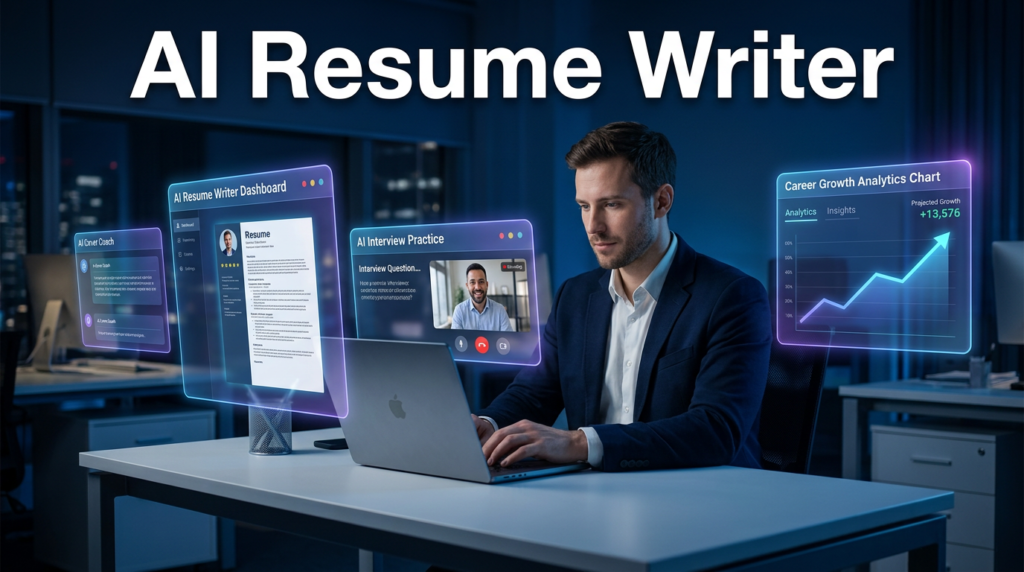
5. Kickresume
Overview
Kickresume combines beautiful resume templates with powerful AI writing assistance. If aesthetics matter to you — and they should for certain industries — Kickresume produces visually stunning resumes that also pass ATS.
Best For: Designers, marketers, and creatives who need resumes that look as good as they read.
Key Features
- 60+ professional, ATS-friendly resume templates
- AI resume writer that generates content from your job title and experience
- AI cover letter generator
- Resume checker with detailed feedback
- Portfolio website builder included
- LinkedIn profile import
Pros
- Best-looking resume templates on this list
- AI writing quality is solid for most industries
- Portfolio website feature is a bonus for creatives
- Supports multiple languages
Cons
- Free plan watermarks your resume
- Some templates are more visual than ATS-friendly
- Pricing is a bit steep for students
Pricing
- Free: Limited access with watermark
- Premium: $19/month — all templates, AI writer, cover letter generator
Free Plan: Yes — limited but functional for testing.
Why It Stands Out
Kickresume is the rare tool that doesn’t force you to choose between design and ATS compatibility. Their templates are built to be both beautiful and machine-readable.
Real-World Example
A graphic designer used Kickresume’s creative templates to produce a resume that got noticed by a recruiter at a top NYC design agency — who specifically mentioned the resume’s visual impact during the first call.
Verdict: Best for creatives and design-forward professionals. Great combination of aesthetics and AI.
6. Resume.io
Overview
Resume.io is a straightforward, highly polished resume builder trusted by millions of users. Its AI suggestions are embedded throughout the resume building process, making it ideal for people who want guidance at every step.
Best For: First-time resume builders and professionals who want guided, step-by-step resume creation.
Key Features
- Step-by-step guided resume builder
- AI-powered content suggestions for each section
- 25+ professional templates (HR-approved)
- Cover letter builder included
- Resume checker and scoring
- Download in PDF, Word, and plain text
Pros
- Extremely easy to use — minimal learning curve
- Clean, professional templates that work across industries
- Instant preview as you build
- Cover letter builder mirrors your resume design
Cons
- AI suggestions can be generic without enough customization input
- Limited advanced ATS analysis compared to Jobscan
- Free plan doesn’t allow full resume download
Pricing
- Free: Build and preview (download requires subscription)
- Pro: $2.95 for 2 weeks trial, then $9.95/month
Free Plan: Yes — but downloads are paywalled.
Why It Stands Out
Resume.io is the easiest tool on this list to use. If you’ve never built a resume before or need to rebuild one quickly, the guided experience removes all the guesswork.
Real-World Example
A recent nursing graduate with no resume-writing experience used Resume.io to build her first professional resume in under 45 minutes. She used the AI content suggestions for her skills and experience sections and got her first hospital interview within a week.
Verdict: Best for beginners and fast resume creation. Easiest user experience on the list.
7. Rezi
Overview
Rezi is an AI resume builder built specifically around ATS optimization. If passing automated screening is your primary concern, Rezi is the most laser-focused tool for that job.
Best For: Job seekers applying to large corporations with strict ATS screening.
Key Features
- AI resume writer trained on ATS optimization principles
- Real-time resume scoring against ATS criteria
- Keyword matching from job descriptions
- AI cover letter generator
- Resume templates designed to be fully ATS-parseable
- Resume content analysis and improvement suggestions
Pros
- Industry-leading ATS optimization — the clearest focus of any tool here
- Real-time feedback as you write — score updates live
- Clean, professional templates built for ATS, not just aesthetics
- Solid cover letter generation
Cons
- Design options are minimal (intentionally so, for ATS)
- Interface feels a bit utilitarian compared to Kickresume
- Free plan is very limited
Pricing
- Free: 1 resume with basic features
- Pro: $29/month or $249/year lifetime deal occasionally available
Free Plan: Yes — very limited.
Why It Stands Out
Rezi doesn’t try to do everything. It’s laser-focused on one mission: getting your resume past the bots. For large company applications, that focus is exactly what you need.
Real-World Example
A software developer applying to Fortune 100 companies used Rezi to optimize his resume. His ATS score went from 62% to 91% after incorporating Rezi’s keyword and formatting recommendations. He received four interview invitations the following week.
Verdict: Best for ATS optimization. Essential for anyone applying to large companies.
8. Jobscan
Overview
Jobscan is the gold standard for ATS resume analysis. Rather than building resumes from scratch, Jobscan scans your existing resume against a specific job description and gives you a detailed compatibility report.
Best For: Job seekers who already have a solid resume but want to optimize it for each application.
Key Features
- ATS match rate score (resume vs. job description)
- Keyword gap analysis — shows exactly which keywords are missing
- Job title optimization suggestions
- LinkedIn profile scanner
- Cover letter scanner
- Skills comparison tool
Pros
- Most detailed ATS analysis available anywhere
- Specific, actionable keyword recommendations — not vague advice
- LinkedIn scanner helps optimize your profile simultaneously
- Backed by extensive ATS research and testing
Cons
- Doesn’t build resumes — you need an existing resume to scan
- Free plan is limited to a few scans per month
- Can encourage over-optimization if used without judgment
Pricing
- Free: 5 resume scans/month
- Paid: $49.95/month — unlimited scans, full feature access
Free Plan: Yes — limited but valuable for testing your current resume.
Why It Stands Out
Jobscan has done more research into how ATS systems actually work than virtually anyone else. Their keyword recommendations come from real analysis of how specific ATS platforms parse resumes — not guesswork. Check out their ATS optimization blog for free insights.
Real-World Example
A finance professional was applying to the same type of role at multiple banks with zero responses. Jobscan revealed her resume had only a 44% keyword match with the typical job descriptions in her field. After optimizing, she hit 80%+ matches and received three interview calls in ten days.
Verdict: Best ATS analysis tool. Pair it with a resume builder for maximum impact.
9. Final Round AI
Overview
Final Round AI is one of the most advanced AI interview preparation platforms available. It uses real-time AI coaching during mock interviews and even offers a live interview assistance mode.
Best For: Professionals preparing for high-stakes interviews at competitive companies.
Key Features
- AI mock interview simulator with real-time feedback
- Behavioral, technical, and case interview practice
- Real-time interview copilot (live answer suggestions during interviews)
- Industry-specific question banks
- Answer analysis for clarity, structure, and confidence
- Resume review included
Pros
- Real-time coaching during mock interviews is genuinely unique
- Huge library of company-specific and role-specific interview questions
- Feedback is detailed — covers content, pacing, filler words, and structure
- Excellent for FAANG and consulting interview prep
Cons
- Live interview copilot raises ethical questions about disclosure
- Premium features are expensive
- Can create dependency if not used mindfully
Pricing
- Free: Limited mock interviews
- Monthly: $49/month — full access to all features
Free Plan: Yes — limited practice sessions.
Why It Stands Out
No other tool on this list offers real-time AI coaching during a live interview. Whether you use that feature or not, the mock interview experience is the most realistic and detailed available.
Real-World Example
A consultant preparing for a McKinsey interview used Final Round AI’s case interview simulator for two weeks. The AI identified that she was using filler words (“um,” “like”) excessively and helped her reduce them by 80%. She passed her first round.
Verdict: Best AI interview prep tool for competitive roles. Unmatched depth of feedback.
10. Interview Warmup (Google)
Overview
Google’s Interview Warmup is a completely free AI-powered interview practice tool built by Google. It’s simple, effective, and costs absolutely nothing.
Best For: Students, graduates, and budget-conscious job seekers who need structured interview practice.
Key Features
- Practice with real interview questions across multiple industries and roles
- AI analyzes your spoken answers in real time
- Identifies talking points, filler words, and job-relevant terms used
- Transcribes your answer so you can review it visually
- Covers data analytics, UX design, IT, project management, and general roles
- Completely free, no account required
Pros
- 100% free — no credit card, no subscription
- Built by Google — reliable, privacy-conscious, high quality
- Covers a good range of industries and job types
- Transcription feature helps you see patterns in your answers
- Great starting point before investing in paid tools
Cons
- Limited question variety compared to paid tools
- No real-time video or body language analysis
- No company-specific question banks
- Doesn’t cover highly specialized or technical roles deeply
Pricing: Free. Completely free.
Free Plan: Yes — the entire tool is free.
Why It Stands Out
In a world where interview prep tools can cost $50/month, Google Interview Warmup offers genuinely useful AI feedback at zero cost. It’s the best free starting point for interview preparation. Visit grow.google for more free career resources.
Real-World Example
A college senior with no interview experience used Interview Warmup for two weeks before recruiting season. The AI feedback showed she was overusing the word “basically” and not providing enough specific examples. She adjusted, and nailed her first internship interview.
Verdict: Best free AI interview practice tool. Use it before spending a dime on paid tools.
11. LinkedIn AI Features
Overview
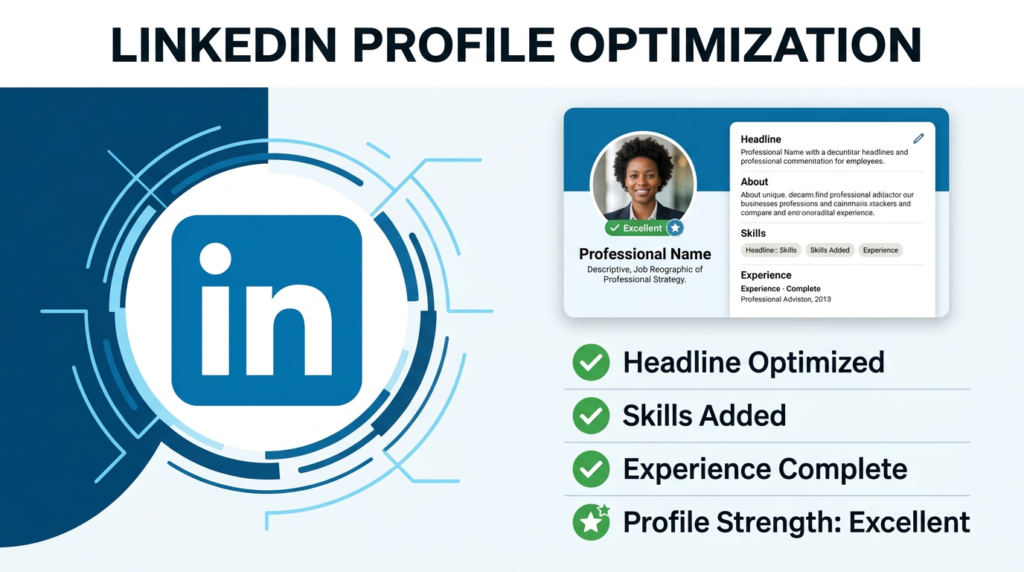
LinkedIn has been aggressively building AI into its platform throughout 2025 and 2026 — and the results are genuinely useful for job seekers. From AI-assisted profile writing to AI-powered job matching, LinkedIn’s built-in AI tools are worth leveraging.
Best For: Anyone using LinkedIn as part of their job search (which should be everyone).
Key Features
- AI-generated profile headline and About section suggestions
- AI job description matching — shows how well your profile fits each role
- LinkedIn Learning AI recommendations for skill-building
- AI cover letter drafts directly inside job applications
- “Top Applicant” badges for roles where your profile is a strong match
- Recruiter Message AI — helps you respond to recruiter messages professionally
Pros
- Already where recruiters are — optimizing here has immediate visibility impact
- AI profile suggestions are personalized to your actual experience
- Job matching AI surfaces roles you might not find manually
- No extra cost if you already have LinkedIn Premium
Cons
- Some AI features require LinkedIn Premium ($39.99/month)
- AI writing suggestions can be generic — always edit them
- Privacy concerns with data use on a large platform
Pricing
- Free: Basic AI features within free LinkedIn account
- LinkedIn Premium: $39.99/month — full AI suite, InMail, profile insights
Free Plan: Yes — core AI features available without Premium.
Why It Stands Out
Recruiters live on LinkedIn. Optimizing your profile with LinkedIn’s own AI tools means you’re improving exactly what recruiters see and search. That’s a direct line to opportunity that no third-party tool can fully replicate.
Real-World Example
A sales manager used LinkedIn’s AI to rewrite his profile headline from “Sales Manager at XYZ Corp” to a keyword-rich, value-focused headline. His profile views increased 340% in 30 days and he received six inbound recruiter messages.
Verdict: Non-negotiable. Use LinkedIn’s AI features regardless of what other tools you’re using.
12. Huntr
Overview
Huntr is an AI-powered job application tracker and career management platform. Think of it as a CRM (Customer Relationship Management system) built specifically for job searching.
Best For: Organized job seekers managing multiple applications simultaneously.
Key Features
- Kanban-style job application board (Applied → Interviewing → Offer)
- Auto-import job postings from any website
- Contact tracking for networking and follow-ups
- Resume and cover letter storage with version control
- AI job insights and salary data
- Collaboration features for career coaches
Pros
- Beautiful, intuitive visual interface for tracking applications
- Keeps networking contacts organized alongside applications
- Import jobs directly from LinkedIn, Indeed, and company sites
- Great for people who apply to many roles simultaneously
Cons
- Less AI writing assistance than tools like ChatGPT or Teal
- Limited ATS analysis features
- Free plan capped at 40 job postings
Pricing
- Free: Up to 40 job applications
- Pro: $11/month — unlimited applications, full AI features
Free Plan: Yes — up to 40 job postings, very functional.
Why It Stands Out
The job search is a numbers game, and staying organized is half the battle. Huntr ensures you never lose track of an application, forget to follow up, or accidentally apply to the same company twice.
Real-World Example
An engineer applying to 60+ companies over three months used Huntr to track every application, interview stage, and point of contact. When she landed an offer, she could trace exactly which networking touchpoint had triggered the interview — invaluable insight for future job searches.
Verdict: Best job search organization tool. Pair with AI writing tools for a complete system.
13. LoopCV
Overview
LoopCV takes AI job searching to its logical extreme — it automates the actual application process. LoopCV finds relevant job postings and applies on your behalf automatically.
Best For: Job seekers who want to dramatically increase application volume without spending hours applying manually.
Key Features
- Automated job applications across major job boards
- AI matches your resume to relevant roles based on your preferences
- Custom filters for location, salary, industry, and company size
- Application tracking dashboard
- CV optimization suggestions
- Supports applications across Europe, US, and international markets
Pros
- Saves enormous time — can send dozens of applications per day automatically
- Good for increasing exposure during an active job search
- Useful for international job seekers targeting multiple markets
- Affordable pricing for the volume it delivers
Cons
- Automated applications can feel impersonal — less effective for senior roles
- Less control over individual application quality
- Not suitable as your only strategy for competitive positions
Pricing
- Free: Limited automated applications
- Starter: $11.99/month — increased automation
- Growth: $29.99/month — maximum automation and features
Free Plan: Yes — limited automated applications.
Why It Stands Out
For high-volume job searches — particularly for entry-level and mid-level roles — LoopCV is a force multiplier. While you’re sleeping, it’s applying.
Real-World Example
A recent graduate targeting entry-level marketing roles used LoopCV to automatically apply to 200+ positions over three weeks. Of those, 18 responded with interview requests — a response rate that would have taken months to generate manually.
Verdict: Best for high-volume job searches. Use alongside personalized applications for senior roles.
14. Enhancv
Overview
Enhancv is a resume builder that goes beyond standard formats to help you tell a more complete professional story. Its AI tools help you articulate not just what you’ve done, but who you are as a professional.
Best For: Professionals who want to stand out with a more narrative-driven resume approach.
Key Features
- AI resume writer with personalized content suggestions
- Unique resume sections: “My Time,” “Life Philosophy,” “Passions”
- ATS-friendly templates with more personality than standard builders
- Resume content analyzer with improvement suggestions
- LinkedIn import to auto-populate resume fields
- Cover letter builder included
Pros
- Unique resume sections differentiate candidates in ways standard resumes can’t
- AI suggestions are unusually personalized and specific
- Strong visual templates that maintain ATS compatibility
- Great for roles where personality and culture fit matter
Cons
- Non-traditional sections won’t suit every industry (finance, law, etc.)
- Resume can feel over-designed if not used with restraint
- Free plan is quite limited
Pricing
- Free: 1 resume page, limited templates
- Pro: $19.99/month — full access
Free Plan: Yes — limited.
Why It Stands Out
Enhancv understands that hiring is human. Even with ATS in the picture, a real person ultimately makes the hiring decision — and Enhancv’s approach of revealing personality alongside credentials can be a genuine differentiator.
Real-World Example
A product manager at a startup used Enhancv’s “Life Philosophy” section to express her approach to building products. The hiring manager at her dream company mentioned that section specifically during the offer call as what set her apart.
Verdict: Best for culture-forward roles and companies where personality matters. Unique differentiator.
15. Careerflow
Overview
Careerflow is an AI career management platform with particularly strong LinkedIn optimization features. It’s purpose-built to help you be found by recruiters — not just to help you find jobs.
Best For: Professionals who want recruiters to come to them through LinkedIn optimization.
Key Features
- LinkedIn profile optimizer with AI scoring and suggestions
- AI resume builder and ATS checker
- Job application tracker
- Career roadmap planning tool
- Chrome extension for saving and tracking jobs
- Interview preparation resources
Pros
- Best-in-class LinkedIn optimization on this list
- Holistic platform covering resume, LinkedIn, and job tracking
- Chrome extension makes saving jobs seamless
- Career roadmap tool helps with long-term planning
Cons
- Newer platform — smaller user community than established tools
- Some features still being developed
- Free plan has meaningful limitations
Pricing
- Free: Core LinkedIn optimizer and job tracker
- Pro: $29/month — full AI suite
Free Plan: Yes — functional for LinkedIn optimization.
Why It Stands Out
Most tools help you go to jobs. Careerflow helps jobs come to you. By optimizing your LinkedIn profile to rank higher in recruiter searches, it flips the traditional job search equation.
Real-World Example
A data analyst used Careerflow’s LinkedIn optimizer to improve her profile score from 54 to 88. Within two weeks, she was receiving unsolicited recruiter messages at a rate she’d never experienced before — eventually accepting a role she never actively applied for.
Verdict: Best for LinkedIn-driven inbound job opportunities. Excellent for passive job seekers.
Best AI Resume Builders
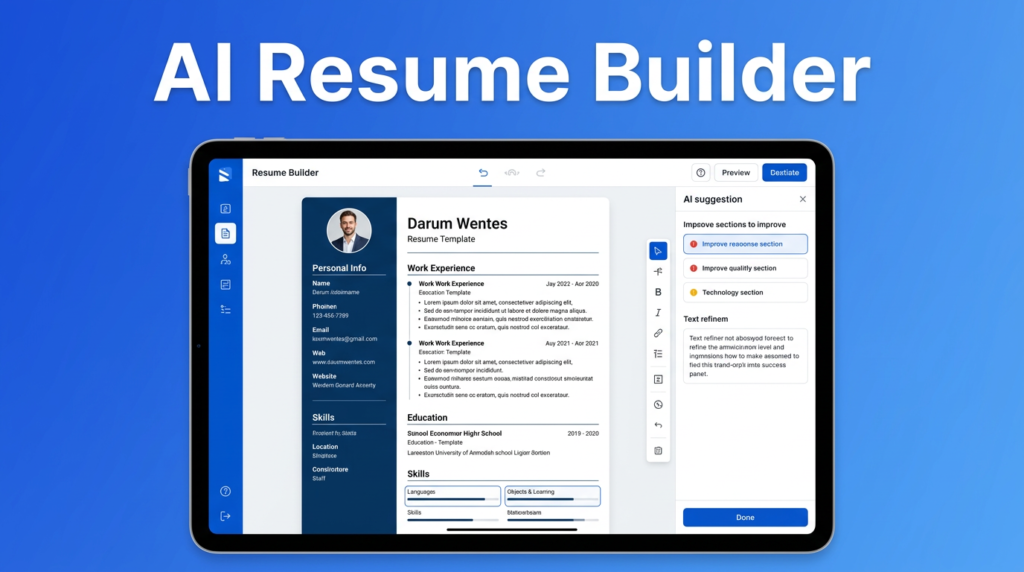
Here’s how the top resume-specific AI tools compare:
| Tool | Best For | ATS Optimization | Templates | Free Plan | Starting Price |
|---|---|---|---|---|---|
| Rezi | ATS-focused resumes | Excellent | Functional | Yes (limited) | $29/month |
| Kickresume | Creative resumes | Good | Beautiful | Yes (watermark) | $19/month |
| Resume.io | Beginners | Good | Clean | Yes (no download) | $9.95/month |
| Teal | Full job search | Very Good | Functional | Yes | $29/month |
| Enhancv | Narrative resumes | Good | Distinctive | Yes (limited) | $19.99/month |
Best for Beginners: Resume.io — the guided experience removes all friction. Best for ATS Optimization: Rezi — laser-focused on ATS compatibility. Best for Professionals: Teal — combines resume building with full job search management. Best for Executive Resumes: Claude or ChatGPT — for sophisticated narrative building, general AI assistants outperform specialized tools.
Best AI Interview Preparation Tools
| Tool | Mock Interviews | Real-Time Feedback | Industry Questions | Company-Specific | Free Plan |
|---|---|---|---|---|---|
| Final Round AI | Yes | Yes (live) | Yes | Yes | Limited |
| Interview Warmup | Yes | Yes | Yes | No | Completely Free |
| ChatGPT | Yes (roleplay) | Yes | Yes | Yes | Yes |
| LinkedIn AI | No | No | Basic | No | Yes |
For General Practice: Google Interview Warmup — free, effective, immediate. For High-Stakes Interviews: Final Round AI — the most realistic and detailed feedback available. For Custom Practice: ChatGPT — ask it to roleplay as your interviewer with company-specific context. For Behavioral Questions: Claude — exceptional at STAR-method coaching and refinement.
Best AI Cover Letter Generators
A cover letter written by AI and left unedited is easy for experienced recruiters to spot. The best approach is to use AI as a drafting partner, then personalize it with your own voice.
Best for Personalization: Claude — produces the most natural, voice-matched cover letters. Best for Speed: ChatGPT — generate a solid first draft in under a minute. Best for Integration: Kickresume — cover letter matches your resume design automatically. Best for ATS-Aware Letters: Jobscan — scan your cover letter for keyword optimization alongside your resume.
A practical process: Use ChatGPT or Claude to generate a first draft → run it through Jobscan to check keyword alignment → edit it to add your genuine voice and a specific company detail → send.
Best AI Tools for LinkedIn Optimization
LinkedIn is the world’s largest professional network with over 1 billion members. Recruiters use it as their primary sourcing tool. Optimizing your LinkedIn profile is not optional.
Best Overall: Careerflow — the most comprehensive LinkedIn optimization scoring and guidance. Built-in AI: LinkedIn’s own AI features — directly improve what recruiters see in real-time. For Your Headline: ChatGPT or Claude — generate and test multiple headline variations. For Keyword Strategy: Jobscan — scan your LinkedIn profile against target job descriptions.
Key LinkedIn sections to optimize with AI:
- Headline (most important — appears in every search result)
- About section (your professional story in 200-300 words)
- Experience bullets (quantified achievements, not job descriptions)
- Skills section (match skills to your target roles’ most common keywords)
- Featured section (showcase projects, articles, or portfolio links)
Best Free AI Tools for Job Seekers
If you’re on a tight budget, here’s what you can get completely free:
- ChatGPT (Free) — Resume writing, cover letters, interview prep, career advice
- Google Interview Warmup — AI-powered interview practice, completely free
- Gemini (Free) — Google AI assistant, strong for research and writing
- Claude (Free) — High-quality writing assistant with generous free tier
- Teal (Free) — Resume builder + job tracker with solid free features
- LinkedIn AI (Free) — Profile optimization and job matching
- Jobscan (Free) — 5 resume scans/month on free plan
- Huntr (Free) — Job application tracker up to 40 applications
- Careerflow (Free) — LinkedIn optimizer with free tier
- Google Career Certificates — Free career resources at grow.google
With just the free versions of these tools, you can build an optimized resume, practice for interviews, track your applications, and optimize your LinkedIn profile — without spending a cent.
Best AI Tools by Career Stage
Students and Fresh Graduates
- Resume Building: Resume.io or Kickresume (easy, guided, free options)
- Interview Prep: Google Interview Warmup (free and effective)
- Skills Development: LinkedIn Learning + Google Career Certificates
- Job Tracking: Huntr free plan
- Writing Help: ChatGPT or Claude (free tiers)
Mid-Level Professionals
- Resume Optimization: Teal or Rezi (ATS-focused)
- ATS Analysis: Jobscan (especially for corporate roles)
- Interview Prep: Final Round AI for important interviews
- LinkedIn: Careerflow + LinkedIn Premium AI features
Executives and Senior Leaders
- Resume Writing: Claude or ChatGPT (for sophisticated narrative work)
- LinkedIn: LinkedIn Premium with full AI suite
- Interview Prep: Final Round AI for executive coaching simulation
- Networking: Huntr for relationship management
Career Changers
- Resume Reframing: Claude (best for translating experience across fields)
- Job Discovery: LoopCV for volume + Teal for organization
- Skills Gap Analysis: LinkedIn AI + Teal’s skills gap tool
- Cover Letters: ChatGPT for framing career change narrative
Remote Job Seekers
- Job Search: LoopCV (supports international and remote job boards)
- LinkedIn: Careerflow (optimize for recruiter discovery globally)
- Applications: Teal for managing high-volume remote applications
Freelancers
- Profile Building: Enhancv (for personality-forward professional presentation)
- LinkedIn: LinkedIn AI (for freelance services discovery)
- Client Outreach: Claude or ChatGPT for proposal writing
AI Resume Tips That Actually Work
1. Tailor Every Resume (AI Makes This Possible)
Sending the same resume to every job is the single biggest job search mistake. Use ChatGPT or Teal to generate a tailored version for each job description in minutes. Include keywords directly from the posting.
2. Quantify Everything
AI is great at helping you quantify vague achievements. Instead of “managed a team,” prompt Claude: “Help me quantify this achievement: managed a sales team that exceeded targets.” You’ll get: “Led a 12-person sales team to 127% of annual revenue target, generating $4.2M in new business.”
3. Use Job Description Language
Recruiters use ATS keywords pulled directly from job descriptions. Use Jobscan to compare your resume against each job posting and close the gap. Don’t paraphrase the skills — use the exact terms.
4. Keep Formatting ATS-Friendly
ATS systems struggle with tables, columns, headers and footers, graphics, and unusual fonts. Stick to standard single-column formats with conventional section headings. Tools like Rezi are built for this.
5. Front-Load Your Resume with Impact
AI can help you write a powerful 3-4 line professional summary at the top of your resume that captures your value proposition immediately. This is the first thing a human recruiter reads after the ATS passes you through.
6. Common Resume Mistakes to Avoid
- Objective statements (replace with a professional summary)
- Responsibilities instead of achievements
- Generic skills lists (be specific: “Excel” → “Advanced Excel: PivotTables, VLOOKUP, Power Query”)
- Photos, unless applying in a country where they’re standard
- References available upon request (wastes space, universally understood)
For more guidance, Resume Genius offers free resume examples and tips by industry.

AI Interview Tips
Master the STAR Method
Every behavioral interview question (“Tell me about a time when…”) is best answered using STAR: Situation, Task, Action, Result. Use ChatGPT or Claude to convert your work experiences into STAR-format stories. Practice telling them until they feel natural, not rehearsed.
Prepare for These Universal Question Types
- Tell me about yourself (professional narrative, 90 seconds)
- Why do you want to work here? (research the company — use Gemini)
- What are your greatest strengths? (pick three, with evidence)
- What are your weaknesses? (one real weakness + mitigation strategy)
- Where do you see yourself in five years? (ambition + company relevance)
Practice Out Loud
Silent mental practice doesn’t work. Use Google Interview Warmup or Final Round AI to practice speaking your answers. AI will catch filler words, unclear structure, and pacing issues that you can’t detect when just thinking through your answers.
Virtual Interview Preparation
- Test your camera, microphone, and internet connection 24 hours before
- Choose a clean, professional background (or use a neutral virtual background)
- Dress professionally from head to toe — it affects your posture and confidence
- Have your resume and notes on a second screen, not on paper where it’s distracting
- Make eye contact with your camera, not the screen
Salary Negotiation
Use ChatGPT to research salary ranges: “What is the typical salary range for a Senior Product Manager in Austin, Texas in 2026?” Check Glassdoor, LinkedIn Salary, and Indeed’s salary explorer for data. Then use Claude to roleplay the salary negotiation conversation until you’re comfortable asking for what you’re worth.
Common Mistakes to Avoid When Using AI
AI is a powerful tool — but it can also create new problems if you’re not careful.
1. Submitting AI Text Without Editing
AI-generated resumes and cover letters are obvious to experienced recruiters. The writing is often slightly off — too formal, too generic, weirdly perfect. Always edit AI output in your own voice. Add specific details, company names, and personality that no AI can invent for you.
2. Inflating or Fabricating Achievements
Never let AI invent achievements you didn’t accomplish. If you prompt AI to “make this sound better” and don’t fact-check the output, you might find yourself defending false numbers in an interview. Only ask AI to help you better articulate real achievements.
3. Keyword Stuffing
Adding every possible keyword from a job description to your resume — especially if it’s not genuine — is keyword stuffing. ATS may pass you through, but a human recruiter will see through it immediately. Use keywords honestly and contextually.
4. Using the Same AI Resume for Every Application
ATS systems and recruiters can tell when a resume hasn’t been tailored. With AI, there’s no excuse for generic applications. Spend five minutes tailoring each resume to each job description.
5. Skipping Proofreading
AI makes grammar mistakes. AI also sometimes produces outdated information, hallucinates specific statistics, or uses phrasing that doesn’t match your industry’s standards. Always proofread AI output carefully before sending.
6. Over-Relying on AI for Networking
AI can draft your LinkedIn messages and networking emails, but actual relationship building requires genuine human engagement. Don’t automate your personality.
Future of AI in Job Searching
The tools available in 2026 are impressive. But the next five years will bring changes that make today’s AI look primitive.
AI Recruiters
AI-powered recruiters are already being deployed by companies like HireVue and Paradox (Olivia). By 2028, it’s likely that initial screening conversations with AI will be the norm before a human recruiter is ever involved. Job seekers will need to be as comfortable impressing an AI interviewer as a human one.
Hyper-Personalized Job Matching
Current job boards show you a filtered list. Future AI platforms will build a dynamic picture of your skills, values, working style, and career trajectory — and match you to roles with a precision that current keyword-based matching can’t touch. Platforms like Indeed and LinkedIn are already investing heavily in this direction.
AI Career Coaches
Real-time, personalized AI career coaching — available 24/7, completely affordable, and customized to your specific situation — is coming. Early versions exist today (Teal’s skills gap analysis, Careerflow’s roadmap tool), but they will become dramatically more sophisticated.
Predictive Career Planning
AI tools are beginning to use labor market data to predict which skills will be in high demand in three to five years. The World Economic Forum’s Future of Jobs Report already highlights AI literacy, analytical thinking, and creative problem-solving as the most critical skills through 2030. AI career tools will eventually give you a personalized upskilling roadmap based on these trends.
AI Networking Assistants
Finding the right people to connect with, crafting outreach messages, tracking relationship development — AI networking assistants will make strategic networking accessible to everyone, not just naturally extroverted professionals.
The job seekers who thrive will be those who combine these AI capabilities with irreplaceable human strengths: creativity, emotional intelligence, relationship-building, and genuine domain expertise.
Frequently Asked Questions
What is the best AI tool for job seekers in 2026?
There isn’t one single best tool — it depends on your needs. ChatGPT and Claude are the best all-around AI assistants. Teal is best for full job search management. Rezi and Jobscan are best for ATS optimization. Final Round AI is best for interview prep. For most job seekers, combining two or three tools from this list produces the best results.
Can AI write a resume for me?
Yes — tools like Rezi, Kickresume, Resume.io, and Teal can generate complete resumes using AI. However, the output always needs your personal editing to sound authentic, add specific achievements, and reflect your genuine voice. AI is an excellent first-draft tool, not a replace-everything solution.
Which AI tool helps pass ATS screening?
Jobscan is the most specialized ATS analysis tool available, with detailed keyword and formatting recommendations. Rezi builds resumes specifically designed to pass ATS systems. Using both together — Rezi to build and Jobscan to scan against each job description — is a powerful combination.
Are AI-generated resumes legal and ethical?
Yes, using AI to help write your resume is completely legal and is becoming standard practice. As long as all the content accurately represents your real experience and qualifications, there’s no ethical issue. The concern arises only if AI is used to fabricate credentials or achievements you don’t possess.
Can AI prepare me for interviews?
Absolutely. Tools like Final Round AI, Google Interview Warmup, and ChatGPT offer realistic mock interview practice with AI feedback. They’re particularly effective for practicing the STAR method, reducing filler words, and building confidence with common questions.
Which AI tool for job seekers is completely free?
Google Interview Warmup is completely free with no account required. ChatGPT, Claude, Gemini, Teal, Huntr, and Careerflow all have generous free tiers that cover core job search tasks. You can run a complete AI-powered job search without paying for any tool.
Can ChatGPT write cover letters?
Yes, and it does so very effectively. Prompt it with the job description, your resume bullet points, and any specific company information you want included. Claude is an even better choice for cover letters that need to sound especially natural and personalized.
Which AI is best for LinkedIn optimization?
Careerflow offers the most comprehensive LinkedIn-specific AI scoring and optimization guidance. LinkedIn’s own built-in AI features are also effective and directly improve what recruiters see. Jobscan’s LinkedIn scanner provides keyword optimization for your profile.
Does AI guarantee a job offer?
No. AI dramatically improves your chances by helping you present your experience more effectively, but it doesn’t replace skills, experience, preparation, or genuine human connection. A perfectly AI-optimized resume still needs the substance to back it up.
Should I disclose to employers that I used AI in my job search?
There’s no requirement to disclose AI use for job search materials. Using AI to help write a resume or cover letter is comparable to using spell-check or hiring a professional resume writer — all common and accepted practices. However, if directly asked, be honest. Transparency builds trust.
Are AI resume builders worth it?
For most job seekers, yes — especially the free tiers. Even $20-30/month on a paid plan is worth it if it helps you land a role even a few weeks faster. The ROI calculation is straightforward: a month of paid subscriptions costs less than a day’s wages in most professional roles.
Which AI tool is best for students and recent graduates?
Resume.io for easy resume building, Google Interview Warmup for free interview practice, ChatGPT for cover letters and career advice, and LinkedIn AI for profile building. All of these have strong free options suitable for students on tight budgets. CareerOneStop — sponsored by the U.S. Department of Labor — also offers free career resources specifically for new job seekers.