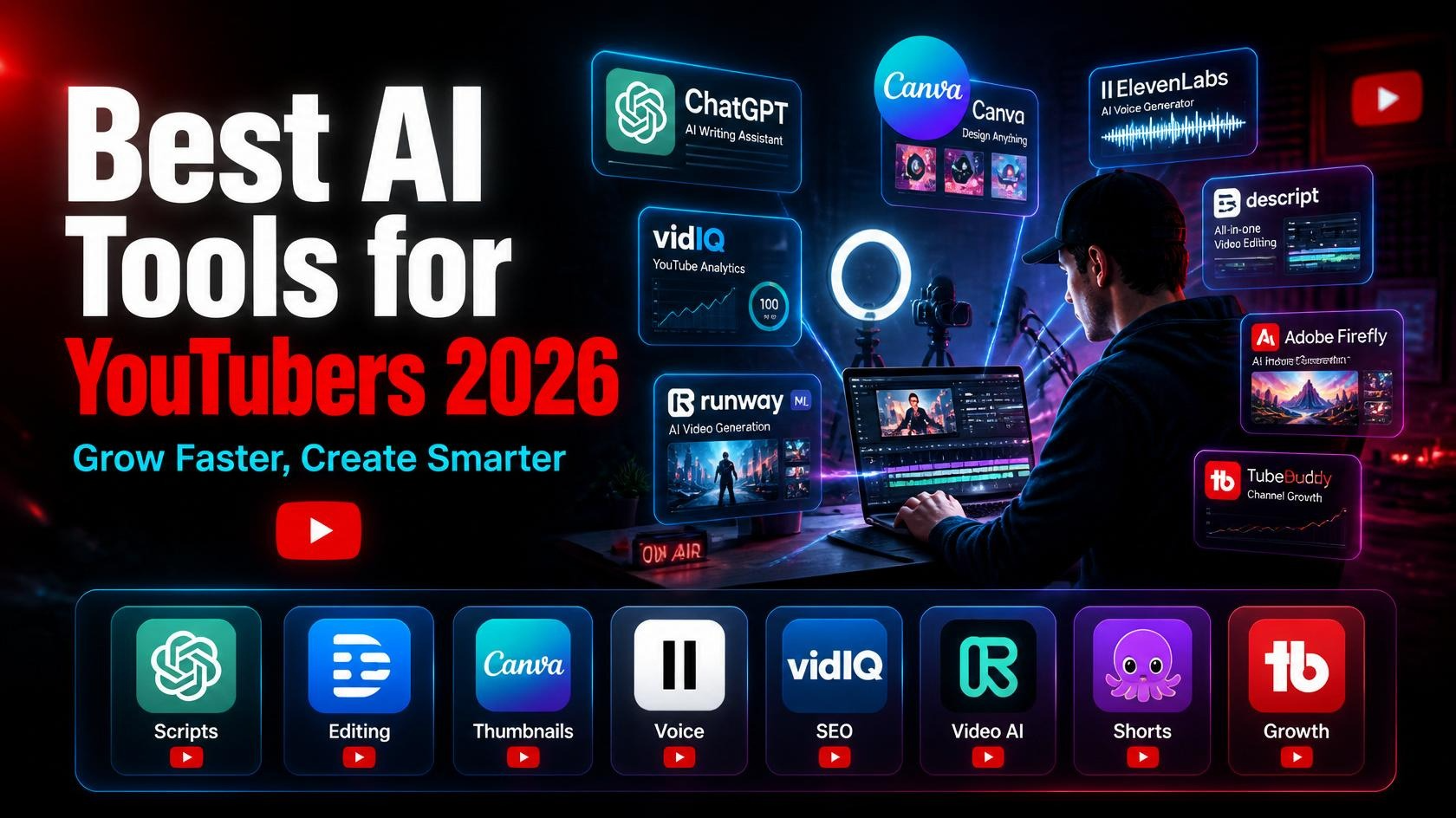
Let’s be real—running a YouTube channel in 2026 looks completely different than it did just a few years ago. If you want to scale your content creation without burning out, leveraging the best AI tools for YouTubers isn’t just a luxury anymore—it’s a competitive necessity. Today, successful creators are using artificial intelligence as a creative co-pilot to streamline everything from scriptwriting and video editing to thumbnail design and SEO. Whether you want to automate a faceless channel or optimize your personal brand, embracing these advanced AI video tools is the fastest way to stay consistent, beat the algorithm, and grow your YouTube channel.
Table of Contents
- How AI Is Changing YouTube Content Creation
- Best AI Tools for YouTube Script Writing
- Best AI Tools for Video Editing
- Best AI Thumbnail Generators for YouTube
- Best AI Voice Generators for YouTubers
- Best AI Tools for YouTube SEO
- Best AI Tools for Short-Form Video (Shorts)
- Free vs. Paid AI Tools for YouTubers
- Tips for Growing a YouTube Channel with AI
- FAQ
- Conclusion
1. How AI Is Changing YouTube Content Creation
If you’ve been paying attention, you already know something big has shifted in the creator economy. The YouTubers growing fastest in 2026 aren’t necessarily the ones with the best cameras or the biggest budgets. They’re the ones who’ve figured out how to use AI as a creative co-pilot.
Here’s what AI is actually doing for creators right now:
- Cutting production time dramatically — tasks that once took hours (editing, captions, thumbnail design) now take minutes
- Lowering the barrier to entry — you no longer need professional video editing skills to produce polished content
- Improving content strategy — AI tools analyze what’s working on YouTube and help you make smarter decisions
- Enabling consistent output — one of the biggest challenges for YouTubers is consistency; AI makes it easier to show up regularly
- Helping non-native English speakers — AI voice tools and translation features are opening YouTube up to global creators
The result? A more level playing field — and a massive opportunity for creators who embrace these tools early.
2. Best AI Tools for YouTube Script Writing
Great videos start with great scripts. Here are the tools that make writing faster and better.
1. ChatGPT (OpenAI)
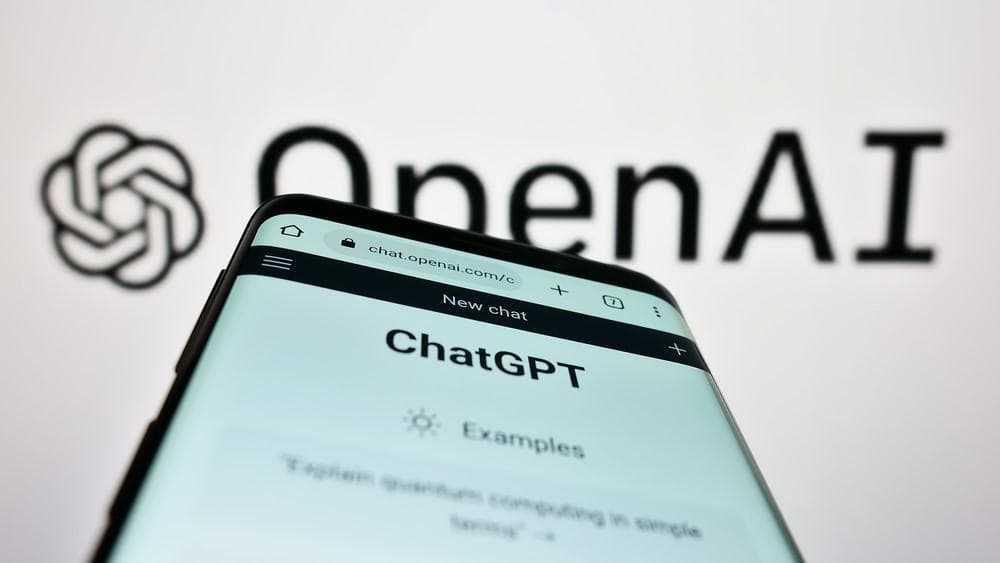
ChatGPT has become the go-to writing assistant for creators worldwide — and for good reason. It can draft full YouTube scripts, suggest hooks, write descriptions, brainstorm video ideas, and even help you punch up jokes or transitions.
Key Features:
- Full script generation from a simple prompt
- Tone customization (educational, entertaining, conversational)
- Video title and description writing
- Idea brainstorming and series planning
- GPT-4o model with real-time web browsing
Pros:
- Extremely versatile — does far more than just scripts
- Huge improvement in quality with specific prompts
- Free plan available
- Updated knowledge with browsing capability
Cons:
- Output can feel generic without detailed prompting
- Needs your unique voice added manually
- Free version has usage limits
Free Plan: Yes — GPT-3.5 is free. GPT-4o has limited free access; ChatGPT Plus is $20/month.
Best For: Script writing, video ideas, titles, descriptions, and end screen CTAs.
🔗 Learn more: OpenAI ChatGPT
3. Best AI Tools for Video Editing
Editing used to be the most time-consuming part of YouTube production. These tools are changing that fast.
🎬 Descript
Descript is one of the most genuinely revolutionary tools for YouTubers. Instead of editing a video timeline, you edit a transcript — like editing a Google Doc. Delete a sentence in the transcript and the video cut disappears. It also has AI-powered filler word removal, Studio Sound for audio cleanup, and an Overdub feature that lets you fix mistakes by typing new words in your own voice.
Key Features:
- Text-based video editing
- Automatic transcription (95%+ accuracy)
- Filler word removal (“um,” “uh,” “like”) in one click
- Studio Sound AI audio enhancement
- Screen recording + editing in one app
- Overdub: fix audio mistakes by typing
Pros:
- Dramatically reduces editing time
- Incredible for talking-head and interview content
- Overdub feature is genuinely magical
- Clean, modern interface
Cons:
- Not ideal for complex b-roll heavy edits
- Overdub voice cloning requires training time
- Can be pricey for heavy users
Free Plan: Free plan with 1 hour of transcription/month. Paid plans from $24/month.
Best For: Podcast-style videos, talking heads, interviews, educational content.
🔗 Learn more: Descript
🎥 Runway ML
Runway ML is the AI video editor that professional filmmakers and indie creators alike are going crazy over. It offers generative video (text-to-video), background removal without a green screen, AI rotoscoping, motion tracking, and much more — all browser-based.
Key Features:
- Gen-3 AI video generation (text/image to video)
- Background removal without green screen
- Motion tracking and blur
- AI color grading
- Remove objects from video scenes
- Inpainting for video (remove unwanted elements)
Pros:
- Cutting-edge AI video generation
- No green screen needed for background effects
- Regularly updated with new features
- Web-based — no heavy software to install
Cons:
- Video generation credits used up fast
- Not a full traditional video editor
- High-quality exports require paid plan
Free Plan: 125 credits on free plan. Standard plan from $15/month.
Best For: B-roll generation, creative effects, short-form AI video content, intros/outros.
🔗 Learn more: Runway ML
📹 Pictory AI
Pictory AI is built specifically for turning long-form content into videos. Paste in a blog post or script, and Pictory automatically matches it with stock footage, adds captions, and creates a ready-to-upload video — ideal for repurposing content at scale.
Key Features:
- Script-to-video in minutes
- Blog-to-video conversion
- Automatic caption generation
- AI voice narration
- Huge stock footage and music library
- Auto-highlight creation from long videos
Pros:
- Incredibly fast video creation from text
- Great for repurposing existing content
- Built-in stock library saves money
- Ideal for faceless YouTube channels
Cons:
- Output can look templated without customization
- Limited creative control vs. traditional editors
- Best results require some manual tweaking
Free Plan: 3 video projects free (watermarked). Paid from $23/month.
Best For: Faceless YouTube channels, content repurposing, educational and news-style videos.
🔗 Learn more: Pictory AI
4. Best AI Thumbnail Generators for YouTube
Your thumbnail is your video’s first impression. These tools help you nail it every time.
🎨 Canva AI
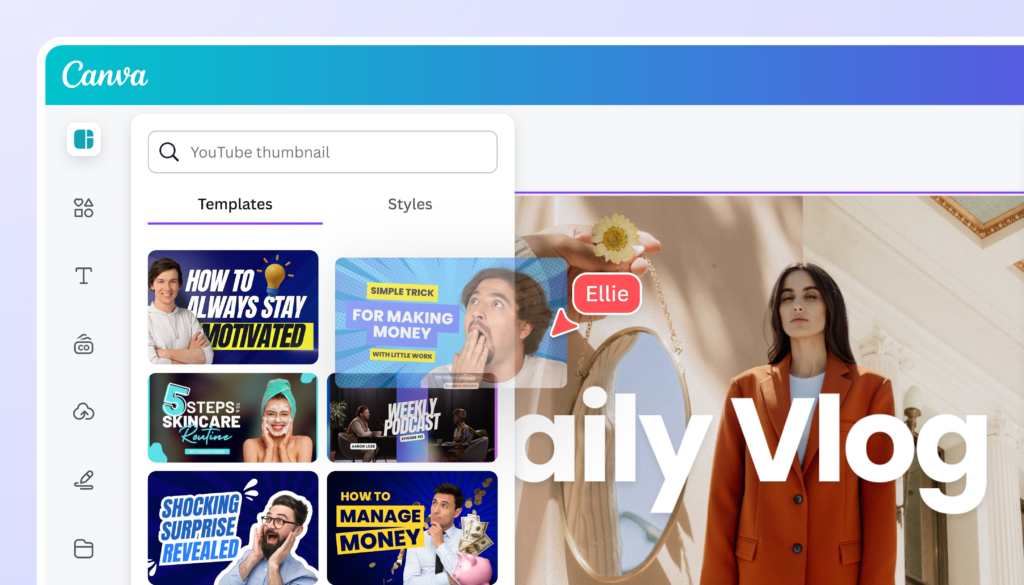
Canva remains the undisputed champion for YouTube thumbnail creation, and its AI features (Dream Lab, Magic Edit, Background Remover) make it even more powerful. You can generate a custom AI background, drop in your photo, add bold text — and have a scroll-stopping thumbnail in under 5 minutes.
Key Features:
- AI image generation (Dream Lab)
- One-click background removal
- Magic Edit for AI-powered design changes
- Thousands of YouTube thumbnail templates
- Text, fonts, and branding tools
Pros:
- Easiest thumbnail tool for beginners
- Templates designed specifically for YouTube
- Drag-and-drop interface anyone can master
- Free plan is genuinely usable
Cons:
- AI image quality not as high as Midjourney
- Limited AI credits on free plan
- Can look “templated” without customization
Free Plan: Yes — robust free tier. Canva Pro is $15/month for unlimited AI features.
Best For: All YouTubers, especially beginners who want fast, professional-looking thumbnails.
🔗 Learn more: Canva
🔥 Adobe Firefly
Adobe Firefly brings professional-grade AI image generation to thumbnail creation. It’s especially powerful if you already use Photoshop, as Generative Fill lets you extend backgrounds, remove objects, and create photorealistic composite images for thumbnails.
Key Features:
- Photorealistic AI image generation
- Generative Fill inside Photoshop
- Text effects for title cards
- Commercially safe (trained on licensed content)
Pros:
- Best quality for photorealistic thumbnails
- Deep Photoshop integration
- Commercially safe output
- Great for dramatic, eye-catching styles
Cons:
- Full power requires Adobe subscription
- Steeper learning curve than Canva
- Monthly credit limits on free plan
Free Plan: 25 generative credits/month free. Paid from $4.99/month.
Best For: YouTubers who want premium-quality thumbnails and already use Adobe tools.
🔗 Learn more: Adobe Firefly
5. Best AI Voice Generators for YouTubers
Whether you run a faceless channel, need multilingual content, or just want to fix audio mistakes — these tools are essential.
1. ElevenLabs
ElevenLabs is the clear leader in AI voice generation, and it’s not particularly close. The voices are eerily realistic, emotional, and natural-sounding. You can clone your own voice, choose from hundreds of AI voices, and generate narration in dozens of languages.
Key Features:
- 1,000+ realistic AI voices
- Voice cloning (clone your own voice)
- 29+ languages supported
- Emotion and pacing controls
- Dubbing Studio for video translation
- API access for developers
Pros:
- Most realistic AI voices available
- Voice cloning is genuinely impressive
- Great for dubbing content into other languages
- Consistent, broadcast-quality audio
Cons:
- Free plan has limited monthly characters
- Voice cloning requires voice samples
- Premium voices cost more credits
Free Plan: 10,000 characters/month free. Starter plan from $5/month.
Best For: Faceless YouTube channels, international content creators, audiobook-style narration.
🔗 Learn more: ElevenLabs
6. Best AI Tools for YouTube SEO {#youtube-seo}
Creating great content is only half the battle. Getting people to find it is the other half — and these tools make that far easier.
📊 VidIQ
VidIQ is one of the most comprehensive YouTube growth platforms available. It uses AI to analyze your channel, suggest video topics with high search potential, score your videos for SEO, and even tell you the best time to post.
Key Features:
- AI video idea generator
- Keyword research and scoring
- Competitor analysis
- AI-generated titles and descriptions
- Daily video ideas based on your niche
- Real-time SEO score for uploads
- Channel audit tool
Pros:
- Incredibly detailed keyword data
- AI daily ideas feature is genuinely useful
- Works directly inside YouTube as a browser extension
- Free plan has solid core features
Cons:
- Some advanced features locked behind higher-tier plans
- Can feel overwhelming with too much data at first
- AI coaching feature costs extra
Free Plan: Yes — browser extension with basic features. Paid from $10/month.
Best For: YouTubers serious about channel growth, keyword research, and SEO optimization.
🔗 Learn more: VidIQ
🔧 TubeBuddy
TubeBuddy is VidIQ’s main rival — and it’s equally powerful in different ways. Where VidIQ shines in idea generation, TubeBuddy excels in A/B testing thumbnails and titles, bulk processing, and advanced tag management. It’s a direct YouTube browser extension that overlays data right onto your dashboard.
Key Features:
- Keyword Explorer with competition scoring
- A/B testing for thumbnails and titles
- Bulk video editing tools
- Tag suggestions and management
- Best time to publish recommendations
- Competitor tracking
- AI title and description generator
Pros:
- A/B testing is uniquely powerful for optimization
- Bulk processing saves huge amounts of time
- Great for established channels with large libraries
- Very deep YouTube integration
Cons:
- Interface feels dated compared to VidIQ
- Free plan is quite limited
- Best features require higher-tier plans
Free Plan: Yes — limited. Pro plan from $4.99/month (discounted for small channels).
Best For: Channels that want to optimize existing content and test what works best.
🔗 Learn more: TubeBuddy
7. Best AI Tools for Short-Form Video (YouTube Shorts)
YouTube Shorts is one of the fastest ways to grow in 2026. These tools help you create and repurpose content for the short-form format.
Top picks for Shorts:
- Pictory AI — Automatically clips the best moments from your long videos into Shorts
- Descript — Lets you cut highlight clips and add captions in minutes
- Runway ML — AI-generated visuals work perfectly for creative Shorts content
- Canva AI — Sized templates for vertical 9:16 Shorts with quick customization
Pro tip for Shorts strategy: Use VidIQ’s Shorts analytics to find trending audio and topics in your niche, then create Shorts around those trends while they’re hot. Even 60-second AI-assisted clips can drive thousands of subscribers to your main channel.
8. Free vs. Paid AI Tools for YouTubers
Here’s a practical breakdown to help you decide where to spend (and where to save):
Start free with these:
- ChatGPT (free tier) for scripts and ideas
- Canva (free tier) for thumbnails
- VidIQ (free tier) for basic SEO
- Bing Image Creator for quick thumbnail background generation
Worth paying for when you’re ready:
- Descript — Once you feel how much time it saves, the cost is obvious
- ElevenLabs — If you run a faceless channel, this pays for itself
- VidIQ or TubeBuddy — If you’re serious about growth, SEO tools are non-negotiable
- Runway ML — If you create visually ambitious content
General rule: Start with free tools to learn the workflow, then invest in paid plans once you know which tools genuinely save you time.
9. Tips for Growing a YouTube Channel with AI
Here are the strategies top creators are using to combine AI tools into an efficient content workflow:
Build an AI-powered content pipeline:
- Use ChatGPT to brainstorm 10 video ideas based on your niche
- Run the top ideas through VidIQ to check search demand
- Write your script with ChatGPT, customized with your own voice
- Record or use ElevenLabs for narration if faceless
- Edit with Descript for speed
- Design the thumbnail in Canva AI
- Optimize title, description, and tags with TubeBuddy or VidIQ
- Repurpose into Shorts using Pictory AI
Stay human. AI can write your script, but your personality, opinion, and storytelling are what keep people subscribed. Use AI as a starting point, not the final word.
Post consistently. AI removes the biggest excuse for inconsistency — time. Use that to your advantage and establish a reliable upload schedule.
Study your analytics. Tools like VidIQ and TubeBuddy show you what’s working. Double down on what your audience responds to.
FAQ
Q1: What is the single best AI tool for beginner YouTubers?
If you could only start with one, ChatGPT is the answer. It helps with scripts, titles, descriptions, video ideas, and channel strategy — all from a simple chat interface. Pair it with Canva AI for thumbnails and you have a solid foundation completely for free.
Q2: Can AI tools really help grow a YouTube channel faster?
Yes — but with an important caveat. AI tools help you create more content, more consistently, and optimize it better for search. They don’t replace the need for genuine value and personality in your videos. The creators growing fastest use AI to handle the technical and repetitive work so they can focus on storytelling and audience connection.
Q3: Is it against YouTube’s rules to use AI tools?
No. YouTube does not prohibit the use of AI tools for creation. However, as of 2026, YouTube requires creators to disclose when content is AI-generated and realistic-looking (especially synthetic faces or voices in sensitive topics). Always stay updated with YouTube’s Creator Policies on AI-generated content.
Q4: What’s the best free AI tool for YouTube SEO?
VidIQ’s free browser extension is the best free option for YouTube SEO. It overlays keyword scores, tag suggestions, and competitor data directly on YouTube pages. TubeBuddy’s free tier is also worth installing alongside it.
Q5: Can I use AI voices (like ElevenLabs) on YouTube without being penalized?
Yes, AI-generated voices are allowed on YouTube. Many successful faceless channels use ElevenLabs or similar tools for narration. Just ensure your content follows YouTube’s Community Guidelines, and disclose AI-generated elements where required by YouTube’s policies.
AI Is Not Replacing YouTubers — It’s Empowering Them
Here’s the truth that gets lost in all the “AI will replace creators” noise: the best YouTubers in 2026 aren’t being replaced by AI. They’re being supercharged by it.
Think about what used to stop people from starting or scaling a YouTube channel — the time to edit, the cost of design tools, not knowing what topics to cover, spending hours on SEO. AI has systematically dismantled every one of those barriers.
The best AI tools for YouTubers — ChatGPT for scripts, Descript for editing, ElevenLabs for voices, Canva AI for thumbnails, VidIQ and TubeBuddy for SEO, Runway ML for visuals, and Pictory AI for repurposing — collectively represent a production studio that fits in your browser.
What’s coming next is even more exciting. We’re moving toward AI that can suggest edits based on retention data, automatically optimize thumbnails for different audience segments, generate personalized video versions for different markets, and even help you predict trending topics before they peak.
The YouTube creator landscape is shifting. The creators who learn to work with AI rather than resist it will have an enormous advantage — not just in output, but in quality, consistency, and strategic direction.
So pick one tool from this list. Start today. Build the habit. And let AI do the heavy lifting while you focus on what only you can do — connecting with your audience.
Last updated: June 2026 | Tool pricing and features may change. Verify current plans on each platform’s website.
Let’s be real — running a YouTube channel in 2026 is not the same as it was five years ago.
Back then, you needed a full setup: a scriptwriter, a video editor, a thumbnail designer, and hours of your own time just to get one video out. Now? A solo creator with the right AI tools can do all of that in a fraction of the time — and sometimes better.
Whether you’re just starting your channel or you’ve been posting for a while and want to level up, this guide covers the best AI tools for YouTubers in 2026. We’ll break down every category — editing, scripting, SEO, thumbnails, voiceovers, and more — so you know exactly what tools to use and when.
No fluff. Just the real stuff.
Table of Contents
- How AI Is Changing YouTube Content Creation
- Best AI Tools for YouTube Script Writing
- Best AI Tools for Video Editing
- Best AI Thumbnail Generators for YouTube
- Best AI Voice Generators for YouTubers
- Best AI Tools for YouTube SEO
- Best AI Tools for Short-Form Video (Shorts)
- Free vs. Paid AI Tools for YouTubers
- Tips for Growing a YouTube Channel with AI
- FAQ
- Conclusion
1. How AI Is Changing YouTube Content Creation {#how-ai-is-changing-youtube}
If you’ve been paying attention, you already know something big has shifted in the creator economy. The YouTubers growing fastest in 2026 aren’t necessarily the ones with the best cameras or the biggest budgets. They’re the ones who’ve figured out how to use AI as a creative co-pilot.
Here’s what AI is actually doing for creators right now:
- Cutting production time dramatically — tasks that once took hours (editing, captions, thumbnail design) now take minutes
- Lowering the barrier to entry — you no longer need professional video editing skills to produce polished content
- Improving content strategy — AI tools analyze what’s working on YouTube and help you make smarter decisions
- Enabling consistent output — one of the biggest challenges for YouTubers is consistency; AI makes it easier to show up regularly
- Helping non-native English speakers — AI voice tools and translation features are opening YouTube up to global creators
The result? A more level playing field — and a massive opportunity for creators who embrace these tools early.
2. Best AI Tools for YouTube Script Writing {#script-writing}
Great videos start with great scripts. Here are the tools that make writing faster and better.
✍️ ChatGPT (OpenAI)
ChatGPT has become the go-to writing assistant for creators worldwide — and for good reason. It can draft full YouTube scripts, suggest hooks, write descriptions, brainstorm video ideas, and even help you punch up jokes or transitions.
Key Features:
- Full script generation from a simple prompt
- Tone customization (educational, entertaining, conversational)
- Video title and description writing
- Idea brainstorming and series planning
- GPT-4o model with real-time web browsing
Pros:
- Extremely versatile — does far more than just scripts
- Huge improvement in quality with specific prompts
- Free plan available
- Updated knowledge with browsing capability
Cons:
- Output can feel generic without detailed prompting
- Needs your unique voice added manually
- Free version has usage limits
Free Plan: Yes — GPT-3.5 is free. GPT-4o has limited free access; ChatGPT Plus is $20/month.
Best For: Script writing, video ideas, titles, descriptions, and end screen CTAs.
🔗 Learn more: OpenAI ChatGPT
3. Best AI Tools for Video Editing {#video-editing}
Editing used to be the most time-consuming part of YouTube production. These tools are changing that fast.
🎬 Descript
Descript is one of the most genuinely revolutionary tools for YouTubers. Instead of editing a video timeline, you edit a transcript — like editing a Google Doc. Delete a sentence in the transcript and the video cut disappears. It also has AI-powered filler word removal, Studio Sound for audio cleanup, and an Overdub feature that lets you fix mistakes by typing new words in your own voice.
Key Features:
- Text-based video editing
- Automatic transcription (95%+ accuracy)
- Filler word removal (“um,” “uh,” “like”) in one click
- Studio Sound AI audio enhancement
- Screen recording + editing in one app
- Overdub: fix audio mistakes by typing
Pros:
- Dramatically reduces editing time
- Incredible for talking-head and interview content
- Overdub feature is genuinely magical
- Clean, modern interface
Cons:
- Not ideal for complex b-roll heavy edits
- Overdub voice cloning requires training time
- Can be pricey for heavy users
Free Plan: Free plan with 1 hour of transcription/month. Paid plans from $24/month.
Best For: Podcast-style videos, talking heads, interviews, educational content.
🔗 Learn more: Descript
🎥 Runway ML
Runway ML is the AI video editor that professional filmmakers and indie creators alike are going crazy over. It offers generative video (text-to-video), background removal without a green screen, AI rotoscoping, motion tracking, and much more — all browser-based.
Key Features:
- Gen-3 AI video generation (text/image to video)
- Background removal without green screen
- Motion tracking and blur
- AI color grading
- Remove objects from video scenes
- Inpainting for video (remove unwanted elements)
Pros:
- Cutting-edge AI video generation
- No green screen needed for background effects
- Regularly updated with new features
- Web-based — no heavy software to install
Cons:
- Video generation credits used up fast
- Not a full traditional video editor
- High-quality exports require paid plan
Free Plan: 125 credits on free plan. Standard plan from $15/month.
Best For: B-roll generation, creative effects, short-form AI video content, intros/outros.
🔗 Learn more: Runway ML
📹 Pictory AI
Pictory AI is built specifically for turning long-form content into videos. Paste in a blog post or script, and Pictory automatically matches it with stock footage, adds captions, and creates a ready-to-upload video — ideal for repurposing content at scale.
Key Features:
- Script-to-video in minutes
- Blog-to-video conversion
- Automatic caption generation
- AI voice narration
- Huge stock footage and music library
- Auto-highlight creation from long videos
Pros:
- Incredibly fast video creation from text
- Great for repurposing existing content
- Built-in stock library saves money
- Ideal for faceless YouTube channels
Cons:
- Output can look templated without customization
- Limited creative control vs. traditional editors
- Best results require some manual tweaking
Free Plan: 3 video projects free (watermarked). Paid from $23/month.
Best For: Faceless YouTube channels, content repurposing, educational and news-style videos.
🔗 Learn more: Pictory AI
4. Best AI Thumbnail Generators for YouTube {#thumbnails}
Your thumbnail is your video’s first impression. These tools help you nail it every time.
🎨 Canva AI
Canva remains the undisputed champion for YouTube thumbnail creation, and its AI features (Dream Lab, Magic Edit, Background Remover) make it even more powerful. You can generate a custom AI background, drop in your photo, add bold text — and have a scroll-stopping thumbnail in under 5 minutes.
Key Features:
- AI image generation (Dream Lab)
- One-click background removal
- Magic Edit for AI-powered design changes
- Thousands of YouTube thumbnail templates
- Text, fonts, and branding tools
Pros:
- Easiest thumbnail tool for beginners
- Templates designed specifically for YouTube
- Drag-and-drop interface anyone can master
- Free plan is genuinely usable
Cons:
- AI image quality not as high as Midjourney
- Limited AI credits on free plan
- Can look “templated” without customization
Free Plan: Yes — robust free tier. Canva Pro is $15/month for unlimited AI features.
Best For: All YouTubers, especially beginners who want fast, professional-looking thumbnails.
🔗 Learn more: Canva
🔥 Adobe Firefly
Adobe Firefly brings professional-grade AI image generation to thumbnail creation. It’s especially powerful if you already use Photoshop, as Generative Fill lets you extend backgrounds, remove objects, and create photorealistic composite images for thumbnails.
Key Features:
- Photorealistic AI image generation
- Generative Fill inside Photoshop
- Text effects for title cards
- Commercially safe (trained on licensed content)
Pros:
- Best quality for photorealistic thumbnails
- Deep Photoshop integration
- Commercially safe output
- Great for dramatic, eye-catching styles
Cons:
- Full power requires Adobe subscription
- Steeper learning curve than Canva
- Monthly credit limits on free plan
Free Plan: 25 generative credits/month free. Paid from $4.99/month.
Best For: YouTubers who want premium-quality thumbnails and already use Adobe tools.
🔗 Learn more: Adobe Firefly
5. Best AI Voice Generators for YouTubers {#voice-generators}
Whether you run a faceless channel, need multilingual content, or just want to fix audio mistakes — these tools are essential.
🎙️ ElevenLabs
ElevenLabs is the clear leader in AI voice generation, and it’s not particularly close. The voices are eerily realistic, emotional, and natural-sounding. You can clone your own voice, choose from hundreds of AI voices, and generate narration in dozens of languages.
Key Features:
- 1,000+ realistic AI voices
- Voice cloning (clone your own voice)
- 29+ languages supported
- Emotion and pacing controls
- Dubbing Studio for video translation
- API access for developers
Pros:
- Most realistic AI voices available
- Voice cloning is genuinely impressive
- Great for dubbing content into other languages
- Consistent, broadcast-quality audio
Cons:
- Free plan has limited monthly characters
- Voice cloning requires voice samples
- Premium voices cost more credits
Free Plan: 10,000 characters/month free. Starter plan from $5/month.
Best For: Faceless YouTube channels, international content creators, audiobook-style narration.
🔗 Learn more: ElevenLabs
6. Best AI Tools for YouTube SEO {#youtube-seo}
Creating great content is only half the battle. Getting people to find it is the other half — and these tools make that far easier.
📊 VidIQ
VidIQ is one of the most comprehensive YouTube growth platforms available. It uses AI to analyze your channel, suggest video topics with high search potential, score your videos for SEO, and even tell you the best time to post.
Key Features:
- AI video idea generator
- Keyword research and scoring
- Competitor analysis
- AI-generated titles and descriptions
- Daily video ideas based on your niche
- Real-time SEO score for uploads
- Channel audit tool
Pros:
- Incredibly detailed keyword data
- AI daily ideas feature is genuinely useful
- Works directly inside YouTube as a browser extension
- Free plan has solid core features
Cons:
- Some advanced features locked behind higher-tier plans
- Can feel overwhelming with too much data at first
- AI coaching feature costs extra
Free Plan: Yes — browser extension with basic features. Paid from $10/month.
Best For: YouTubers serious about channel growth, keyword research, and SEO optimization.
🔗 Learn more: VidIQ
🔧 TubeBuddy
TubeBuddy is VidIQ’s main rival — and it’s equally powerful in different ways. Where VidIQ shines in idea generation, TubeBuddy excels in A/B testing thumbnails and titles, bulk processing, and advanced tag management. It’s a direct YouTube browser extension that overlays data right onto your dashboard.
Key Features:
- Keyword Explorer with competition scoring
- A/B testing for thumbnails and titles
- Bulk video editing tools
- Tag suggestions and management
- Best time to publish recommendations
- Competitor tracking
- AI title and description generator
Pros:
- A/B testing is uniquely powerful for optimization
- Bulk processing saves huge amounts of time
- Great for established channels with large libraries
- Very deep YouTube integration
Cons:
- Interface feels dated compared to VidIQ
- Free plan is quite limited
- Best features require higher-tier plans
Free Plan: Yes — limited. Pro plan from $4.99/month (discounted for small channels).
Best For: Channels that want to optimize existing content and test what works best.
🔗 Learn more: TubeBuddy
7. Best AI Tools for Short-Form Video (YouTube Shorts) {#short-form-video}
YouTube Shorts is one of the fastest ways to grow in 2026. These tools help you create and repurpose content for the short-form format.
Top picks for Shorts:
- Pictory AI — Automatically clips the best moments from your long videos into Shorts
- Descript — Lets you cut highlight clips and add captions in minutes
- Runway ML — AI-generated visuals work perfectly for creative Shorts content
- Canva AI — Sized templates for vertical 9:16 Shorts with quick customization
Pro tip for Shorts strategy: Use VidIQ’s Shorts analytics to find trending audio and topics in your niche, then create Shorts around those trends while they’re hot. Even 60-second AI-assisted clips can drive thousands of subscribers to your main channel.
8. Free vs. Paid AI Tools for YouTubers {#free-vs-paid}
Here’s a practical breakdown to help you decide where to spend (and where to save):
Start free with these:
- ChatGPT (free tier) for scripts and ideas
- Canva (free tier) for thumbnails
- VidIQ (free tier) for basic SEO
- Bing Image Creator for quick thumbnail background generation
Worth paying for when you’re ready:
- Descript — Once you feel how much time it saves, the cost is obvious
- ElevenLabs — If you run a faceless channel, this pays for itself
- VidIQ or TubeBuddy — If you’re serious about growth, SEO tools are non-negotiable
- Runway ML — If you create visually ambitious content
General rule: Start with free tools to learn the workflow, then invest in paid plans once you know which tools genuinely save you time.
9. Tips for Growing a YouTube Channel with AI {#growth-tips}
Here are the strategies top creators are using to combine AI tools into an efficient content workflow:
Build an AI-powered content pipeline:
- Use ChatGPT to brainstorm 10 video ideas based on your niche
- Run the top ideas through VidIQ to check search demand
- Write your script with ChatGPT, customized with your own voice
- Record or use ElevenLabs for narration if faceless
- Edit with Descript for speed
- Design the thumbnail in Canva AI
- Optimize title, description, and tags with TubeBuddy or VidIQ
- Repurpose into Shorts using Pictory AI
Stay human. AI can write your script, but your personality, opinion, and storytelling are what keep people subscribed. Use AI as a starting point, not the final word.
Post consistently. AI removes the biggest excuse for inconsistency — time. Use that to your advantage and establish a reliable upload schedule.
Study your analytics. Tools like VidIQ and TubeBuddy show you what’s working. Double down on what your audience responds to.
FAQ
Q1: What is the single best AI tool for beginner YouTubers?
If you could only start with one, ChatGPT is the answer. It helps with scripts, titles, descriptions, video ideas, and channel strategy — all from a simple chat interface. Pair it with Canva AI for thumbnails and you have a solid foundation completely for free.
Q2: Can AI tools really help grow a YouTube channel faster?
Yes — but with an important caveat. AI tools help you create more content, more consistently, and optimize it better for search. They don’t replace the need for genuine value and personality in your videos. The creators growing fastest use AI to handle the technical and repetitive work so they can focus on storytelling and audience connection.
Q3: Is it against YouTube’s rules to use AI tools?
No. YouTube does not prohibit the use of AI tools for creation. However, as of 2026, YouTube requires creators to disclose when content is AI-generated and realistic-looking (especially synthetic faces or voices in sensitive topics). Always stay updated with YouTube’s Creator Policies on AI-generated content.
Q4: What’s the best free AI tool for YouTube SEO?
VidIQ’s free browser extension is the best free option for YouTube SEO. It overlays keyword scores, tag suggestions, and competitor data directly on YouTube pages. TubeBuddy’s free tier is also worth installing alongside it.
Q5: Can I use AI voices (like ElevenLabs) on YouTube without being penalized?
Yes, AI-generated voices are allowed on YouTube. Many successful faceless channels use ElevenLabs or similar tools for narration. Just ensure your content follows YouTube’s Community Guidelines, and disclose AI-generated elements where required by YouTube’s policies.
AI Is Not Replacing YouTubers — It’s Empowering Them
Here’s the truth that gets lost in all the “AI will replace creators” noise: the best YouTubers in 2026 aren’t being replaced by AI. They’re being supercharged by it.
Think about what used to stop people from starting or scaling a YouTube channel — the time to edit, the cost of design tools, not knowing what topics to cover, spending hours on SEO. AI has systematically dismantled every one of those barriers.
The best AI tools for YouTubers — ChatGPT for scripts, Descript for editing, ElevenLabs for voices, Canva AI for thumbnails, VidIQ and TubeBuddy for SEO, Runway ML for visuals, and Pictory AI for repurposing — collectively represent a production studio that fits in your browser.
What’s coming next is even more exciting. We’re moving toward AI that can suggest edits based on retention data, automatically optimize thumbnails for different audience segments, generate personalized video versions for different markets, and even help you predict trending topics before they peak.
The YouTube creator landscape is shifting. The creators who learn to work with AI rather than resist it will have an enormous advantage — not just in output, but in quality, consistency, and strategic direction.
So pick one tool from this list. Start today. Build the habit. And let AI do the heavy lifting while you focus on what only you can do — connecting with your audience.