
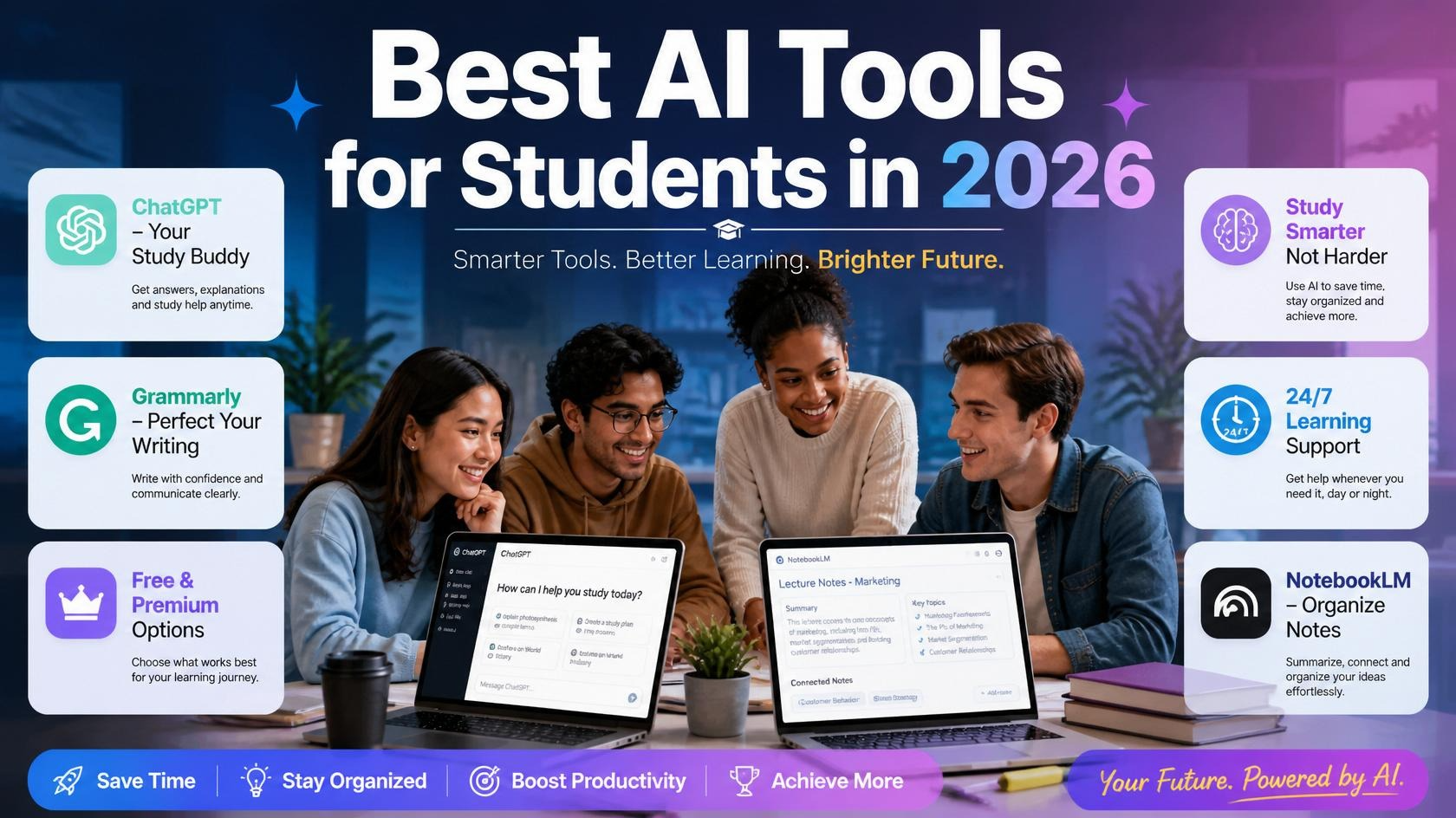
In 2026, AI isn’t just a buzzword anymore. It’s become a genuine study partner for millions of students across the U.S. and around the world. Whether you’re struggling with a tough essay, trying to make sense of a 40-page research paper, or just need help staying organized, there’s an AI tool built exactly for that.
But here’s the thing — with so many tools out there, it’s easy to get overwhelmed. Which ones are actually worth your time? Which ones are free? And which ones will genuinely help you learn rather than just do the work for you?
This guide breaks it all down. We’ve rounded up the best AI tools for students in 2026 — covering writing, research, note-taking, math, coding, and more. Each tool is explained in plain English, with real use cases, honest pros and cons, and pricing info so you can make the right choice.
Let’s get into it.
Why Students Need AI Tools in 2026
Before we dive into the list, let’s be clear about something: the best AI tools don’t replace your thinking — they sharpen it.
Think of AI as the world’s most patient study buddy. It can explain a confusing concept five different ways until one clicks. It can help you brainstorm when you’re staring at a blank page. It can proofread your essay at 2 a.m. when your professor is asleep.
The students who are winning right now aren’t the ones letting AI write their papers. They’re the ones using AI to understand material faster, organize their time better, and get more out of every study session.
Now, here are the tools making that possible.
1. ChatGPT (OpenAI) — Best All-Around AI Study Assistant
Best for: Understanding concepts, brainstorming, study Q&A, essay outlines
If there’s one AI tool almost every student has heard of, it’s ChatGPT. Launched by OpenAI, ChatGPT is a conversational AI that can answer questions, explain ideas, help with writing, and even assist with basic coding.
What makes it so useful for students is its versatility. You can type a question the way you’d ask a friend — in plain, messy, casual language — and get a clear, thoughtful answer back.
Key Features
- Conversational AI that understands natural language
- Can explain complex topics in simple terms
- Helps with brainstorming, outlines, and drafting
- Supports file uploads (PDFs, docs) in paid tiers
- Available on web, iOS, and Android
Best Use Cases
- “Explain quantum mechanics like I’m 16”
- “Give me 10 essay ideas on climate change”
- “Quiz me on the causes of World War I”
- Writing first drafts and outlines.
Pricing: Free plan available. ChatGPT Plus is $20/month with faster responses and access to GPT-4o.
2. Grammarly — Best AI Writing Assistant
Best for: Essays, emails, research papers, grammar and style improvements
Every student writes. And almost every student has hit “submit” only to spot a typo two seconds later. Grammarly fixes that — and a whole lot more.
Grammarly is an AI-powered writing assistant that checks your grammar, spelling, punctuation, tone, and clarity in real time. In 2026, it’s gotten even smarter, offering full-sentence rewrites and style suggestions that genuinely improve how your writing sounds.
Key Features
- Real-time grammar, spelling, and punctuation corrections
- Tone detection (is your email too harsh? Too casual?)
- Clarity and conciseness suggestions
- Plagiarism checker (in premium plan)
- Works in Google Docs, Microsoft Word, email, and browsers
Best Use Cases
- Polishing a college essay before submission
- Writing professional emails to professors
- Checking tone in scholarship application letters
- Cleaning up research paper drafts
Pricing: Free plan available. Grammarly Premium starts at around $12/month (often discounted for students).
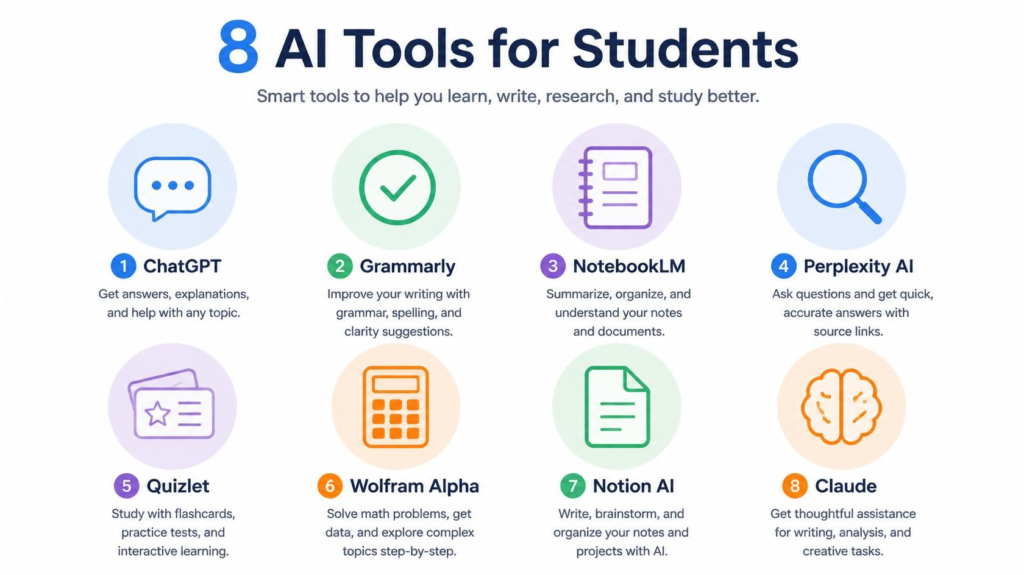
3. Google NotebookLM — Best for Note-Taking and Research
Best for: Organizing lecture notes, summarizing research papers, studying from uploaded documents
NotebookLM is Google’s AI-powered notebook tool — and honestly, it might be the most underrated student tool of 2026. Here’s how it works: you upload your documents, PDFs, lecture slides, or notes, and NotebookLM turns them into an interactive study assistant.
Instead of reading a 50-page research paper from start to finish, you can just ask it, “What are the three main arguments in this paper?” and get a clean, sourced summary in seconds.
Key Features
- Upload PDFs, Google Docs, and text files as your knowledge base
- Ask questions directly about your uploaded materials
- Generates summaries, study guides, and FAQs from your notes
- Creates audio-style podcast summaries (Audio Overview feature)
- Completely free to use
Best Use Cases
- Turning a dense research paper into digestible bullet points
- Creating study guides from your own class notes
- Preparing for exams by quizzing yourself on uploaded material
- Literature reviews for research projects.
Pricing: Free.
4. Perplexity AI — Best for Research and Fact-Checking
Best for: Academic research, current events, finding credible sources
One of the biggest problems with AI tools? They sometimes make things up. Perplexity AI was built to solve exactly that problem.
Perplexity is an AI-powered search engine that gives you answers with real citations attached. Every response pulls from live web sources and shows you exactly where the information came from. For students writing research papers or trying to verify facts, this is a game-changer.
Key Features
- AI answers with source citations included
- Real-time web search built in
- “Pro Search” mode for deeper, multi-source research
- Organizes research into Spaces (like topic folders)
- Clean, distraction-free interface
Best Use Cases
- Starting research for a paper (“What are recent studies on sleep and memory?”)
- Fact-checking claims you found in a textbook or article
- Getting a quick overview of a topic before diving deeper
- Finding academic sources to read further
Pricing: Free plan available. Perplexity Pro is $20/month.
5. Quizlet AI — Best for Memorization and Exam Prep
Best for: Flashcards, vocabulary, test prep, spaced repetition
Quizlet has been a student favorite for years, and in 2026 it’s powered by AI in ways that make studying for exams significantly faster. You can now dump your notes into Quizlet and let it automatically generate flashcard sets, practice tests, and fill-in-the-blank quizzes.
The AI adapts to how you’re performing — if you keep missing the same flashcard, it shows it to you more often. That’s the science of spaced repetition working in your favor.
Key Features
- Auto-generates flashcards from your notes or typed content
- Adaptive learning that focuses on your weak spots
- Practice tests and multiple-choice quizzes
- “Magic Notes” turns uploaded docs into study sets
- Available on web and mobile
Best Use Cases
- Learning vocabulary for a foreign language class
- Memorizing biology terms, history dates, or chemistry definitions
- Preparing for standardized tests (SAT, ACT, AP exams)
- Quick review the night before an exam.
Pricing: Free plan available. Quizlet Plus starts at ~$8/month.
6. Wolfram Alpha — Best for Math and STEM Problems
Best for: Math, physics, chemistry, statistics, engineering
If you’re a STEM student and you haven’t used Wolfram Alpha, you’re missing out. This tool isn’t a chatbot — it’s a computational knowledge engine. You type in a math problem, a chemistry formula, or a physics equation, and it doesn’t just give you the answer. It shows you every single step of how it got there.
That step-by-step breakdown is what makes Wolfram Alpha invaluable for learning, not just getting answers.
Key Features
- Solves calculus, algebra, statistics, and more step-by-step
- Handles chemistry, physics, and engineering problems
- Plots graphs and visualizes data
- Works with equations, unit conversions, and data analysis
- Available as a web tool and mobile app
Best Use Cases
- Checking your work on calculus homework
- Understanding how to solve a type of problem you’re stuck on
- Graphing functions for math or physics assignments
- Unit conversions and scientific calculations.
Pricing: Free basic access. Wolfram Alpha Pro is ~$7.25/month for students.
7. Notion AI — Best for Organization and Productivity
Best for: Note-taking, project planning, to-do lists, class organization
Notion is already one of the most popular productivity apps among students. With Notion AI built in, it becomes a genuinely powerful study hub. You can take notes, plan your semester, track assignments, and then ask Notion AI to summarize your notes, suggest action items, or help you write up a project outline — all in one place.
Key Features
- AI-powered note summarization and writing assistance
- Templates for class notes, project trackers, and study schedules
- Databases for organizing assignments, deadlines, and grades
- Ask AI questions about your own notes
- Works on web, desktop, iOS, and Android
Best Use Cases
- Building a full semester planner with assignments and deadlines
- Summarizing long class notes after a lecture
- Drafting project outlines and to-do lists
- Keeping all courses organized in one workspace.
Pricing: Free plan available. Notion AI add-on is $10/month (or included in paid plans).
8. Claude (Anthropic) — Best for Deep Thinking and Long Documents
Best for: Analyzing long texts, thoughtful essay feedback, nuanced explanations
Claude is Anthropic’s AI assistant, and it has a reputation for being one of the most thoughtful and careful AI models available. For students, its biggest strength is handling long, complex material — like 80-page PDFs, dense academic papers, or multi-part essay feedback.
Claude tends to give more nuanced, careful responses than some other AI tools, making it great for when you need genuine analysis rather than a quick answer.
Key Features
- Handles very long documents (up to 200,000 tokens of context)
- Strong at literary analysis, philosophy, history, and writing feedback
- Thoughtful, careful responses with a natural writing style
- Available on web, iOS, and Android
Best Use Cases
- Uploading a long academic paper and asking for a detailed summary
- Getting honest, thorough feedback on a draft essay
- Working through complex philosophical or ethical questions
- Analyzing literature or primary source documents.
Pricing: Free plan available. Claude Pro is $20/month.
Quick Comparison Table
| Tool | Best For | Free Plan | Starting Price |
|---|---|---|---|
| ChatGPT | All-around assistant | ✅ Yes | $20/month |
| Grammarly | Writing & grammar | ✅ Yes | ~$12/month |
| NotebookLM | Notes & research | ✅ Yes | Free |
| Perplexity AI | Sourced research | ✅ Yes | $20/month |
| Quizlet AI | Flashcards & exams | ✅ Yes | ~$8/month |
| Wolfram Alpha | Math & STEM | ✅ Yes | ~$7.25/month |
| Notion AI | Organization | ✅ Yes | $10/month (AI add-on) |
| Claude | Long docs & writing | ✅ Yes | $20/month |
How to Use AI Tools Responsibly as a Student
This matters, so let’s talk about it directly.
Using AI to understand something better is completely different from using AI to pretend you understand something. The first builds skills that help you for life. The second is a shortcut that catches up with you — on exams, in job interviews, in real life.
Here’s a simple rule: would your professor be okay with how you’re using this tool if they could see your screen?
Using ChatGPT to understand a confusing concept? Great. Using Grammarly to polish your final draft? Totally fine. Asking Claude to summarize a 90-page paper so you can engage with the key arguments? Smart. Having AI write your essay from scratch and submitting it as your own? That’s academic dishonesty — and in 2026, most institutions have tools to detect it.
Use AI to amplify your effort, not replace it.
Frequently Asked Questions (FAQ)
Are AI tools free for students?
Most of the tools on this list offer solid free plans that are good enough for everyday student use. Tools like NotebookLM are completely free. Others like ChatGPT, Grammarly, and Perplexity offer free tiers with optional paid upgrades for advanced features.
Is using AI cheating in school?
Not automatically. It depends entirely on how you use it and your school’s academic integrity policy. Using AI to understand concepts, brainstorm ideas, or improve your writing is generally accepted. Having AI write your assignments and submitting that as your own work is considered cheating at most institutions. Always check your school’s policy.
Which AI tool is best for writing essays?
For essay writing, Grammarly is best for editing and polishing, while ChatGPT or Claude are better for brainstorming, outlining, and getting feedback. For research-heavy essays, Perplexity AI helps you find credible sources.
What’s the best free AI tool for students?
Google NotebookLM is completely free and extremely powerful for studying from your own notes and documents. ChatGPT’s free tier is also one of the most capable free AI tools available for general studying.
Can AI help with math homework?
Yes — Wolfram Alpha is specifically designed for math and shows you step-by-step solutions. ChatGPT and Claude can also help explain math concepts, though Wolfram Alpha is more reliable for complex calculations.
Which AI tool is best for research papers?
Perplexity AI is the top choice for research because it provides answers with citations attached. NotebookLM is great for analyzing research papers you’ve already found and uploaded.
Are these AI tools safe to use?
Yes, the tools listed here are from reputable companies (Google, OpenAI, Anthropic, Grammarly, etc.) and are safe to use. That said, avoid entering sensitive personal information like your full Social Security number, financial details, or passwords into any AI tool.
Conclusion: Work Smarter With the Right AI Stack
The students who will thrive in 2026 and beyond aren’t the ones who avoid AI — and they’re not the ones who let it do everything for them. They’re the ones who know which tool to reach for and when to use it.
Here’s a simple AI toolkit to start with:
- ChatGPT for understanding concepts and brainstorming
- Grammarly for polishing everything you write
- NotebookLM for organizing your notes and studying smarter
- Perplexity AI when you need sources for your research
- Wolfram Alpha if you’re in math or sciences
Start with the free plans, see what actually fits your study style, and build from there. You don’t need to use all eight tools — even one or two can make a real difference in how you study.
The goal isn’t to do less work. It’s to make the work you do count more.
Found this guide helpful? Share it with a classmate who could use it. And if you’re looking for more tech and AI coverage for students, explore the rest of our blog.