
If you run a small business in the United States, you’ve probably noticed that “AI tool” has quietly become as common a phrase in your inbox as “limited-time offer” or “free shipping.” But unlike most of the hype cycles that came before it, this one is actually changing how small businesses operate — not someday, but right now, in 2026.
A few years ago, AI software felt like something built for enterprise companies with six-figure IT budgets. That’s no longer true. Today, a one-person consulting shop in Austin can run a smarter marketing engine than a regional agency did five years ago — for less than the cost of a single client lunch. A boutique in Charleston can answer customer questions overnight using an AI chatbot while the owner sleeps. A bookkeeper in Phoenix can close the monthly books in half the time thanks to AI-assisted accounting software.
That’s the promise behind the best AI tools for small businesses in 2026: they’re cheaper, faster to set up, and far more useful than the clunky “AI-powered” software of just a few years back. Whether you’re a freelancer juggling five clients, a startup founder trying to do the work of ten people, or a local shop owner who just wants fewer headaches, there’s an AI tool built for you.
In this guide, we’ll walk through 15 of the most useful AI tools for small businesses right now — covering everything from AI chatbots and writing assistants to marketing automation, customer service, accounting, video creation, and meeting notes. For each one, we’ll break down what it does well, where it falls short, what it costs, and who should actually use it. We’ll also cover how to choose the right tool for your specific business, what trends to watch heading into the rest of 2026, and how to get real ROI instead of just another subscription you forget to cancel.
Let’s get into it.
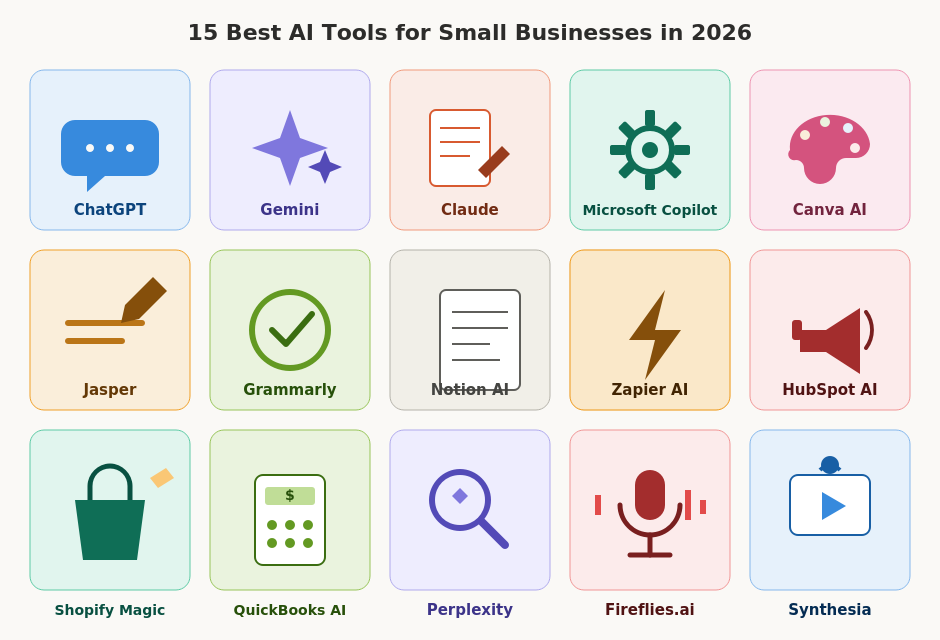
Before we dive into the details, here’s a side-by-side look at how these tools stack up on price, free access, and what they’re best suited for.
| Tool Name | Best For | Starting Price | Free Plan Available? | Overall Rating |
|---|---|---|---|---|
| ChatGPT | All-around AI assistant for writing, research, and ideas | $20/month (Plus) | Yes | 4.8/5 |
| Gemini | Google Workspace integration & research | $19.99/month (Google AI Pro) | Yes | 4.6/5 |
| Claude | Long-form writing, analysis, and business documents | $20/month (Pro) | Yes | 4.7/5 |
| Microsoft Copilot | Microsoft 365 power users | Included with M365 Copilot add-on (~$30/user/month) | Limited free tier | 4.5/5 |
| Canva AI | Design, branding, and social media graphics | Free / $15/month (Pro) | Yes | 4.7/5 |
| Jasper | On-brand marketing content at scale | $39–$59/month | No (7-day trial) | 4.3/5 |
| Grammarly | Writing, editing, and tone polishing | Free / $12/month (Pro) | Yes | 4.6/5 |
| Notion AI | Notes, docs, and project organization | Included from $10/month (with Notion plan) | Yes (limited) | 4.5/5 |
| Zapier AI | Workflow and app automation | Free / $19.99/month | Yes | 4.6/5 |
| HubSpot AI | CRM, marketing, and sales automation | Free / $15/month per seat | Yes | 4.6/5 |
| Shopify Magic | Ecommerce store management | Included with Shopify plans (from $29/month) | Yes (with Shopify trial) | 4.5/5 |
| QuickBooks AI | Bookkeeping and small business accounting | $35/month | No (30-day trial) | 4.4/5 |
| Perplexity | AI-powered research and search | Free / $20/month (Pro) | Yes | 4.6/5 |
| Fireflies.ai | Meeting notes and call transcription | Free / $10/user/month | Yes | 4.5/5 |
| Synthesia | AI video creation with avatars | $18/month (annual) | Limited free trial | 4.4/5 |
Pricing reflects publicly available rates as of mid-2026 and may change — always check the provider’s website for current details.
The 15 Best AI Tools for Small Businesses
1. ChatGPT

Overview
ChatGPT from OpenAI remains the most widely used AI assistant for small businesses heading into 2026, and for good reason. It’s the closest thing to a digital Swiss Army knife: you can use it for customer emails, marketing copy, business plans, spreadsheet formulas, code, brainstorming, and more — all in one place.
Key Features
- Conversational AI for writing, research, and problem-solving
- Custom GPTs you can build for specific business tasks (FAQ bots, onboarding guides, etc.)
- File uploads for analyzing spreadsheets, PDFs, and contracts
- Voice mode for hands-free brainstorming
- Browser and app integrations through plugins and connectors
Pros
- Extremely versatile — handles dozens of business tasks
- Strong free tier for occasional use
- Huge ecosystem of guides, templates, and third-party integrations
- Regularly updated with new capabilities
Cons
- Free tier has usage limits during busy periods
- Can occasionally produce inaccurate information (“hallucinations”)
- Advanced features require a paid plan
Best Use Cases
- Drafting customer emails, proposals, and job descriptions
- Brainstorming marketing campaigns and product names
- Summarizing long documents or contracts
- Building a simple internal FAQ assistant for staff
Pricing
Free tier available with limited daily messages. ChatGPT Plus runs around $20/month, with a lower-cost “Go” tier and higher “Pro” tiers available for power users.
Who Should Use It
Almost every small business owner can find a use for ChatGPT. It’s especially valuable for solo entrepreneurs, consultants, and small teams who need a flexible assistant without committing to multiple specialized tools right away.
2. Gemini
Overview
Gemini is Google’s AI assistant, and its biggest advantage for small businesses is how deeply it’s woven into Gmail, Google Docs, Sheets, Slides, and Google Workspace. If your business already runs on Google’s tools, Gemini feels less like a separate app and more like a built-in upgrade.
Key Features
- Native integration with Gmail, Docs, Sheets, Drive, and Meet
- Large context window for analyzing long documents and data sets
- “Help me write,” “help me organize,” and “help me visualize” tools inside Workspace apps
- Research and summarization across multiple sources
- Image generation and editing capabilities
Pros
- Seamless if you’re already on Google Workspace
- Strong at summarizing emails, spreadsheets, and meeting notes
- Generous free access through Google accounts
- Improves Google Search results with AI-generated overviews
Cons
- Less useful if your business runs on Microsoft or Apple ecosystems
- Some advanced features require a paid Google AI Pro or Workspace add-on
- Interface changes frequently, which can be confusing for non-technical users
Best Use Cases
- Summarizing long email threads or meeting transcripts
- Drafting and editing documents directly inside Google Docs
- Building quick data visualizations from a spreadsheet
- Researching competitors or industry trends
Pricing
Free with a Google account. Google AI Pro is roughly $19.99/month, with a higher Ultra tier for heavy users who need more storage and advanced models.
Who Should Use It
Businesses already using Gmail and Google Workspace for daily operations — agencies, consultants, retail businesses, and remote teams that live inside Google’s apps.
3. Claude
Overview
Claude, made by Anthropic, has built a strong reputation among small business owners for long-form writing, careful analysis, and business documents that need a more polished, thoughtful tone. Many consultants, writers, and analysts prefer Claude specifically for tasks where accuracy and nuance matter.
Key Features
- Strong performance on long documents, contracts, and reports
- “Artifacts” feature for building documents, spreadsheets, and simple apps directly in the chat
- File analysis for PDFs, spreadsheets, and presentations
- Project-based organization for keeping client work separate
- Careful, well-reasoned responses on sensitive or nuanced topics
Pros
- Excellent for long-form writing and detailed analysis
- Handles large documents well without losing context
- Thoughtful, less “salesy” tone — useful for professional communication
- Strong data privacy practices
Cons
- Smaller plugin/integration ecosystem than ChatGPT
- Free tier has tighter usage limits during peak hours
- Less consumer brand recognition, so some staff may need an introduction
Best Use Cases
- Drafting business plans, proposals, and client reports
- Reviewing and summarizing contracts or legal documents
- Editing long-form content like newsletters or website copy
- Analyzing spreadsheets and turning data into plain-English summaries
Pricing
Free tier available with daily limits. Claude Pro is around $20/month (often cheaper with annual billing), with higher Max tiers for heavier use.
Who Should Use It
Consultants, agencies, writers, and any small business that produces a lot of written material — reports, proposals, contracts, or detailed client communication.
4. Microsoft Copilot
Overview
Microsoft Copilot brings AI directly into Word, Excel, PowerPoint, Outlook, and Teams. For small businesses already paying for Microsoft 365, Copilot is one of the most natural AI upgrades because it works inside tools your team already uses every day.
Key Features
- AI assistance inside Word, Excel, PowerPoint, and Outlook
- Meeting summaries and action items in Teams
- Natural-language formulas and data analysis in Excel
- Email drafting and inbox prioritization in Outlook
- Copilot Chat for general business questions
Pros
- Deep integration with Microsoft 365 tools
- Useful for non-technical staff who already know Office
- Strong for generating reports, presentations, and spreadsheets
- Enterprise-grade security and compliance features
Cons
- Full Copilot features typically require a Microsoft 365 Copilot add-on, which adds noticeable cost per user
- Less useful for businesses not using Microsoft 365
- Can feel overwhelming with so many entry points across apps
Best Use Cases
- Turning meeting transcripts into action items in Teams
- Building presentations from rough notes in PowerPoint
- Analyzing sales or budget data in Excel using plain language
- Drafting and summarizing emails in Outlook
Pricing
A limited free version of Copilot is available. The full Microsoft 365 Copilot add-on is typically priced per user, often around $30/user/month on top of an existing Microsoft 365 subscription.
Who Should Use It
Small businesses and agencies already standardized on Microsoft 365 — especially those that rely heavily on Excel, Outlook, and Teams for daily operations.
5. Canva AI

Overview
Canva has long been a favorite for small business owners who need to design without hiring a designer, and its AI features — grouped under “Magic Studio” — make that even easier. From social media graphics to product mockups, Canva AI helps non-designers produce professional-looking visuals quickly.
Key Features
- Magic Design for instant layout suggestions based on your content
- Magic Write for on-brand captions and copy
- Background remover and AI photo editing tools
- AI-generated images and graphics from text prompts
- Brand kit tools to keep colors, fonts, and logos consistent
Pros
- Extremely beginner-friendly
- Huge template library for social media, ads, and presentations
- Affordable for the value it provides
- Strong free plan covers most small business needs
Cons
- AI-generated images can sometimes look generic
- Advanced brand features require the paid Pro or Teams plans
- Not a substitute for custom branding work from a professional designer
Best Use Cases
- Creating social media posts, ads, and flyers
- Designing presentations for client pitches
- Generating quick product mockups for an online store
- Maintaining consistent branding across marketing materials
Pricing
Free plan covers core design tools. Canva Pro is roughly $15/month (often cheaper annually), with Teams plans available for collaborative work.
Who Should Use It
Retail businesses, local shops, online stores, and solo marketers who need to produce a steady stream of visual content without a design budget.
6. Jasper
Overview
Jasper is built specifically for marketing teams that need a high volume of on-brand content — blog posts, ad copy, email campaigns, and social posts — while keeping a consistent voice across everything. It’s more specialized (and pricier) than general chatbots, but that focus is exactly why marketing-heavy businesses choose it.
Key Features
- Brand Voice settings to keep tone consistent across writers and channels
- Campaign-based content creation (blog, social, email from one brief)
- Built-in Chrome extension for writing anywhere on the web
- Knowledge base integration so Jasper “knows” your products and audience
- Team collaboration tools for marketing departments
Pros
- Strong brand consistency across large volumes of content
- Useful campaign-based workflows for marketing teams
- Knowledge assets help reduce repetitive prompting
- Good for agencies managing multiple client brands
Cons
- More expensive than general AI assistants for similar writing tasks
- No permanent free plan, only a short trial
- Adding team members beyond one seat often requires a custom Business plan
- Steeper learning curve for brand voice and knowledge setup
Best Use Cases
- Producing blog posts, ad copy, and email campaigns at scale
- Maintaining a consistent brand voice across multiple writers
- Agencies managing content for several client accounts
- Repurposing one campaign brief into multiple content formats
Pricing
Plans typically start around $39–$59/month for a single seat (often cheaper with annual billing). Multi-seat Business plans require contacting sales for custom pricing.
Who Should Use It
Marketing-focused small businesses, ecommerce brands, and agencies that produce a high volume of branded content and need consistency across multiple writers.
7. Grammarly
Overview
Grammarly has evolved well beyond spell-check. Its AI now helps small business owners and teams write clearer emails, proposals, and customer messages — and adjust tone so communication feels professional without sounding stiff.
Key Features
- Real-time grammar, spelling, and clarity suggestions
- Tone detection and tone-adjustment suggestions
- AI rewriting for clarity, conciseness, or formality
- Plagiarism checking on higher-tier plans
- Browser extension and integrations with Gmail, Google Docs, and Microsoft Office
Pros
- Works everywhere you write — email, docs, social media, CRM fields
- Strong free version covers most basic writing needs
- Tone adjustments help avoid miscommunication with clients
- Easy for non-technical team members to adopt
Cons
- Not designed for generating long-form content from scratch
- Some AI features are gated behind the Pro plan
- Suggestions can occasionally feel overly formal for casual brands
Best Use Cases
- Polishing client emails and proposals before sending
- Ensuring consistent tone across customer service responses
- Catching errors in marketing copy before it goes live
- Helping non-native English speakers write more confidently
Pricing
Free plan covers core grammar and clarity checks. Grammarly Pro is around $12/month per user (often less with annual billing), with business plans available for teams.
Who Should Use It
Any small business where written communication matters — which is to say, almost all of them. Especially useful for customer-facing teams and non-native English-speaking founders.
8. Notion AI
Overview
Notion AI is built into Notion’s all-in-one workspace for notes, documents, wikis, and project management. For small businesses already using Notion to organize operations, the AI features add a layer of automation on top of information you already have stored.
Key Features
- AI writing assistance directly inside notes and docs
- Automatic summaries of long pages or meeting notes
- AI-powered search across your entire workspace
- Task and project generation from notes
- Translation and tone adjustments for written content
Pros
- Keeps AI output organized within your existing workspace
- Useful for turning messy notes into structured plans
- Search feature helps small teams find information faster
- Flexible enough for SOPs, wikis, CRMs, and project boards
Cons
- AI features add cost on top of a Notion subscription
- Less powerful for general-purpose tasks compared to dedicated chatbots
- Can become cluttered if your workspace isn’t already organized
Best Use Cases
- Turning meeting notes into action items and project tasks
- Building and maintaining internal SOPs and wikis
- Summarizing long research documents or client notes
- Searching across years of internal documentation instantly
Pricing
Notion’s core plans start around $10/month per user, with AI features available as an add-on or bundled into higher tiers. A limited amount of AI usage is included for free.
Who Should Use It
Small teams and startups that already use Notion for documentation, project management, or internal wikis and want to layer AI on top of existing workflows.
9. Zapier AI
Overview
Zapier has long been the glue that connects different apps together without code, and its AI features take that a step further — letting you describe a workflow in plain English and have Zapier help build the automation for you.
Key Features
- AI-assisted “Zap” building from natural language descriptions
- Thousands of app integrations (CRMs, email, ecommerce, accounting, etc.)
- AI chatbots that can trigger automated workflows
- Tables and interfaces for lightweight internal tools
- Automated data formatting and transformation between apps
Pros
- Massive library of integrations across business tools
- Reduces manual data entry between systems
- AI suggestions speed up building automations
- Scales from simple two-step automations to complex workflows
Cons
- Costs can climb quickly as automation volume increases
- Some complex workflows still require trial and error to set up correctly
- Can feel technical for owners with no automation experience
Best Use Cases
- Automatically adding new leads from a website form into a CRM
- Sending follow-up emails when a customer completes a purchase
- Syncing data between accounting software, ecommerce platforms, and spreadsheets
- Creating internal alerts when key business metrics change
Pricing
A free plan covers basic automations with limited tasks per month. Paid plans start around $19.99/month and scale based on the number of tasks and automation complexity.
Who Should Use It
Small businesses juggling multiple software tools — ecommerce stores, agencies, and service businesses — that want to reduce manual, repetitive data entry between systems.
10. HubSpot AI
Overview
HubSpot built its reputation on CRM and inbound marketing, and its AI tools (often called Breeze) are layered across marketing, sales, and customer service. For small businesses that want one platform to manage leads, campaigns, and support, HubSpot AI ties it all together.
Key Features
- AI content generation for emails, blog posts, and landing pages
- AI-powered lead scoring and pipeline insights
- Chatbot and live chat tools for website visitor support
- Automated workflows for follow-ups and nurture sequences
- Reporting dashboards with AI-generated summaries
Pros
- Combines CRM, marketing, and support in one platform
- Strong free tier for small teams just getting started
- AI features are built around your actual customer data
- Scales well as your business grows
Cons
- Costs increase significantly as you add contacts, seats, and features
- Some AI tools are limited to higher-tier plans
- Can feel like overkill for very small, single-person operations
Best Use Cases
- Automating follow-up emails after a website form submission
- Using AI to draft marketing emails based on customer segments
- Setting up a website chatbot to answer common questions
- Getting AI-generated summaries of sales pipeline performance
Pricing
A free CRM with basic tools is available. Paid “Starter” plans for marketing, sales, or service typically begin around $15/month per seat, with higher tiers unlocking more AI features.
Who Should Use It
Growing small businesses and startups that need a central CRM for managing leads, marketing campaigns, and customer relationships in one place.
11. Shopify Magic
 Suggested image: a small ecommerce setup — packing boxes, shipping labels, and a laptop with a storefront dashboard open. Search “small business ecommerce packing orders” on Unsplash or Pexels.
Overview
Shopify Magic is built directly into the Shopify platform, giving online store owners AI tools for product descriptions, customer support, and store management — without needing separate software.
Key Features
- AI-generated product descriptions and titles
- AI image editing for product photos
- Shopify Inbox AI for answering common customer questions
- AI-powered email marketing content
- Automated FAQ responses based on store policies
Pros
- Built directly into the Shopify dashboard — no extra setup
- Saves significant time writing product listings
- Helps small stores offer faster customer responses
- Included with most Shopify plans at no extra cost
Cons
- Only useful if your store runs on Shopify
- AI-generated descriptions sometimes need manual editing for accuracy
- Less flexible than dedicated marketing or support tools
Best Use Cases
- Writing product descriptions for new inventory quickly
- Editing product photos for a consistent storefront look
- Answering common shipping and return questions automatically
- Drafting promotional emails for sales and new arrivals
Pricing
Included with Shopify subscriptions, which start around $29/month for the basic plan.
Who Should Use It
Online store owners on Shopify — especially those managing large product catalogs or handling customer service without a dedicated support team.
12. QuickBooks AI
 Suggested image: a desk with a calculator, receipts or invoices, and a laptop showing financial charts or a budget spreadsheet. Search “small business accounting laptop calculator” on Unsplash or Pexels.
Overview
QuickBooks remains one of the most widely used accounting platforms for small businesses, and its AI features (often called Intuit Assist) help with categorizing transactions, flagging anomalies, and answering financial questions in plain language.
Key Features
- Automatic transaction categorization and bank reconciliation
- AI-generated financial summaries and cash flow insights
- Anomaly detection for unusual expenses or invoices
- Natural-language queries about your business finances
- Automated invoice reminders and payment follow-ups
Pros
- Saves significant bookkeeping time for small businesses
- Helps catch errors or unusual transactions early
- Plain-language financial summaries are useful for non-accountants
- Integrates with most banks, payroll, and payment processors
Cons
- No permanent free plan, only a trial period
- AI insights are most useful once you have enough transaction history
- Can require setup time to connect accounts and categorize correctly at first
Best Use Cases
- Automating monthly bookkeeping and bank reconciliation
- Getting quick answers about cash flow or spending trends
- Catching duplicate or unusual transactions before tax time
- Sending automated reminders for unpaid invoices
Pricing
Plans typically start around $35/month for small business accounting, with higher tiers for payroll and more advanced reporting.
Who Should Use It
Small business owners, freelancers, and bookkeepers who want to reduce manual data entry and get clearer, faster insights into their finances.
13. Perplexity
Overview
Perplexity is an AI-powered research and answer engine that pulls information from across the web and cites its sources. For small business owners doing market research, competitor analysis, or fact-checking, it’s become a go-to alternative to traditional search.
Key Features
- AI-generated answers with linked sources
- Focused research modes for deeper, multi-step questions
- Ability to compare products, services, or industry data quickly
- File and document analysis alongside web research
- “Spaces” for organizing research by project or client
Pros
- Faster than traditional search for research-heavy questions
- Source citations make it easier to verify information
- Useful for competitive research and market analysis
- Free tier is genuinely useful for everyday questions
Cons
- Not designed for long-form content creation
- Occasionally surfaces lower-quality sources alongside good ones
- Paid plan needed for the most advanced research features
Best Use Cases
- Researching competitors before launching a new product
- Fact-checking statistics for marketing materials or proposals
- Quickly understanding new regulations or industry trends
- Comparing software tools or suppliers before making a purchase
Pricing
Free tier available with daily limits. Perplexity Pro is around $20/month, unlocking more advanced research modes and higher usage limits.
Who Should Use It
Business owners, consultants, and marketers who regularly need to research markets, competitors, or industry trends and want quick, source-backed answers.
14. Fireflies.ai
Overview
Fireflies.ai joins your video calls, records and transcribes them, and generates summaries and action items automatically. For small businesses that live in back-to-back Zoom and Google Meet calls, it’s a simple way to stop taking notes manually.
Key Features
- Automatic recording and transcription of meetings
- AI-generated summaries, action items, and highlights
- Searchable meeting library across your whole team
- Integrations with CRMs, Slack, and project management tools
- Support for transcription in 100+ languages
Pros
- Saves significant time on note-taking and follow-ups
- Makes it easy to revisit details from past meetings
- Useful for onboarding new employees with recorded training sessions
- Affordable entry-level pricing for small teams
Cons
- Free plan has limited storage (around 800 minutes)
- Some AI features rely on a credit system that can run out
- Video recording and deeper integrations require higher-tier plans
Best Use Cases
- Automatically generating action items after client calls
- Building a searchable archive of sales or onboarding calls
- Sharing meeting summaries with team members who couldn’t attend
- Reviewing past conversations for context before follow-up meetings
Pricing
A free plan is available with limited storage. Paid plans start around $10/user/month (billed annually), with higher tiers for video recording and advanced analytics.
Who Should Use It
Sales teams, consultants, agencies, and any small business that runs frequent client or team calls and wants accurate notes without manual effort.
15. Synthesia
Overview
Synthesia lets you create professional-looking videos using AI avatars and voiceovers — no camera, studio, or video editor required. For small businesses that need training videos, product explainers, or marketing content, it’s a fast way to produce video at a fraction of traditional costs.
Key Features
- AI avatars that can present scripts in multiple languages
- Text-to-speech voiceovers with natural-sounding tone
- Customizable templates for training, marketing, and onboarding videos
- Screen recording and slide-based video creation
- Multi-language translation and dubbing for existing videos
Pros
- Dramatically lowers the cost and time of producing video content
- No on-camera talent or filming equipment needed
- Useful for creating consistent training content across locations
- Supports many languages for businesses with diverse customers or staff
Cons
- AI avatars can still feel slightly artificial to some viewers
- Higher-quality custom avatars require higher-tier plans
- Best suited for explainer-style content, not all video formats
Best Use Cases
- Creating employee training and onboarding videos
- Producing product explainer videos for a website or ads
- Translating marketing videos into multiple languages
- Building consistent how-to content for customer support
Pricing
Plans typically start around $18/month (billed annually) for limited video minutes, with higher tiers for more minutes, avatars, and customization.
Who Should Use It
Small businesses with remote or multilingual teams, online course creators, and companies that rely on training content or video marketing but don’t have a video production budget.
How to Choose the Right AI Tool for Your Small Business
With so many AI software for small business options on the market, the hardest part often isn’t finding a tool — it’s figuring out which one actually fits your business. Here’s how to think it through.
Budget
Start with what you can realistically afford each month, not just the advertised “starting at” price. Many tools look affordable until you add seats, credits, or higher usage tiers. A good rule of thumb: pick one or two tools that solve your biggest time-wasters first, rather than subscribing to five tools at once.
Team Size
A solo freelancer has very different needs than a 15-person agency. Single-seat tools like Claude, ChatGPT, or Perplexity work well for individuals, while platforms like HubSpot AI or Zapier AI shine when multiple people need to collaborate on the same workflows and data.
Industry
An ecommerce store will get more value from Shopify Magic and Canva AI, while a service-based business like a law firm or consultancy may lean more on Claude, Grammarly, and Fireflies.ai. Match the tool to how your business actually makes money.
Integration Needs
The best AI tool is one that fits into your existing software stack. Before subscribing, check whether a tool integrates with your CRM, email platform, accounting software, or ecommerce store. Zapier AI is often the bridge that connects tools that don’t talk to each other natively.
Data Privacy
Small businesses handle sensitive information too — customer data, financial records, contracts. Look for tools with clear data privacy policies, options to opt out of having your data used for model training, and compliance with relevant regulations if you’re in a regulated industry like healthcare or finance.
ROI Considerations
Before committing, ask: “What specific task will this replace or speed up, and how much time or money does that save per month?” If a $20/month tool saves you even two hours of work at a reasonable hourly rate, it pays for itself many times over. If you can’t identify a clear task it improves, hold off.
AI Trends Small Businesses Should Watch in 2026
Beyond individual tools, several broader small business technology trends 2026 are worth keeping an eye on, because they’ll shape which tools become essential over the next few years.
AI Agents
Instead of just answering questions, AI agents can now complete multi-step tasks on their own — researching a topic, drafting a response, and taking an action like sending an email or updating a spreadsheet. For small businesses, this means AI is shifting from “assistant you talk to” toward “assistant that gets things done.”
AI-Powered Customer Support
AI customer service tools are increasingly handling first-contact support — answering FAQs, tracking orders, and escalating complex issues to humans only when needed. This lets small businesses offer 24/7 support without hiring a full overnight team.
Workflow Automation
Tools like Zapier AI and built-in automations inside CRMs are making it easier to connect apps without technical expertise. Expect more “describe what you want, and AI builds the automation” experiences throughout 2026.
AI Search
Search behavior is changing as more customers use AI tools like Perplexity, ChatGPT, and AI-generated overviews in Google to research products and services. Small businesses need to think about how their website content shows up not just in traditional search results, but in AI-generated answers too.
Personalized Marketing
AI makes it more affordable for small businesses to send personalized emails, offers, and recommendations based on customer behavior — something that used to require expensive marketing teams or agencies.
Voice AI
Voice-based AI assistants are becoming more common for both customer-facing use (phone support, voice ordering) and internal use (dictating notes, hands-free task management), making them worth watching for businesses that rely heavily on phone or in-person interactions.
Expert Tips for Maximizing ROI from AI Tools
Buying an AI subscription is easy. Actually getting value from it takes a little more intention. Here are a few tips that consistently separate businesses that get real ROI from those that don’t.
Start with one workflow, not ten. Pick the single most time-consuming task in your business — customer email responses, bookkeeping, social media content — and apply AI there first. Master that before adding more tools.
Write down your prompts. When you find a prompt that works well for, say, drafting customer follow-up emails, save it. Reusing proven prompts is one of the simplest ways to get consistent results from tools like ChatGPT and Claude.
Review AI output before it goes out. AI tools are productivity tools for entrepreneurs, not replacements for judgment. A quick human review — especially for customer-facing content, financial summaries, or legal language — protects your brand and catches mistakes.
Track time saved, not just subscription cost. A $30/month tool that saves five hours a month is a bargain for almost any small business. Keep a simple log for a month to see where AI is actually making a difference.
Train your team, not just your tools. The biggest ROI gap often comes from underuse, not bad software. A short team training session on how to use AI productivity tools effectively can dramatically increase adoption.
Real-World Examples: How U.S. Small Businesses Use AI

A boutique fitness studio in Denver uses Canva AI to design weekly class promotions and Instagram graphics in under 30 minutes — work that used to take hours or require hiring a freelance designer.
A solo bookkeeping consultant in Tampa uses QuickBooks AI to automatically categorize client transactions and flag unusual expenses, cutting monthly client review time nearly in half.
A small ecommerce brand selling home goods uses Shopify Magic to write product descriptions for new inventory drops and Shopify Inbox AI to answer shipping questions instantly, even outside business hours.
A three-person marketing agency in Chicago uses Jasper to maintain consistent brand voice across multiple client accounts, while using Fireflies.ai to capture and summarize client calls so nothing falls through the cracks.
A local law office uses Claude to draft first versions of client letters and summarize lengthy case documents, giving attorneys more time for higher-value client work.
These aren’t massive transformations — they’re small, practical wins that add up. That’s the real story of AI tools for business growth in 2026: less about dramatic disruption, more about quietly removing friction from everyday tasks.
Frequently Asked Questions
What is the best AI tool for small businesses?
There’s no single “best” tool for every business, but ChatGPT, Claude, and Gemini are among the most versatile starting points because they handle a wide range of tasks — writing, research, planning, and customer communication — in one subscription.
Are AI tools worth it for startups?
Yes, for most startups. Affordable AI tools for startups can replace or reduce the need for early hires in areas like content writing, customer support, and bookkeeping, freeing up limited budgets for core product development.
Which AI tool is best for marketing?
For general marketing tasks, Jasper and Canva AI are strong choices — Jasper for on-brand written content at scale, and Canva AI for visual content like social posts and ads. HubSpot AI is a good fit if you need marketing tied directly to a CRM.
Can AI replace employees?
AI can absolutely handle specific tasks — drafting content, answering common questions, categorizing data — but it generally works best as a tool that makes existing employees more productive, rather than a wholesale replacement, especially for roles involving judgment, relationships, or complex decision-making.
How much do AI tools cost?
Most mainstream AI tools for small businesses fall in the $0–$60/month range per user, with many useful free tiers available. Specialized tools like marketing platforms or accounting software can run higher, especially as you add team members or advanced features.
What AI tool helps customer service?
Shopify Magic (for online stores), HubSpot AI (for CRM-based support), and general AI chatbots built on tools like ChatGPT or Claude are all popular choices for AI customer service tools, depending on whether you need ecommerce-specific or general support.
Is ChatGPT good for business?
Yes. ChatGPT is widely used by small businesses for tasks like drafting emails, creating content, researching topics, and building simple internal tools through custom GPTs. It’s a strong general-purpose option, especially for businesses just starting with AI.
Which AI tools offer free plans?
Several tools on this list offer genuinely useful free plans, including ChatGPT, Gemini, Claude, Canva AI, Grammarly, Zapier AI, HubSpot AI, Perplexity, and Fireflies.ai. Free tiers are a great way to test a tool before committing to a paid plan.
Final Thoughts: Choosing Your AI Toolkit for 2026
The best AI tools for small businesses in 2026 aren’t about chasing every new release — they’re about solving real problems in your business with tools that fit your budget, team, and industry. You don’t need all 15 tools on this list. Most small businesses see the biggest impact by picking two or three that address their most time-consuming tasks first.
If you’re just getting started, a practical first step looks like this: pick one general-purpose AI assistant (ChatGPT, Gemini, or Claude) for everyday writing and research, one tool that fits your core business function (Shopify Magic for ecommerce, QuickBooks AI for accounting, or HubSpot AI for marketing and sales), and one automation tool like Zapier AI to connect everything together.
From there, expand as you find clear time or cost savings — and revisit this list periodically, because AI software for small business is evolving quickly, and the tools that matter most in late 2026 may look a little different than they do today. The businesses that win with AI won’t necessarily be the ones using the most tools. They’ll be the ones using the right tools, consistently, in ways that actually make their day-to-day work easier.