Meta Description: Discover the best AI tools for content creators in 2026 — from ChatGPT and Jasper AI for writing, to Midjourney for images, Runway ML for video, and ElevenLabs for voice. This complete guide covers features, pricing, pros, cons, and who each tool is best for.
Table of Contents
- How AI Is Transforming Content Creation in 2026
- Best AI Writing Tools for Creators
- ChatGPT
- Jasper AI
- Google Gemini AI
- Best AI Image Generators
- Midjourney
- Adobe Firefly
- Canva AI
- Best AI Video Tools
- Runway ML
- Descript
- Best AI Voice Generators
- ElevenLabs
- AI Tools by Creator Type
- YouTube Creators
- Bloggers
- Social Media Creators
- Free vs. Paid AI Tools — What’s Worth It?
- Quick Comparison Table
- Tips for Using AI as a Content Creator
- FAQ
- Conclusion
How AI Is Transforming Content Creation in 2026
If you’re a content creator in 2026 and you’re not using AI tools yet, you’re working harder than you need to. That’s not hype — it’s just the reality of where the industry has landed.
Think about what content creation actually involves: writing scripts, designing thumbnails, editing videos, recording voiceovers, crafting social media captions, generating visuals, repurposing content across platforms, and doing all of it consistently enough to keep an algorithm happy. That’s an enormous amount of work — work that previously required either a full team or a creator burning themselves out doing everything alone.
AI has changed that equation significantly. In 2026, a solo creator with the right set of AI tools can produce content at a quality and volume that would have required a team of five just three years ago. The tools aren’t perfect — they still need a human guiding them — but they’re genuinely powerful when used intelligently.
According to recent creator economy reports, over 65% of professional content creators in the U.S. now use AI tools as part of their regular workflow. That includes everyone from full-time YouTubers and newsletter writers to social media marketers and independent podcasters.
This guide covers the best AI tools for content creators available right now — what they do, who they’re best for, what they cost, and what their real-world limitations look like. No fluff, no generic lists. Just honest, detailed breakdowns you can actually use.
Best AI Writing Tools for Content Creators
Writing is the backbone of almost all content — whether it’s a YouTube script, a blog post, a newsletter, product descriptions, or social media captions. These AI writing tools tackle that workload without killing your voice in the process.
ChatGPT — The Versatile Creative Partner
Developer: OpenAI Best for: Scripts, outlines, idea generation, repurposing content, caption writing, research summaries
What It Does
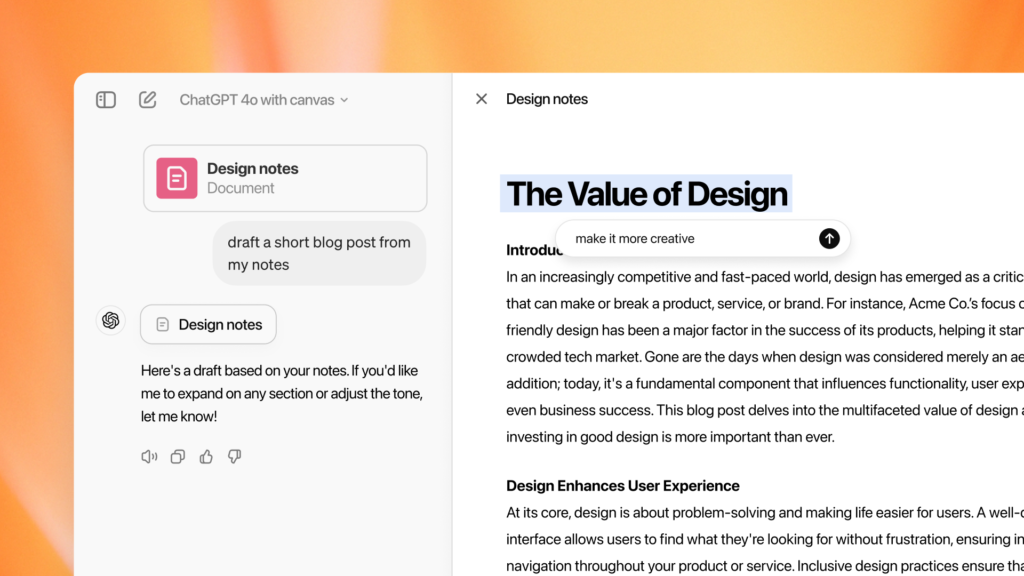
ChatGPT is the Swiss Army knife of AI writing tools. For content creators, it’s most valuable as a thinking partner — a tool you brainstorm with rather than one that just generates text for you.
Ask it to generate 20 YouTube video ideas in your niche. Have it write a first draft of a script based on an outline you provide. Use it to repurpose a 2,000-word blog post into five tweet-thread ideas, three Instagram captions, and a LinkedIn post — all in under two minutes. It’s that kind of flexibility that makes ChatGPT genuinely different from other tools.
Key Features for Creators
- Script and outline generation: Give ChatGPT your topic, tone, and target audience and it’ll produce a working script or structured outline you can edit and personalize.
- Content repurposing: Feed it a long-form piece and ask it to generate shorts, carousels, email summaries, or quotes — ideal for cross-platform creators.
- Tone matching: ChatGPT can mimic a writing style. Share a few examples of your best posts and ask it to write in “your voice” — the results are surprisingly close.
- SEO content drafting: For bloggers, ChatGPT can draft keyword-rich sections, generate FAQs, write meta descriptions, and suggest internal linking opportunities.
- Headline and hook generation: One of its most underrated uses — generate 15 different hook options for a video or article and pick the one that feels right.
Pricing
| Plan | Price | Key Benefit for Creators |
|---|---|---|
| Free | $0 | GPT-4o access with daily limits |
| ChatGPT Plus | $20/month | Higher limits, faster responses, image generation (DALL·E) |
| ChatGPT Pro | $200/month | Unlimited usage, most powerful models, ideal for high-volume creators |
Pros and Cons
Pros:
- Incredibly versatile — one tool for dozens of creative tasks
- Excellent at tone matching and adapting to your personal voice
- Handles both short-form and long-form content equally well
- Constant updates mean it keeps getting better without extra cost
Cons:
- Can produce generic-sounding content if prompts are too vague
- Doesn’t always nail niche-specific knowledge without detailed prompting
- No built-in publishing or workflow integration
- Needs strong human editing to avoid bland, AI-obvious output
Jasper AI — The Professional Content Engine
Developer: Jasper AI, Inc. Best for: Long-form blog posts, marketing copy, brand-consistent content, team content workflows
What It Does
Where ChatGPT is a conversational generalist, Jasper AI is purpose-built for marketing and content production at scale. It’s the tool that agencies, content teams, and serious independent creators use when they need consistent, on-brand content output without micromanaging every sentence.
Jasper’s defining feature is its Brand Voice system. You train it on your existing content — your blog posts, your About page, your past social captions — and Jasper builds a profile of your writing style, terminology preferences, and tone. Every piece of content it generates afterward sounds distinctly like you rather than a generic AI.
Key Features for Creators
- Brand Voice training: Feed Jasper your existing content and it learns to write in your specific voice, vocabulary, and tone. This is a major differentiator from general-purpose tools.
- Long-form document editor: Jasper’s document editor is built for writing full blog posts, articles, email newsletters, and guides with SEO optimization built into the workflow.
- Templates library: 50+ content templates for specific formats — AIDA frameworks, listicles, product descriptions, YouTube scripts, email sequences, ad copy, and more.
- SEO integration: Jasper integrates with Surfer SEO to optimize content for target keywords as you write, scoring your article in real time.
- Team collaboration: Multiple team members can work inside Jasper simultaneously, with brand guidelines, style rules, and content calendars all in one place.
- Campaigns feature: Plan, create, and organize multi-platform content campaigns — social posts, emails, blog articles — around a single topic or launch.
Pricing
| Plan | Price | What You Get |
|---|---|---|
| Creator | $49/month | 1 user, 1 Brand Voice, unlimited words, basic templates |
| Pro | $69/month | 5 users, 3 Brand Voices, Campaigns, Jasper Art |
| Business | Custom pricing | Unlimited users, custom AI training, dedicated support |
Pros and Cons
Pros:
- Brand Voice feature produces the most “you-sounding” AI content available
- Deep template library covers almost every content type creators need
- Surfer SEO integration means content is optimized as you write
- Excellent for teams or creators producing at high volume
Cons:
- Significantly more expensive than general tools like ChatGPT
- Overkill for casual or low-volume creators
- Learning curve to set up Brand Voice and campaigns properly
- Outputs still require editing — it’s a first draft tool, not a publish-ready one
Google Gemini AI — The Research-Powered Writer
Developer: Google DeepMind Best for: Research-backed content, Google Workspace integration, real-time information, multilingual content
What It Does
For creators who rely on current information — news commentary, trend analysis, niche-specific updates — Gemini AI’s live internet access is a genuine superpower. Unlike tools trained only on static data, Gemini actively searches the web to inform its answers, which means the content it helps you create reflects what’s actually happening right now.
It’s also deeply embedded in Google Docs, Gmail, and YouTube Studio (for some users), making it the most frictionless AI tool for creators already living inside the Google ecosystem.
Key Features for Creators
- Live web research: Ask Gemini to research a trending topic and it returns a current, sourced summary you can use as a content foundation — not stale training data.
- Google Docs integration: Gemini works inside Google Docs. Highlight a paragraph, ask it to expand, condense, or rewrite — all without leaving your document.
- YouTube integration: Some Gemini Advanced users can get AI assistance directly inside YouTube Studio for description writing, tag suggestions, and chapter generation.
- Multimodal input: Upload images, PDFs, or screenshots and ask Gemini to write content based on them. Great for creators who work with visual references.
- Long-context window: Gemini can process extremely long documents — paste an entire transcript or research paper and ask it to summarize, pull quotes, or generate content from it.
Pricing
| Plan | Price | What You Get |
|---|---|---|
| Free | $0 | Gemini 1.5 Flash, basic web access, Google Docs integration |
| Gemini Advanced | $19.99/month | Most powerful model, extended context, deeper integrations |
Pros and Cons
Pros:
- Live web access keeps content current and factually grounded
- Best-in-class for creators already using Google Workspace tools
- Multimodal — handles text, image, audio, and document inputs
- Free plan is genuinely useful without paying anything
Cons:
- Less creative flair compared to ChatGPT for storytelling or script writing
- Advanced YouTube Studio features not yet universally available
- Can feel more formal and less conversational than other tools
Best AI Image Generators for Content Creators
Visuals are everything in content creation — thumbnails, illustrations, social graphics, blog headers, and brand imagery. AI image generators have made creating stunning, original visuals accessible to creators with zero design background.
Midjourney — The Gold Standard for AI Art
Developer: Midjourney, Inc. Best for: High-quality editorial illustrations, concept art, thumbnails, brand imagery, artistic visuals
What It Does
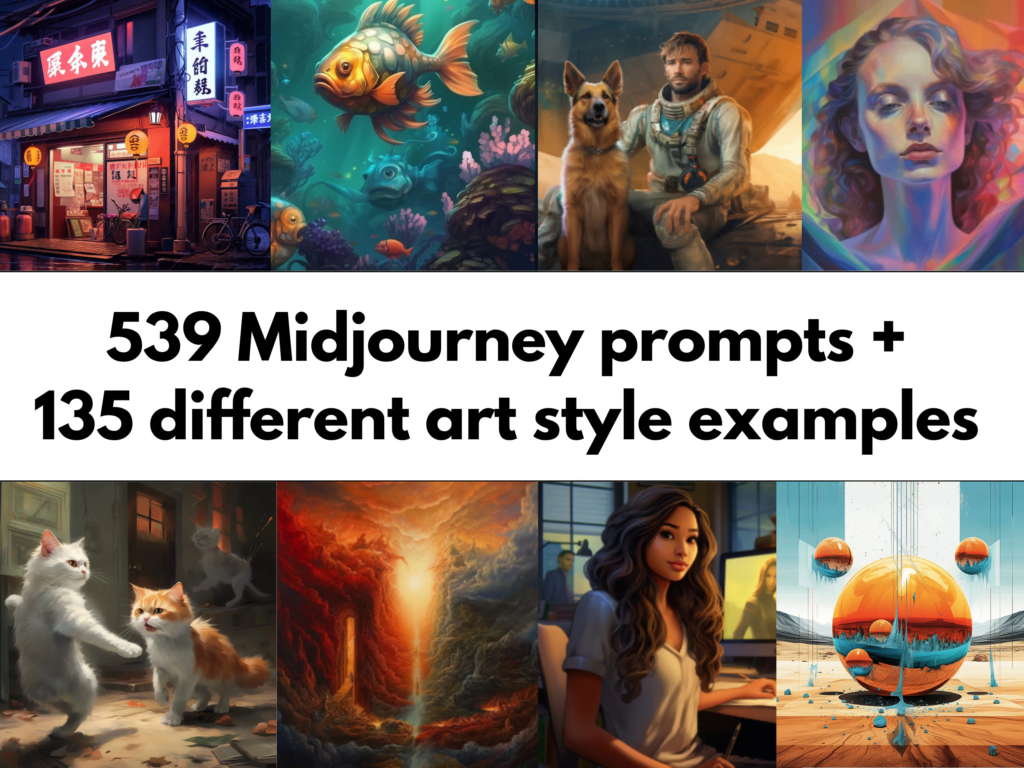
Midjourney is widely regarded as producing the most visually stunning AI-generated images available. It operates primarily through Discord (and increasingly through its own web interface) — you type a text prompt describing the image you want, and Midjourney generates four variations. Refine, upscale, or regenerate until you have exactly what you need.
For content creators, Midjourney is transformative for creating eye-catching thumbnails, editorial illustrations for blog posts, unique social media visuals, and concept images that would otherwise require hiring a professional designer or illustrator.
Key Features for Creators
- Exceptional image quality: Midjourney’s outputs consistently outperform other generators in artistic quality, detail, lighting, and realism — particularly for editorial and illustrative styles.
- Style control: Extremely fine-grained control over artistic style, lighting mood, camera angle, color palette, and composition using text prompts.
- Aspect ratio flexibility: Generate images in any aspect ratio — 16:9 for YouTube thumbnails, 9:16 for Instagram Stories, 1:1 for posts.
- Character consistency (v6+): Recent versions allow you to maintain consistent character appearances across multiple images — huge for creators building a visual brand or illustration series.
- Style reference: Upload a reference image and Midjourney will generate new images in that visual style — perfect for maintaining brand consistency.
Pricing
| Plan | Price | Images Per Month |
|---|---|---|
| Basic | $10/month | ~200 fast images |
| Standard | $30/month | ~900 fast images + unlimited relaxed |
| Pro | $60/month | ~1,800 fast images, stealth mode |
| Mega | $120/month | ~3,600 fast images |
Pros and Cons
Pros:
- Produces the highest-quality, most visually striking AI images available
- Enormous range of artistic styles — photorealistic to painterly to abstract
- Character and style consistency features are game-changing for brand building
- Active community means endless prompt inspiration and learning resources
Cons:
- No free plan — paid subscription required to generate images
- Primarily Discord-based, which has a learning curve for new users
- Less useful for simple graphic design tasks (use Canva for that)
- Requires learning effective prompt writing to get the best results
Adobe Firefly — The Creator-Safe AI Image Tool
Developer: Adobe Inc. Best for: Creators needing commercially safe images, Photoshop/Illustrator users, professional production workflows
What It Does
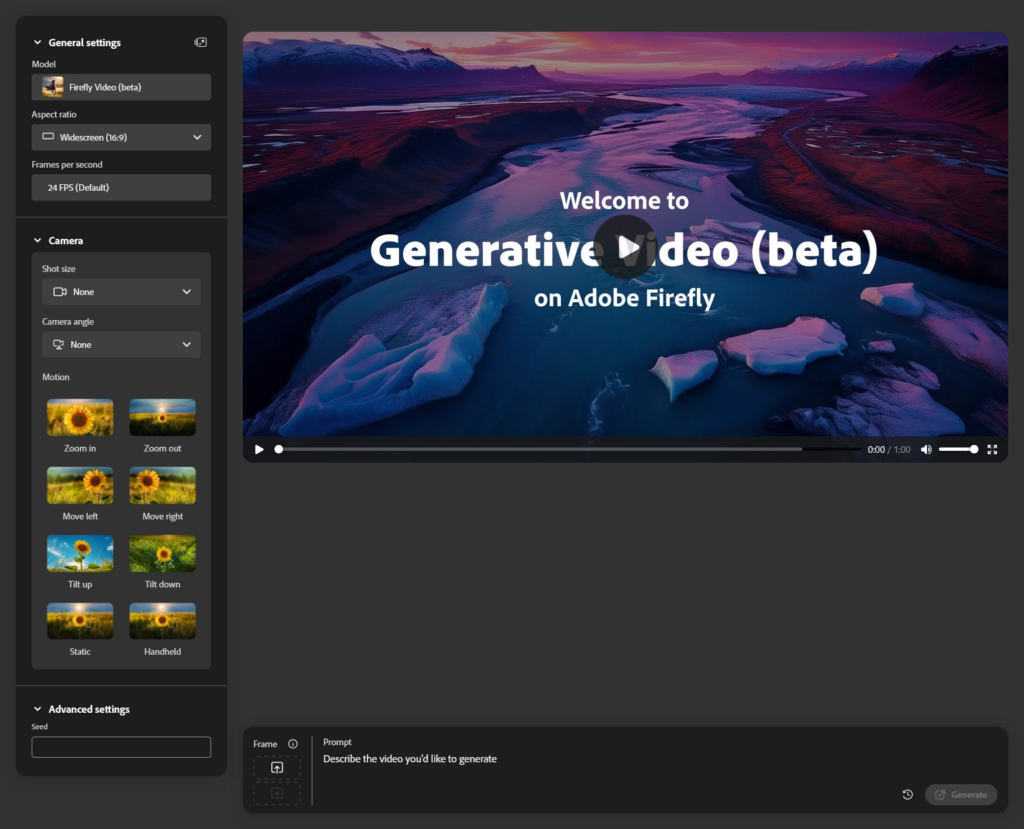
Adobe Firefly is Adobe’s AI image generator, and its biggest selling point is one that matters enormously for professional creators: all images generated with Firefly are commercially safe to use. Firefly was trained exclusively on Adobe Stock images and public domain content — meaning no copyright concerns, no legal gray areas.
For creators monetizing their content, selling products, or working with brands, this distinction is critical. Many other AI image generators have murky copyright status; Firefly’s are clean.
Key Features for Creators
- Generative Fill in Photoshop: Select any part of an existing image in Photoshop and use Firefly to replace it with AI-generated content. Remove objects, add backgrounds, extend images seamlessly — all with a single prompt.
- Text Effects: Generate stunning typography with integrated textures, materials, and environmental effects — great for YouTube thumbnails, social headers, and promotional graphics.
- Structure Reference: Upload a sketch or rough composition and Firefly generates a polished image that follows that layout — without copying the original.
- Commercial licensing clarity: Every Firefly-generated image comes with clear commercial use rights, making it safe for sponsored content, product visuals, and client work.
- Deep Creative Cloud integration: Works natively inside Photoshop, Illustrator, Adobe Express, and Premiere Pro.
Pricing
| Plan | Price | Firefly Credits/Month |
|---|---|---|
| Free (Adobe account) | $0 | 25 generative credits |
| Firefly Premium | $9.99/month | 100 credits |
| Creative Cloud All Apps | $59.99/month | 1,000 credits + all Adobe apps |
Pros and Cons
Pros:
- Commercially safe images — critical for monetized and brand-sponsored content
- Generative Fill in Photoshop is one of the most powerful creative tools available today
- Deep integration into professional workflows via Creative Cloud
- Text effects feature produces stunning, unique typography visuals
Cons:
- Image quality is slightly below Midjourney for pure artistic work
- Credit system can feel limiting on lower plans for high-volume creators
- Requires Adobe Creative Cloud for the best features — not a standalone tool
Canva AI — Design for Non-Designers
Developer: Canva Pty Ltd Best for: Social media graphics, thumbnails, presentations, brand templates, quick visual content
What It Does
Canva AI is the most accessible visual creation tool for content creators who don’t have a design background. Its Magic Studio suite lets you generate images, rewrite text, remove backgrounds, resize content for any platform, and create entire presentations from a text prompt — all inside a browser without needing to understand design software.
For social media creators especially, Canva is the daily driver. It’s where you build your Instagram carousel, your YouTube thumbnail, your Twitter header, your email newsletter template, and your pitch deck — all in the same place, all with AI assistance.
Key Features for Creators
- Magic Design: Describe your design and Canva generates a complete, formatted template you customize. Perfect for creators who know what they want but don’t know how to build it.
- AI image generation: Generate original illustrations, backgrounds, and concept images directly inside your Canva designs — no need to use a separate tool.
- Magic Resize: Create one design and instantly resize it for every platform — Instagram post, Story, YouTube thumbnail, Twitter header, Pinterest pin — with a single click.
- Background Remover: Remove photo backgrounds instantly. Essential for creating clean product images, professional headshots, and transparent-background graphics.
- Brand Kit: Set your brand’s colors, fonts, and logo once, and every template automatically applies them — ensuring visual consistency across all content.
- Content Planner: Schedule social media posts directly from Canva to Instagram, Facebook, LinkedIn, Twitter, and Pinterest.
Pricing
| Plan | Price | Key AI Features |
|---|---|---|
| Free | $0 | Basic templates, limited AI generation, background remover (5/month) |
| Pro | ~$15/month | Full Magic Studio, unlimited background remover, brand kit |
| Teams | ~$10/person/month | Collaboration features, shared brand assets |
Pros and Cons
Pros:
- Zero design experience needed — truly beginner-friendly
- Handles the entire visual content workflow in one place
- Magic Resize alone saves hours for multi-platform creators
- Built-in social media scheduler eliminates the need for a separate tool
Cons:
- AI image quality doesn’t match Midjourney for artistic or detailed work
- Advanced AI features require the Pro plan
- Template-based design can lead to visual similarity with other creators using Canva
- Not suitable for complex, layered graphic design work
Best AI Video Tools for Content Creators
Video production used to require expensive software, specialized skills, and hours of manual work. AI has compressed that timeline dramatically.
Runway ML — The AI Video Studio
Developer: Runway AI, Inc. Best for: AI video generation, video editing, visual effects, short-form content creation, cinematic visuals
What It Does
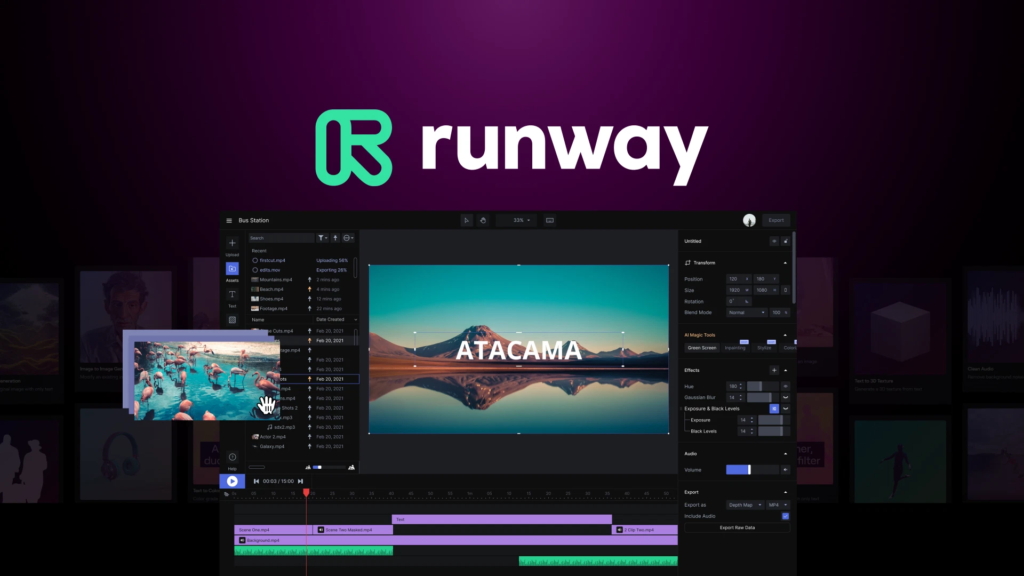
Runway ML is the most powerful AI video tool available to independent creators in 2026. It can generate video from text prompts, animate still images, apply cinematic effects to existing footage, remove backgrounds from video, and extend clips — all using AI without traditional video editing skills.
For creators producing short films, YouTube intros, social media reels, or experimental content, Runway’s capabilities are genuinely jaw-dropping. The tool has been used in actual Hollywood productions — and the same technology is available to individual creators.
Key Features for Creators
- Gen-3 Alpha text-to-video: Type a description of a scene and Runway generates a short video clip with consistent lighting, motion, and style. Quality has improved dramatically — outputs look cinematic rather than glitchy.
- Image-to-video: Upload a still image and Runway animates it — ocean waves move, hair flows, a car drives away. Incredible for turning photography or illustrations into dynamic content.
- Video editing with AI: Remove objects from video, change backgrounds, apply color grades, and stabilize shaky footage — all through simple prompts rather than complex editing timelines.
- Multi Motion Brush: Control exactly how different parts of a video frame should move — foreground subject stays still while background moves, or vice versa.
- Inpainting: Remove unwanted elements from video frames (a logo, a person, a microphone) and fill the space with AI-generated content that matches the surroundings.
Pricing
| Plan | Price | Credits/Month |
|---|---|---|
| Free | $0 | 125 one-time credits |
| Standard | $15/month | 625 credits/month |
| Pro | $35/month | 2,250 credits/month |
| Unlimited | $95/month | Unlimited generations |
Pros and Cons
Pros:
- The most capable AI video generation tool accessible to independent creators
- Text-to-video and image-to-video outputs have reached impressive quality
- Constantly improving — major capability updates every few months
- Used by professional filmmakers, lending credibility to output quality
Cons:
- Credits deplete quickly for high-volume creators
- Generated clips are still relatively short (typically 10 seconds)
- Requires creative prompting skill to get the best results
- Not a replacement for full video editing software for long-form content
Descript — The AI-Powered Podcast and Video Editor
Developer: Descript, Inc. Best for: Podcast editing, YouTube video editing, transcription-based editing, voiceover, repurposing long-form content
What It Does
Descript takes a completely different approach to video and audio editing: instead of working with a traditional timeline, you edit a transcript. Record your video or podcast, Descript transcribes it automatically, and then you edit it like a Google Doc — delete sentences to cut them from the video, highlight and remove filler words, rearrange sections by moving paragraphs.
For creators who are comfortable with words but intimidated by video editing software, Descript removes almost all the technical friction.
Key Features for Creators
- Transcript-based editing: Edit your video or podcast by editing text. Delete a sentence in the transcript and it disappears from the video. No timeline scrubbing, no razor tool, no technical skills required.
- Overdub (AI voice cloning): Record 10 minutes of your voice, and Descript creates an AI clone. Misread a word? Type the correction and your AI voice says it — no re-recording needed.
- Filler word removal: One-click removal of every “um,” “uh,” “like,” and “you know” from your entire recording. For podcast creators, this alone is worth the subscription.
- Studio Sound: AI audio enhancement that removes background noise, room echo, and mic artifacts — making a home recording sound like a professional studio.
- Screen recording: Built-in screen recorder that captures video and system audio, with AI transcription applied automatically.
- Social clip creation: Identify highlights from long recordings and export them as square or vertical clips for Instagram Reels, TikTok, and YouTube Shorts — with auto-generated captions.
Pricing
| Plan | Price | Key Features |
|---|---|---|
| Free | $0 | 1 hour transcription/month, watermarked exports |
| Hobbyist | $24/month | 10 hours transcription, no watermark, Overdub |
| Creator | $40/month | 30 hours transcription, full AI suite, 4K export |
| Business | $80/month | Unlimited, team collaboration, advanced AI features |
Pros and Cons
Pros:
- Transcript-based editing is genuinely revolutionary for non-editors
- Filler word removal and Studio Sound make audio quality dramatically better instantly
- Overdub voice cloning saves hours of re-recording for long-form creators
- Excellent for podcast creators repurposing content to video
Cons:
- More expensive than basic video editors
- Overdub voice cloning requires a voice training session
- Transcript editing has limitations for complex multi-camera productions
- Export quality and features are limited on lower-tier plans
Best AI Voice Generators for Content Creators
ElevenLabs — The Most Realistic AI Voice Generator
Developer: ElevenLabs Best for: Voiceovers for YouTube videos, podcasts, audiobooks, social content, multilingual narration
What It Does
ElevenLabs produces AI-generated voices so realistic that most listeners genuinely cannot tell them apart from a human recording. For content creators who need voiceovers but don’t want to record every piece of content themselves, ElevenLabs is a complete game-changer.
You can choose from hundreds of pre-built voice profiles — different ages, genders, accents, and speaking styles — or clone your own voice with just a few minutes of audio. The result is a voice that reads any script in your tone, pacing, and vocal character, without you ever sitting down at a microphone.
Key Features for Creators
- Voice cloning: Upload 1–3 minutes of your own voice and ElevenLabs creates an AI model that sounds indistinguishable from you. Use it for any script, any length, anytime.
- Multilingual voiceovers: Generate voiceovers in 29+ languages — in your cloned voice. A U.S. creator can produce Spanish, French, Hindi, or Japanese versions of their content without speaking those languages.
- Speech synthesis: Paste any script and receive a natural, expressive audio file within seconds. Control pace, emotion, emphasis, and speaking style through simple adjustments.
- Projects (long-form audio): Create full audiobooks or long-form narrations with consistent voice quality throughout — automatically managing chapter breaks, pacing, and tone continuity.
- Dubbing Studio: Upload a video and ElevenLabs translates and dubs it into another language — lip-sync included. Massive for creators wanting to reach global audiences.
Pricing
| Plan | Price | Characters/Month |
|---|---|---|
| Free | $0 | 10,000 characters (~7 min audio) |
| Starter | $5/month | 30,000 characters |
| Creator | $22/month | 100,000 characters, voice cloning |
| Pro | $99/month | 500,000 characters, high priority |
Pros and Cons
Pros:
- Most realistic AI voice quality available — genuinely indistinguishable from human in many cases
- Voice cloning is powerful and requires minimal training audio
- Multilingual and dubbing features open massive reach opportunities
- Affordable entry point with the Starter plan for low-volume creators
Cons:
- Character limits on lower plans can be restricting for high-volume video creators
- Voice cloning requires careful prompt adjustments to match exact tone and pacing
- Ethical considerations around voice cloning — misuse potential is a real concern
- Dubbing feature still needs occasional manual correction for complex scripts
AI Tools by Creator Type
YouTube Creators
Building a successful YouTube channel in 2026 is a multi-step production process. Here’s how AI fits into each stage:
- Ideation: ChatGPT generates video ideas, trending angles, and series concepts based on your niche
- Scripting: Jasper AI or ChatGPT drafts scripts in your voice from bullet-point outlines
- Thumbnail design: Canva AI or Midjourney creates scroll-stopping visuals
- Voiceover: ElevenLabs provides professional narration without booking studio time
- Video editing: Descript handles transcript-based cuts, filler word removal, and clip creation
- Video generation: Runway ML adds B-roll, transitions, or AI-generated visuals to supplement footage
- Descriptions and tags: Gemini AI writes SEO-optimized descriptions using real-time search data
Recommended stack: ChatGPT + Descript + Canva AI + ElevenLabs
Bloggers and Newsletter Writers
For writers building an audience through long-form content, AI tools help at every stage without replacing your expertise:
- Research: Perplexity AI and Gemini AI surface current, cited information fast
- Drafting: Jasper AI or ChatGPT generates structured first drafts from outlines
- Editing: Grammarly refines clarity, tone, and grammar in real time
- SEO optimization: Jasper AI’s Surfer SEO integration scores and optimizes while you write
- Featured images: Adobe Firefly or Midjourney generates original, royalty-free header images
- Newsletter repurposing: ChatGPT converts blog posts into email newsletter formats, LinkedIn posts, and Twitter threads
Recommended stack: ChatGPT + Jasper AI + Grammarly + Adobe Firefly
Social Media Creators
The pace of social media demands content constantly. AI makes volume sustainable without burning out:
- Caption writing: ChatGPT generates multiple caption variations — pick the best one
- Visual design: Canva AI builds branded templates and resizes for every platform automatically
- Image generation: Midjourney or Adobe Firefly creates unique, thumb-stopping visuals
- Short-form video: Runway ML generates or enhances video clips for Reels and TikTok
- Content scheduling: Canva’s built-in scheduler posts directly to major platforms
- Trend research: Gemini AI monitors what’s current and suggests content angles around trending topics
Recommended stack: Canva AI + ChatGPT + Midjourney + Runway ML
Free vs. Paid AI Tools — What’s Worth It?
Not every creator needs to pay for AI tools. Here’s an honest breakdown of when free is enough and when upgrading makes sense.
The free tier is genuinely enough if you:
- Are just starting out and testing what AI tools fit your workflow
- Create content at a low volume (1–3 pieces per week)
- Don’t need commercial image rights or voice cloning features
- Are willing to work within generation limits and occasional watermarks
Upgrading to paid is worth it if you:
- Create content consistently and at higher volume (daily or multiple times weekly)
- Need commercial licensing for monetized or sponsored content
- Rely on brand consistency features (Brand Voice, custom styles)
- Are spending more time on manual tasks that AI could handle than the subscription costs
Best free tools to start with:
- ChatGPT (free tier) — writing, scripts, captions, ideas
- Canva AI (free tier) — visual design and templates
- Google Gemini AI (free) — research and Google Docs writing
- ElevenLabs (free) — basic voiceover testing
Quick Comparison Table
| Tool | Category | Free Plan | Starting Paid Price | Best For |
|---|---|---|---|---|
| ChatGPT | Writing | ✅ | $20/month | All-purpose writing and scripting |
| Jasper AI | Writing | ❌ | $49/month | Brand-consistent long-form content |
| Google Gemini | Writing | ✅ | $19.99/month | Research + Google Workspace |
| Midjourney | Images | ❌ | $10/month | High-quality AI art and illustrations |
| Adobe Firefly | Images | ✅ | $9.99/month | Commercially safe images + Photoshop |
| Canva AI | Images/Design | ✅ | ~$15/month | Social graphics, templates, resizing |
| Runway ML | Video | ✅ | $15/month | AI video generation and effects |
| Descript | Video/Audio | ✅ | $24/month | Podcast/YouTube editing, voice cloning |
| ElevenLabs | Voice | ✅ | $5/month | Realistic AI voiceover and dubbing |
Tips for Using AI as a Content Creator
Give AI a clear creative direction, not vague instructions. “Write a YouTube script” will produce something generic. “Write a 500-word YouTube script for a tech creator covering why most people set up their home office wrong, with a conversational tone, three surprising tips, and a hook in the first 15 seconds” will produce something you can actually use.
Use AI for first drafts, not final products. The best AI-assisted content still has a heavy human editing pass. AI gets you 60–70% of the way there; your expertise, experience, and unique perspective complete it. Content that reads like a robot wrote it doesn’t build audiences — content that sounds like you, but polished, does.
Build an AI workflow, not an AI dependency. Use AI to systematize the repetitive parts of your content process — caption generation, image resizing, transcript cleanup — so you can spend your creative energy on the things only you can do: your opinions, your storytelling, your personality.
Stay aware of copyright and disclosure. AI-generated images, voices, and text all come with legal and ethical considerations that are still evolving. Know the terms of each tool you use. Disclose AI assistance when your platform or audience expects it. And never use voice cloning or image styles that could mislead your audience about what’s original.
Keep testing new tools. The AI landscape moves fast. A tool that wasn’t impressive six months ago might be the best option today. Set aside a small amount of time each quarter to experiment with what’s new.
FAQ
Q1: Do I need to disclose when I use AI tools to create content? It depends on the platform and context. YouTube, for example, now requires creators to disclose when AI is “meaningfully used” to create realistic-looking or sounding content. Instagram and TikTok have similar emerging requirements. Beyond platform rules, many audiences appreciate transparency — telling your viewers you use AI tools to help with production often builds trust rather than undermining it.
Q2: Will AI tools replace human content creators? The honest answer: AI won’t replace creators who have a genuine perspective, authentic personality, and real expertise. What it is replacing is generic, commodity content — articles and videos that could have been written by anyone. The creators building real audiences in 2026 are the ones using AI to produce more and better content faster, while the human element — their opinions, experiences, humor, and stories — remains front and center.
Q3: What’s the best AI tool for a brand new content creator with no budget? Start with ChatGPT’s free tier for writing, Canva AI’s free tier for visuals, and Google Gemini’s free tier for research. These three together cover the majority of a beginning creator’s workflow at zero cost. Add ElevenLabs’ free tier if you need voiceovers. This combination gives you a functional AI-assisted content production setup without spending anything.
Q4: Is Midjourney or Adobe Firefly better for YouTube thumbnails? It depends on your priority. Midjourney produces more visually striking, artistic thumbnails with higher perceived quality — great for eye-catching, editorial-style imagery. Adobe Firefly is better if you need commercially safe images for monetized channels or if you’re already working inside Photoshop to composite text and elements on top. Many professional YouTubers use both: Midjourney for the base image, Photoshop + Firefly for edits and text effects.
Q5: Can I use AI-generated content to monetize my YouTube channel? Yes, but with important caveats. YouTube allows AI-assisted content but requires disclosure for realistic synthetic content (AI voices, AI faces, AI events). Channels built entirely on AI-generated content with no original human contribution are increasingly flagged or demonetized. The safest approach: use AI as a tool within your production process — not as the entire production. Your ideas, your commentary, your creative direction should still be the core of what you publish.
The Future Belongs to Creator-AI Partnerships
The best AI tools for content creators in 2026 aren’t here to replace you — they’re here to multiply you. Every hour you spend manually formatting images for five different platforms, transcribing a podcast episode, or staring at a blank page waiting for a hook to come to you is an hour AI could be handling while you focus on the creative work that actually requires you.
But here’s what the tools can’t do: they can’t care. They can’t be genuinely curious about your niche. They can’t build a relationship with your audience. They can’t have an opinion that surprises people, a story that moves them, or a personality that keeps them coming back week after week. That part is still entirely yours.
The creators who will thrive over the next decade aren’t the ones who resist AI or the ones who outsource everything to it. They’re the ones who figure out exactly where AI makes them better — and stay relentlessly human everywhere else.
Start with one or two tools from this list. Build them into your workflow. Then keep adding as your production grows. The best time to start using AI in your content creation was a year ago. The second best time is right now.
Last updated: June 2026 | Written for beginner and intermediate content creators in the U.S.