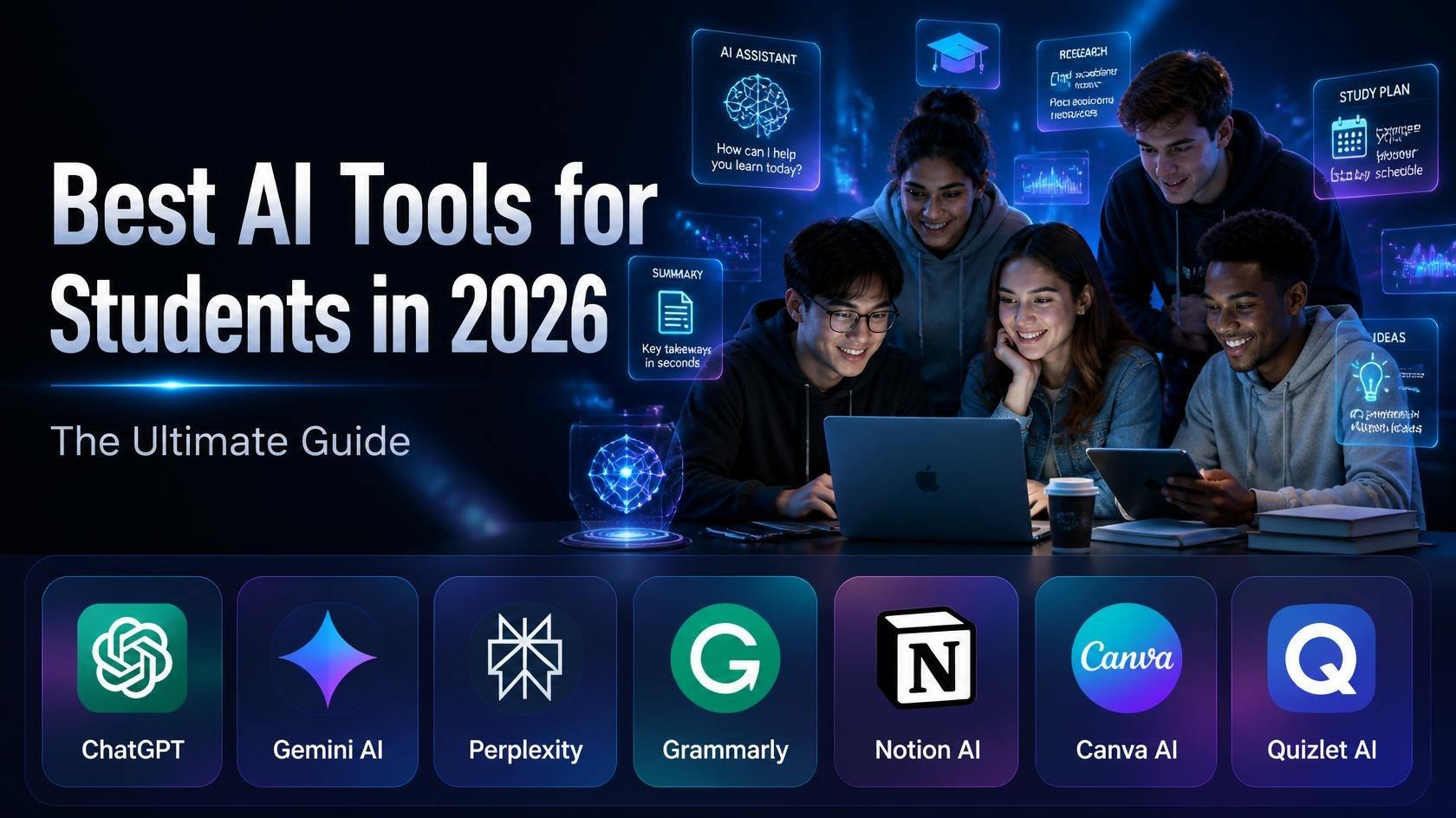
As we move through 2026, the definition of academic excellence is shifting. It’s no longer just about who spends the most hours buried in a library, but who knows how to collaborate with technology most effectively. Today’s students are using AI not as a shortcut to bypass learning, but as a cognitive scaffold to handle information overload. By offloading time-consuming tasks like formatting citations, structuring raw notes, or parsing dense 80-page research PDFs, students are preserving their mental energy for what actually matters: critical thinking, deep analysis, and genuine comprehension. In this new educational landscape, AI isn’t replacing the human element—it’s supercharging it.
Table of Contents
- Why Students Are Turning to AI in 2026
- How AI Is Changing the Way Students Learn
- Benefits of AI Tools for Studying
- ChatGPT — The All-Around AI Assistant
- Google Gemini AI — The Google-Integrated Powerhouse
- Perplexity AI — The Research Student’s Best Friend
- Grammarly — The Writing and Editing Coach
- Notion AI — The Smart Workspace for Students
- Canva AI — Visual Projects Made Effortless
- Quizlet AI — The Study and Test Prep Tool
- Bonus AI Tools Worth Knowing
- Side-by-Side Tool Comparison
- How to Choose the Right AI Tool for Your Needs
- Tips for Using AI Responsibly as a Student
- FAQ
- Conclusion
Why Students Are Turning to AI in 2026
College and high school life in 2026 looks dramatically different from what it was just five years ago. The workload hasn’t gotten lighter — if anything, it’s heavier. Between packed course schedules, part-time jobs, internships, and trying to maintain some version of a social life, students are managing more than ever before.
That’s the real reason AI tools have exploded in popularity. It’s not laziness — it’s necessity. Students are finding smarter ways to study, organize information, and produce high-quality work without sacrificing their mental health in the process.
According to multiple education research reports, over 70% of U.S. college students now use some form of AI tool in their academic life. That number has more than doubled since 2023. And it’s not just for writing essays — students are using AI to prep for exams, take better notes, manage their time, create presentations, and even understand complex scientific concepts in plain language.
The bottom line: AI tools aren’t going away. In fact, knowing how to use them effectively is quickly becoming a skill in itself — one that employers are starting to notice and value.
How AI Is Changing the Way Students Learn
Before we get into the tools, it’s worth understanding how AI is actually reshaping the learning experience. This isn’t about robots replacing professors. It’s about giving students access to resources that were previously only available to those who could afford private tutors, coaches, or unlimited office hours.
Here’s what’s actually different in 2026:
Personalized explanations on demand. Instead of reading the same confusing paragraph five times, a student can now ask an AI to explain it differently — as a metaphor, a simple story, or a step-by-step process — until it clicks. That kind of adaptive explanation used to require a human tutor.
Immediate feedback loops. Waiting a week for a professor to return a graded draft is a thing of the past for many students. AI writing tools can give instant, detailed feedback on clarity, structure, tone, grammar, and argumentation within seconds.
Democratized access to knowledge. A first-generation college student at a community college now has access to many of the same learning support tools as a student at an Ivy League school. That’s genuinely significant.
More time for deep thinking. When AI handles the busywork — formatting, summarizing, organizing notes — students can spend more cognitive energy on the ideas themselves.
Benefits of AI Tools for Studying
Here’s a practical breakdown of what AI genuinely does well for students:
- Faster comprehension: AI can summarize a 60-page chapter into a concise overview in under a minute, helping you identify the key ideas before diving deeper.
- 24/7 availability: Your AI study assistant doesn’t sleep, doesn’t have office hours, and doesn’t get annoyed when you ask the same question three different ways.
- Personalized study plans: Tools like Quizlet AI track what you get wrong and adapt practice sessions to target your specific weak points.
- Writing improvement: AI doesn’t just catch spelling errors — it explains why a sentence is unclear and suggests how to make it stronger.
- Concept visualization: AI can generate diagrams, outlines, mind maps, and even visual presentations to help you see how ideas connect.
- Time management: AI-powered planners can help you break semester-long projects into weekly tasks so nothing sneaks up on you at the last minute.
- Language support: Non-native English speakers benefit enormously from AI writing tools that help bridge language gaps without changing the student’s original ideas.
- Reduced cognitive overload: When you’re juggling five classes, AI tools can help prioritize and organize information so your brain isn’t holding everything at once.
ChatGPT — The All-Around AI Assistant
Developer: OpenAI Best for: Homework help, essay brainstorming, concept explanation, coding, exam prep, language learning
What Is ChatGPT?
ChatGPT is the AI tool that most people think of first — and for good reason. Launched by OpenAI and updated continuously since its debut, ChatGPT in 2026 is a genuinely conversational AI that can handle an enormous range of academic tasks. You type a question or a prompt in plain English, and it responds naturally, like a knowledgeable friend who happens to know a lot about everything.
What makes ChatGPT stand out is its flexibility. It can explain quantum mechanics like you’re twelve years old, help you outline a political science essay, write and debug a Python function, translate a paragraph into Spanish, and summarize a news article — all in the same session.
Key Features for Students
Conversational learning: Unlike a search engine that gives you a list of links, ChatGPT actually talks with you. You can ask follow-up questions, challenge its answers, ask for simpler explanations, and keep the conversation going until you genuinely understand the topic. This mirrors how a good tutor works.
Step-by-step problem solving: For math, physics, and coding problems, ChatGPT doesn’t just give you an answer — it walks you through each step and explains the reasoning. This is hugely valuable for students who want to actually learn, not just copy.
Essay and writing assistance: You can share your essay draft and ask ChatGPT to identify weak arguments, suggest stronger transitions, or flag places where your reasoning is unclear. It can also help you generate a thesis statement, build an outline from scratch, or brainstorm counterarguments you may not have considered.
Code explanation and debugging: Computer science students use ChatGPT constantly. Paste a broken piece of code, describe what it’s supposed to do, and ChatGPT will find the bug, explain why it’s a bug, and show you the corrected version — along with an explanation of what was wrong.
Language translation and grammar: For students learning a second language or writing in English as a non-native speaker, ChatGPT can translate, correct, and explain grammar rules in context — far more useful than a dictionary.
Custom quizzes and flashcards: Ask ChatGPT to quiz you on a topic, and it will generate questions, wait for your answer, and tell you whether you’re right. You can control the difficulty level, the subject, and even the format.
How Students Actually Use ChatGPT (Real Examples)
- “Explain the causes of World War I as if I’m in 8th grade, then explain it again at a college level.”
- “Here’s my essay introduction. What’s weak about it and how can I make it stronger?”
- “Quiz me on cell biology — start easy and get harder as I get answers right.”
- “I have a Python assignment due tomorrow. Here’s the error I’m getting. Can you help me fix it and explain what was wrong?”
- “Summarize these three sources for my research paper and find the common themes.”
Pricing
| Plan | Price | What You Get |
|---|---|---|
| Free | $0 | GPT-4o access (limited messages/hour), web browsing, basic tools |
| ChatGPT Plus | $20/month | Higher usage limits, priority access, advanced AI models, memory features |
| ChatGPT Edu | Contact for pricing | Institutional plan for universities, admin controls, usage analytics |
Pros and Cons
Pros:
- Handles virtually any subject or academic task
- Conversational format makes learning feel natural, not transactional
- Remembers the context of your conversation so follow-ups make sense
- Great at adapting explanations to different complexity levels
- Constantly improving — new capabilities added regularly
Cons:
Pro Tip for Students
Always follow up an answer with “Can you show me where you got that information?” or “Is this well-established or is there debate about this?” — it keeps ChatGPT honest and helps you think critically about the information you’re receiving.
Google Gemini AI — The Google-Integrated Powerhouse
Developer: Google DeepMind Best for: Research with real-time web access, Google Workspace integration, multimodal tasks (text + images + documents)
What Is Google Gemini AI?
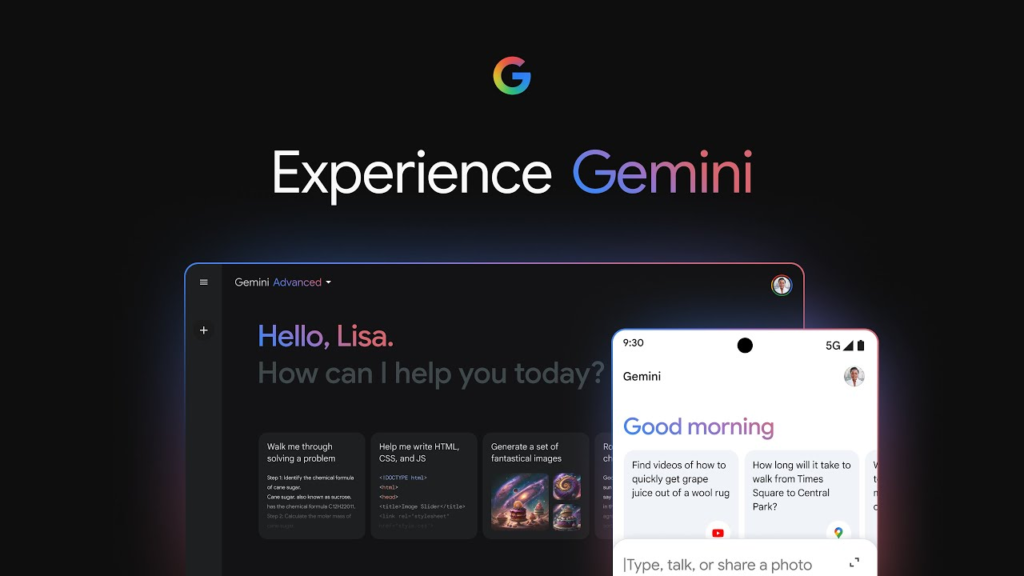
Google Gemini is Google’s flagship AI assistant, and in 2026 it’s one of the most capable and convenient tools available to students — especially those already living inside the Google ecosystem. If you use Gmail, Google Docs, Google Drive, Google Calendar, or Google Classroom, Gemini is woven into all of it.
What sets Gemini apart from other AI tools is its live internet access and its tight integration with Google products. While ChatGPT (on the free plan) can sometimes be limited by its training data, Gemini can actively search the web and pull in current, up-to-date information — which matters a lot when you’re researching recent events, new scientific findings, or current policy issues.
Key Features for Students
Real-time web search: Gemini searches Google in real time to answer your questions with current information. Ask it about a recent Supreme Court ruling, the latest climate data, or what happened in the news this week — it can find out and summarize it for you with sources attached.
Google Docs integration: Gemini lives directly inside Google Docs. You can highlight a paragraph and ask Gemini to rewrite it, summarize a long document, check your argument’s logic, or generate a new section — all without leaving your document.
Gmail and Google Drive access: Gemini can read your emails, summarize long email threads, and even draft replies. For students, this is particularly useful for keeping track of professor communications and assignment instructions buried in email chains.
Multimodal input: You can upload images, PDFs, and screenshots directly into Gemini and ask questions about them. Snap a photo of a confusing textbook diagram or a whiteboard full of notes and ask Gemini to explain what it’s looking at.
Google Classroom compatibility: Gemini integrates with Google Classroom, making it easier to track assignments, deadlines, and course materials — all in one AI-powered hub.
Multilingual support: Gemini works fluently across dozens of languages, making it a strong choice for international students studying in the U.S. or students enrolled in foreign language courses.
How Students Actually Use Gemini (Real Examples)
- “Summarize this 20-page PDF and pull out the three most important arguments.”
- “What are the current unemployment figures, and how do they compare to 2023?”
- “I’m writing in Google Docs — help me improve the flow of this paragraph.”
- “Look at this chemistry diagram I photographed and explain what the reaction shows.”
- “Find me three reliable sources on climate change impacts on coastal cities.”
Pricing
| Plan | Price | What You Get |
|---|---|---|
| Free (Gemini) | $0 | Google account required; web access, Docs integration, basic features |
| Gemini Advanced | $19.99/month | Included in Google One AI Premium; more powerful model, extended context, deeper integrations |
| Google Workspace for Education | Free for schools | Gemini integrated into institutional Google accounts |
Pros and Cons
Pros:
- Live internet access means always-current information
- Deeply integrated into Google tools students already use daily
- Multimodal — handles text, images, PDFs, and more
- Free plan is genuinely useful without a credit card
- Excellent for international and multilingual students
Cons:
- Less conversational in tone compared to ChatGPT — sometimes feels more like a search result than a dialogue
- Requires a Google account, which may be an issue for privacy-conscious users
- The most powerful features (Gemini Ultra model) require a paid subscription
- Can occasionally over-explain simple things
Pro Tip for Students
If you’re researching a topic, try asking Gemini: “Search the web for three peer-reviewed perspectives on [topic] and summarize the key arguments from each.” The combination of live search and AI synthesis is something no traditional search engine can match.
Perplexity AI — The Research Student’s Best Friend
Developer: Perplexity AI, Inc. Best for: Academic research, source-backed answers, literature exploration, fact-checking
What Is Perplexity AI?
Imagine if Google and a brilliant research assistant had a child — that’s more or less what Perplexity AI is. Instead of returning a list of links and leaving you to figure out which ones are relevant, Perplexity reads multiple web sources for you, synthesizes the information, writes a clear answer, and then shows you exactly which sources it used. Every claim is traceable.
For students writing research papers, this is transformative. You can go from “I need to find sources on the economic effects of remote work” to having a cited summary of current research in about 30 seconds.
Key Features for Students
Cited, sourced answers: This is Perplexity’s defining feature. Every response includes numbered citations linking back to the original sources — academic papers, news articles, government data, and more. You can click through and verify every claim, which is exactly what academic work demands.
Academic search mode: Perplexity has a dedicated “Academic” search option that prioritizes peer-reviewed sources, research papers, and scholarly publications. For college-level research, this is invaluable.
Follow-up questions in context: Like ChatGPT, Perplexity allows you to ask follow-up questions. But unlike a general chatbot, each follow-up still searches the web — so you’re always getting source-backed information rather than guesses.
Organized, scannable answers: Perplexity formats its responses cleanly with headers, bullet points, and source links. It’s designed for reading, not just generating text — which means less time spent parsing a wall of information.
Collections and Spaces: You can save your research queries and responses into organized collections, building a personal research database for each paper or project you’re working on.
Real-time information: Since Perplexity actively searches the web for every query, you’re getting the most current available information — not data frozen at a training cutoff date.
How Students Actually Use Perplexity (Real Examples)
- “What does recent research say about the mental health effects of social media on teenagers? Cite your sources.”
- “Find peer-reviewed studies on the effectiveness of spaced repetition for long-term memory retention.”
- “What are the main arguments for and against universal basic income? Give me sources I can actually read.”
- “Summarize the history of the Israeli-Palestinian conflict from multiple perspectives with sources.”
- “What are the current FDA guidelines on dietary supplements for athletes?”
Pricing
| Plan | Price | What You Get |
|---|---|---|
| Free | $0 | Generous daily searches, web citations, basic features |
| Perplexity Pro | $20/month or $200/year | Unlimited searches, access to advanced AI models (GPT-4, Claude), file uploads, more detailed answers |
Pros and Cons
Pros:
- Cites every source — critical for academic integrity and verification
- Academic mode prioritizes scholarly and peer-reviewed content
- Always up-to-date with live web searches
- Clean, well-organized response format
- Excellent for comparing multiple viewpoints on a topic
Cons:
- Not great for creative writing, brainstorming, or open-ended tasks
- Less conversational than ChatGPT — feels more like a research tool than a tutor
- Can sometimes surface low-quality web sources if not prompted carefully
- Advanced models and file upload features require the Pro plan
Pro Tip for Students
When starting a research paper, use Perplexity first to get a broad landscape of your topic — key arguments, major researchers, and existing debates. Then use those sources as a jumping-off point for your school’s academic database (like JSTOR or Google Scholar) to find the full papers.
Grammarly — The Writing and Editing Coach
Developer: Grammarly, Inc. Best for: Grammar correction, writing clarity, academic tone, plagiarism detection, style improvement
What Is Grammarly?
Grammarly has been around since 2009, but the version that exists in 2026 is a fundamentally different product from the spell-checker it started as. Today, Grammarly is a full AI writing assistant that works everywhere you write — Google Docs, Microsoft Word, your browser, email clients, and even social media. It goes way beyond catching typos.
For students specifically, Grammarly acts as a 24/7 writing coach — one that never gets tired, never judges you for making the same mistake twice, and always explains why something isn’t working rather than just flagging it.
Key Features for Students
Real-time grammar and spelling correction: This is the baseline. As you type, Grammarly catches errors instantly with red and yellow underlines. But it doesn’t just fix — it explains. Each suggestion comes with a plain-language explanation of the grammar rule involved, so you actually learn from your mistakes over time.
Clarity and conciseness suggestions: This is where Grammarly really shines for academic writing. It identifies sentences that are too long, too vague, or awkwardly structured, and suggests cleaner rewrites. If you have a tendency to write in passive voice or use unnecessary filler words (very, really, just, basically), Grammarly catches all of it.
Tone detection and adjustment: Grammarly reads the emotional tone of your writing and lets you know if your essay sounds accidentally aggressive, overly casual, or unclear in intent. You can even set a target tone (academic, professional, conversational) and it will give suggestions aligned with that goal.
Full sentence rewrites (GrammarlyGO): The AI-powered rewrite feature lets you highlight any sentence or paragraph and ask Grammarly to rephrase it for clarity, conciseness, or a different tone. It’s like having an editor on standby.
Plagiarism detection: Premium users get access to a plagiarism checker that compares your writing against billions of web pages and academic papers. It highlights matched text and gives you a similarity percentage — essential for any student who wants to make sure their work is fully original before submission.
Writing goals and personalization: You can set Grammarly to a specific audience (expert, general, or beginner), domain (academic, creative, business), and tone, and it will calibrate all suggestions to match. An academic essay and a personal statement require very different writing styles, and Grammarly adjusts accordingly.
Browser extension: The free browser extension is one of the most useful tools a student can install. It works in Google Docs, Canvas (the learning management system many universities use), email, and basically anywhere you type in a browser. Setup takes about 60 seconds.
How Students Actually Use Grammarly (Real Examples)
- Pasting a finished essay draft and running a full correctness + clarity scan before submission
- Using the tone detector to make sure a cover letter sounds professional and confident, not desperate
- Running the plagiarism check before turning in a research paper to catch any accidentally close paraphrasing
- Setting up the browser extension to automatically check emails to professors for tone and clarity
- Using GrammarlyGO to rewrite clunky thesis sentences until they’re sharp and clear
Pricing
| Plan | Price | What You Get |
|---|---|---|
| Free | $0 | Basic grammar, spelling, punctuation, browser extension |
| Premium | ~$12/month (annual) / ~$30/month (monthly) | Clarity, tone, rewrite suggestions, plagiarism checker, full GrammarlyGO access |
| Business | $15/member/month | Team features, style guides, admin dashboard |
Students can often find discounted rates through their university. Check your school’s software portal.
Pros and Cons
Pros:
- Works everywhere you write — no switching between apps
- Explains every suggestion, not just flags it, so you actually improve
- Tone detection is genuinely useful for formal academic writing
- Plagiarism checker is thorough and trustworthy
- The free version is already more powerful than most built-in spell checkers
Cons:
- Sometimes over-corrects natural, conversational writing (it may flag your voice as an “error”)
- Can be distracting if you’re in a writing flow and don’t want to stop for suggestions
- Plagiarism checker and advanced rewrites require Premium
- Doesn’t generate content from scratch — it improves what you’ve already written
Pro Tip for Students
Don’t edit as you write. Write your draft first, then turn on Grammarly for the editing pass. Stopping to fix every underline mid-draft kills your writing momentum and often leads to over-edited, lifeless prose.
Notion AI — The Smart Workspace for Students
Developer: Notion Labs, Inc. Best for: Note organization, project management, summarizing readings, building study systems, collaborative group work
What Is Notion AI?
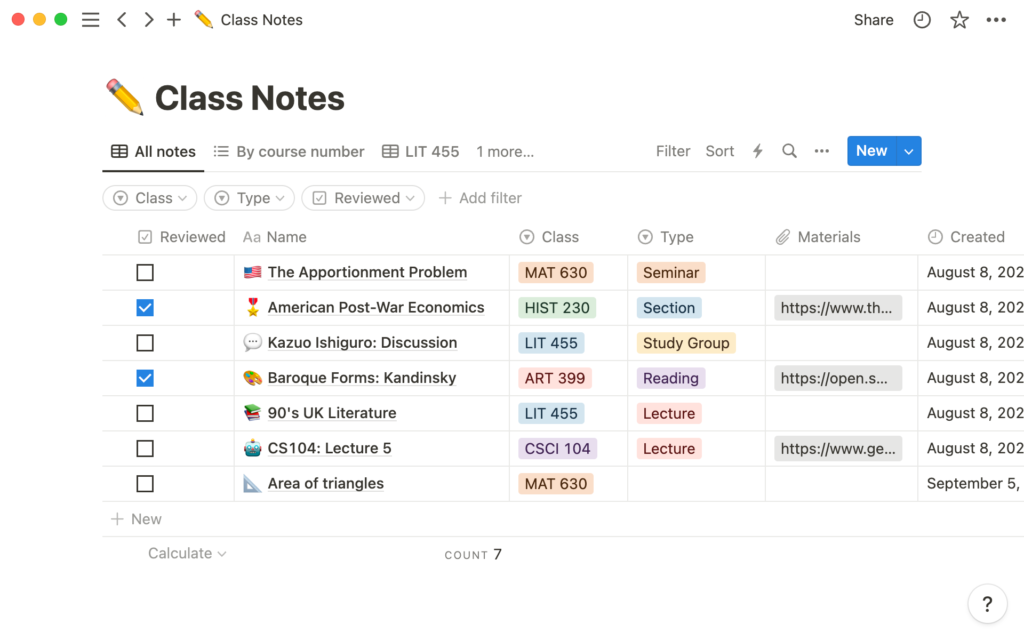
Notion is a flexible workspace app that lets you build your own system for notes, tasks, databases, and documents. Think of it as a blank canvas where you can create whatever organizational structure works for your brain — whether that’s a simple notes list, a full semester planner, a project tracker, or a personal knowledge base.
Notion AI layers an intelligent assistant on top of that workspace. You can ask it questions about your own notes, have it summarize long documents you’ve pasted in, generate outlines, create to-do lists from vague ideas, and even draft written content — all within the same app where you keep everything else organized.
Key Features for Students
AI-powered note summarization: Paste in lecture notes, a long article, or a textbook chapter, and ask Notion AI to summarize it, pull out key points, or create a bullet-point overview. This is incredibly useful when you need to review material quickly before an exam.
Ask your own notes: This is one of Notion’s most powerful features. Once your notes are in Notion, you can ask the AI questions about them — “What did I write about the causes of the French Revolution?” — and it will search through your personal database to find and surface the relevant information. It’s like having a search engine for your own brain.
Action item extraction: Paste in a messy set of meeting notes or a professor’s feedback on your essay, and Notion AI will extract a clean list of action items. Great for group projects where someone takes rough notes and you need to figure out who’s doing what.
Outline and draft generation: Stuck on how to structure a paper? Give Notion AI your topic and thesis, and it’ll generate a detailed outline. You can then flesh it out directly in Notion, keeping your research, outline, and draft all in the same place.
Template library: Notion has hundreds of student-specific templates — semester planners, reading trackers, essay outlines, Cornell note-taking formats, and more. Notion AI can populate these templates with your specific course information automatically.
Collaboration for group projects: Multiple students can work in the same Notion workspace simultaneously. Notion AI can help synthesize different team members’ notes, generate meeting agendas, and track project milestones.
Database and knowledge management: More advanced users can build structured databases — for example, a reading list with fields for author, topic, summary, and key quotes — and use Notion AI to query and surface information from across hundreds of saved entries.
How Students Actually Use Notion AI (Real Examples)
- Building a “Second Brain” — a personal knowledge base where every book, article, lecture, and idea is stored, searchable, and linked
- Creating a semester hub with one page per course, each containing notes, deadlines, assignments, and a running to-do list
- Using AI to summarize 20 pages of reading notes the night before an exam
- Generating a group project plan with tasks, deadlines, and assigned owners from a rough description of what needs to get done
- Asking the AI to pull out all the quotes and evidence related to a specific argument across three weeks of notes
Pricing
| Plan | Price | What You Get |
|---|---|---|
| Free | $0 | Basic Notion features, limited AI usage |
| Notion Plus | $10/month | Unlimited pages, unlimited blocks, limited AI |
| Notion AI add-on | +$10/month | Unlimited AI on any plan |
| Notion Plus + AI | $16/month (annual) | Most popular student option |
| Education discount | Free or discounted | Available for students with a valid .edu email |
Check Notion’s education page — students with a .edu email often qualify for the Plus plan for free.
Pros and Cons
Pros:
- Highly customizable — build any system that works for your brain
- AI that understands and queries your own notes is genuinely powerful
- Excellent for collaborative group work
- Connects notes, tasks, calendars, and drafts in one place
- Education discount makes it affordable or free
Cons:
- Steep learning curve — can take a few weeks to set up a system that actually works for you
- AI features cost extra on top of the base plan (unless you’re on the education plan)
- Can become a procrastination tool — it’s easy to spend more time organizing notes than studying them
- Overkill if you just need a simple note-taking app
Pro Tip for Students
Start with a pre-built Notion student template rather than building from scratch. Get comfortable with the basics for a few weeks, then gradually add AI features as you understand how your workflow fits together. Trying to use every feature on day one leads to overwhelm and abandonment.
Canva AI — Visual Projects Made Effortless
Developer: Canva Pty Ltd Best for: Presentations, posters, infographics, social media content, visual essays, group project materials
What Is Canva AI?
Canva has long been the go-to design tool for students who don’t know how to use Photoshop or Illustrator (which is most students). It’s a browser-based design tool with thousands of templates for every type of visual content you might need — slides, posters, social media graphics, resumes, flyers, infographics, and more.
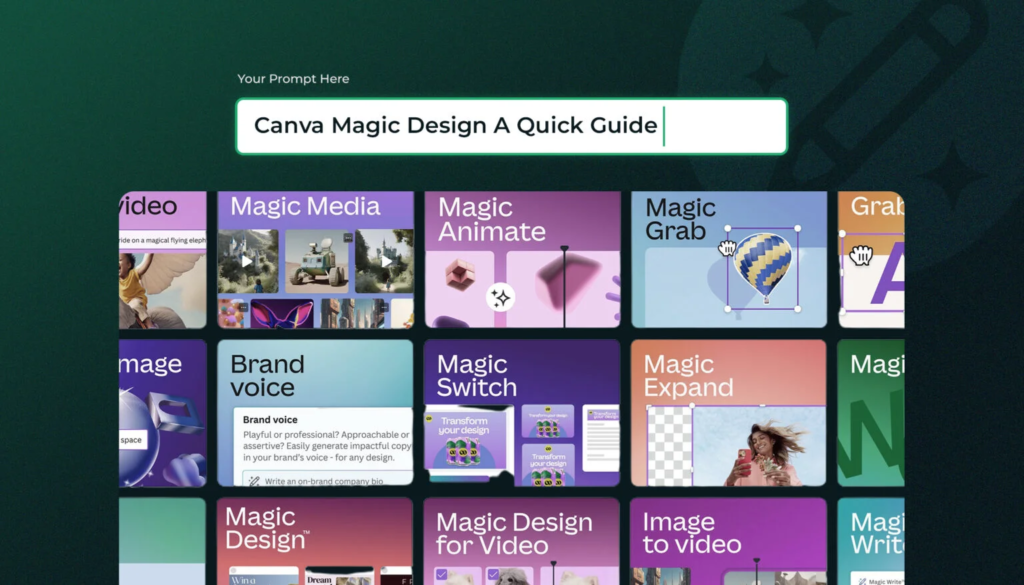
Canva’s AI suite, called Magic Studio, takes this a significant step further. You can now generate images from text descriptions, automatically resize designs for different formats, rewrite text directly inside a design, summarize content, translate designs into other languages, and even build an entire slide deck from a simple text prompt. No design skills required.
Key Features for Students
Magic Design: Type a description of what you want — “a professional slide deck about climate change with a dark blue color scheme” — and Canva’s AI generates a complete, formatted presentation with relevant images, layout, and content structure. You then edit it rather than building from scratch.
AI image generation: Canva’s built-in AI image generator creates original visuals from text prompts. Need an illustration for your biology poster or a background image for a history presentation? Describe it and generate it — no copyright concerns, no Googling for images that are free to use.
Magic Write: This is Canva’s AI text generator. Use it inside any Canva design to generate captions, headlines, body text, or descriptions. Particularly useful when you’re putting together a poster or infographic and need concise, punchy copy.
Background Remover: Upload any image and remove the background instantly with one click. Essential for creating clean, professional-looking presentations and visual projects.
Translate: Canva can automatically translate your entire design into another language while maintaining the layout. Invaluable for foreign language class projects or international student groups.
Magic Resize: Create a design once and instantly resize it for any format — a poster becomes a slide becomes a social media graphic — with AI maintaining the proportional layout.
Presentation Mode with AI speaker notes: When building a slide deck, Canva’s AI can generate speaker notes for each slide based on the content — so you have talking points ready to practice from.
Canva for Education: A free version specifically for K–12 students and teachers with age-appropriate content controls and classroom collaboration features.
How Students Actually Use Canva AI (Real Examples)
- Generating an entire science fair presentation from scratch using Magic Design, then customizing the content
- Creating an infographic for a sociology paper that visualizes survey data in a readable, attractive format
- Designing a resume with professional templates and AI-suggested phrasing for the skills section
- Building a visual timeline of historical events for a history class using AI-generated images and layouts
- Creating a group project poster where different team members add their sections and the AI maintains visual consistency
Pricing
| Plan | Price | What You Get |
|---|---|---|
| Free | $0 | Thousands of templates, basic AI tools, limited Magic Studio features |
| Canva Pro | ~$15/month or ~$120/year | Full Magic Studio AI suite, 100M+ premium assets, background remover, brand kit |
| Canva for Education | Free | Full Pro features for K–12 students and teachers with .edu verification |
| Canva for Teams | ~$10/person/month | Collaborative features for group projects |
Pros and Cons
Pros:
- No design experience needed — genuinely beginner-friendly
- AI generates polished, professional-looking work in minutes
- Massive template library for any type of visual project
- Browser-based — no software to install, works on any computer
- Education plan offers Pro features for free
Cons:
- Can feel overwhelming at first — the interface has hundreds of features
- Some AI features (full Magic Studio) require Pro
- Not suitable for text-heavy academic writing tasks
- Free plan watermarks some premium elements
- AI image generation has usage limits on free plan
Pro Tip for Students
Use Canva’s “Brand Kit” (available on Pro and Education) to set your school’s or project’s colors, fonts, and logo. Then every design you create looks consistent and polished without extra effort.
Quizlet AI — The Study and Test Prep Tool
Developer: Quizlet, Inc. Best for: Memorization, flashcard creation, test prep, vocabulary building, concept review
What Is Quizlet AI?
Quizlet has been a student staple for over a decade, and millions of students already use it for flashcard-based studying. What Quizlet’s AI features bring to the table in 2026 is the ability to stop manually creating flashcards and start learning faster — with an AI tutor that personalizes the experience to your exact weak spots.
If you’re studying for a chemistry exam, a vocabulary quiz, a history final, or a professional certification, Quizlet’s AI can generate study materials from your notes, adapt to what you’re getting wrong, and quiz you in multiple formats until the information sticks.
Key Features for Students
AI flashcard generation: Upload your notes, paste text from a textbook, or describe a topic, and Quizlet AI will generate a complete set of flashcards automatically. This alone saves students hours of manual entry — and the AI is surprisingly good at identifying what’s worth turning into a flashcard versus what’s supporting detail.
Q-Chat (AI Tutor): Q-Chat is Quizlet’s built-in AI tutor. Instead of just flipping through flashcards, you have a back-and-forth conversation with the AI about the material. It asks you questions, listens to your answers, corrects misconceptions, gives hints when you’re stuck, and adapts the difficulty based on how you’re doing.
Personalized study sessions: Quizlet tracks every flashcard you interact with and measures your confidence and accuracy. Cards you consistently get right are shown less frequently; cards you struggle with are drilled more. This spaced repetition approach is backed by decades of cognitive science research as the most effective way to build long-term memory.
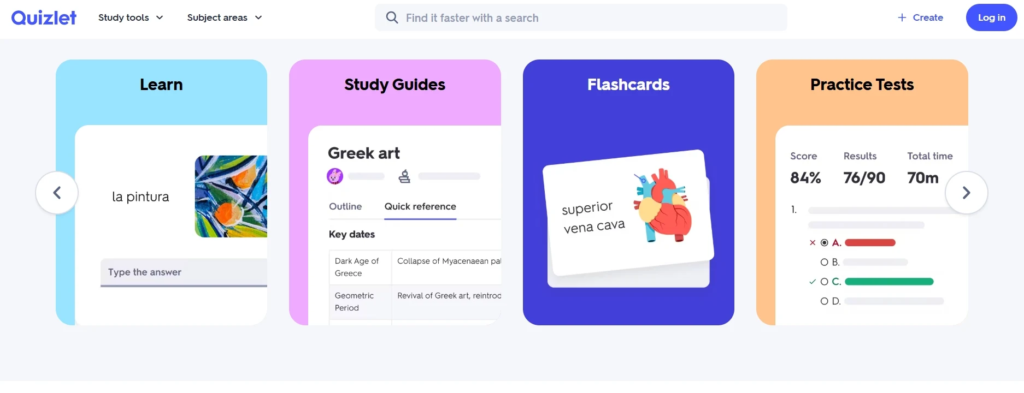
Multiple study modes:
- Flashcards — classic flip-through
- Learn — progressive questions that adapt to your accuracy
- Write — type the answer from memory
- Match — drag-and-drop matching game
- Test — full practice test with multiple question types
- Live — classroom game mode for group study
Existing study sets from other students: Quizlet has one of the largest libraries of user-created study sets in the world. There’s a very good chance someone has already created flashcards for your exact textbook, course, or exam. Search by textbook name, professor, or topic.
Explanations: For many subjects, Quizlet’s AI can explain why an answer is correct, not just confirm that it is. This is the difference between memorization and understanding.
How Students Actually Use Quizlet AI (Real Examples)
- Pasting lecture notes into Quizlet AI and getting a full set of 40 flashcards in under a minute
- Using Q-Chat to “talk through” a complicated biology process until it makes sense
- Setting up a study schedule before finals where Quizlet automatically prioritizes the concepts you keep getting wrong
- Using the Test mode to simulate the actual format of an upcoming exam
- Studying with a partner using Quizlet Live, which turns review into a competitive multiplayer game
Pricing
| Plan | Price | What You Get |
|---|---|---|
| Free | $0 | Basic flashcards, Flashcards and Match modes, search existing sets |
| Quizlet Plus | ~$7.99/month or ~$35.99/year | AI flashcard generation, Q-Chat tutor, all study modes, no ads |
| Teacher plan | ~$35.99/year | Classroom management, progress tracking, group features |
Pros and Cons
Pros:
- Spaced repetition is scientifically proven to improve retention
- AI flashcard generation is fast, accurate, and saves hours of manual work
- Q-Chat turns passive review into active learning through conversation
- Enormous library of existing study sets for common courses and textbooks
- Multiple study modes keep sessions from feeling repetitive
Cons:
- Most powerful AI features (Q-Chat, AI generation) require a paid plan
- Better suited for memorization-heavy subjects than conceptual or writing-intensive ones
- Interface can feel game-y, which is distracting for some students
- Less useful for subjects like essay writing, coding, or open-ended problem-solving
Pro Tip for Students
When you get a flashcard wrong in Quizlet, don’t just move on — tap the card to read the full term and definition, then mark it as “Still learning” rather than “Got it.” This keeps the card in your active rotation longer and dramatically speeds up retention.
Bonus AI Tools Worth Knowing
Beyond the main seven tools, here are a few others that deserve a spot on your radar:
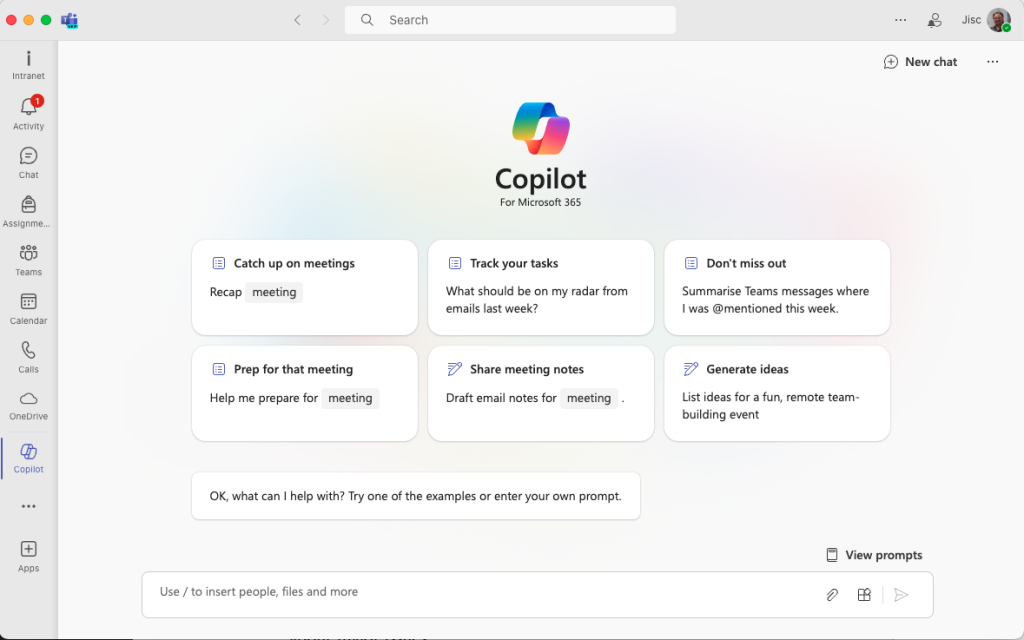
Microsoft Copilot
Microsoft’s AI assistant is built directly into Word, PowerPoint, Excel, OneNote, and Teams — tools that many universities provide free to students through Microsoft 365 Education. Copilot can draft documents, build PowerPoint decks from an outline, analyze spreadsheet data, and summarize OneNote notebooks. If your school uses Microsoft products, check whether you already have Copilot access.
Best for: Word documents, PowerPoint, Excel, Microsoft 365 users Price: Free with Microsoft 365 Education (check with your school); Microsoft 365 Personal ~$70/year
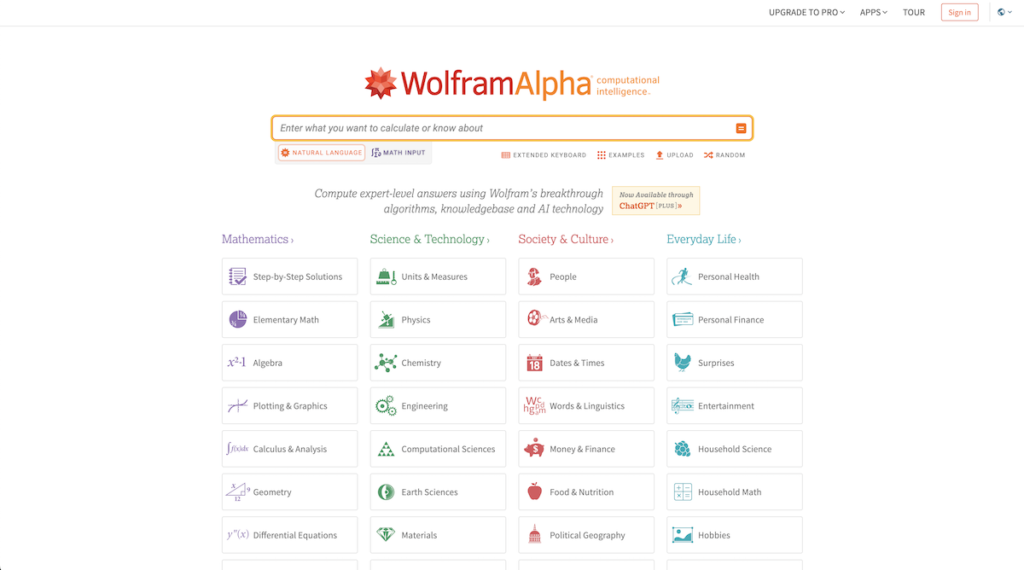
Wolfram Alpha
Wolfram Alpha is a computational knowledge engine — meaning it doesn’t just answer questions, it computes answers using a massive database of structured data and mathematical algorithms. For STEM students especially, it’s invaluable for solving equations step-by-step, visualizing mathematical functions, looking up physical constants, and understanding chemistry stoichiometry.
Best for: Math, physics, chemistry, statistics Price: Free (basic); Wolfram Alpha Pro ~$7.25/month (step-by-step solutions, extended computation)
Otter.ai
Otter.ai is an AI transcription and note-taking tool that records audio and converts it to text in real time. Point it at a lecture, a group meeting, or an interview and it produces a full, searchable transcript. It can identify different speakers, generate summaries, and highlight key moments.
Best for: Lecture transcription, meeting notes, interview recording Price: Free (limited minutes); Otter Pro ~$10/month
Speechify
Speechify converts any text into audio using natural-sounding AI voices. Paste a PDF, article, or textbook chapter and listen to it read aloud while you commute, exercise, or rest your eyes. For students with dyslexia, ADHD, or reading fatigue, it’s a game-changer.
Best for: Listening to readings, accessibility, multitasking Price: Free (basic voices/speed); Speechify Premium ~$139/year
Elicit
Elicit is an AI research assistant specifically designed for academic literature. It searches across millions of papers from Semantic Scholar, summarizes findings, extracts methodology details, and helps you build a literature review. Unlike general search tools, it’s built specifically for academic research workflows.
Best for: Literature reviews, academic research, finding peer-reviewed papers Price: Free (limited queries); Elicit Plus ~$10/month
Side-by-Side Comparison
| Tool | Best For | Free Plan | Starting Paid Price | Cites Sources? | Works Offline? |
|---|---|---|---|---|---|
| ChatGPT | All-around use | ✅ | $20/month | ❌ | ❌ |
| Google Gemini | Google integration, research | ✅ | $19.99/month | ✅ | ❌ |
| Perplexity AI | Research, fact-checking | ✅ | $20/month | ✅ | ❌ |
| Grammarly | Writing, editing | ✅ | ~$12/month | ❌ | ❌ |
| Notion AI | Notes, organization | ✅ | $10/month (+AI) | ❌ | Limited |
| Canva AI | Visual design, presentations | ✅ | ~$15/month | ❌ | ❌ |
| Quizlet AI | Test prep, flashcards | ✅ | ~$7.99/month | ❌ | ❌ |
| Microsoft Copilot | Microsoft 365 tasks | Varies | ~$6/month | ✅ | Limited |
| Wolfram Alpha | STEM computation | ✅ | ~$7.25/month | ✅ | ❌ |
| Otter.ai | Lecture transcription | ✅ | ~$10/month | ✅ | ❌ |
How to Choose the Right AI Tool for Your Needs
With so many options, it helps to match the tool to your biggest pain points. Here’s a quick decision guide:
If you need help understanding concepts or getting homework unstuck → Start with ChatGPT. Its conversational format is ideal for back-and-forth learning.
If you’re writing a research paper and need sources → Use Perplexity AI for the research phase, then Grammarly for the writing and editing phase.
If you’re already in the Google ecosystem → Google Gemini slots in naturally and adds real-time search capabilities to tools you’re already using.
If you have a big exam coming up → Quizlet AI is your best friend. Let it generate flashcards from your notes and use Q-Chat to drill the concepts you keep missing.
If you need to create a presentation, poster, or visual project → Canva AI will produce something polished in a fraction of the time it would take to do it manually.
If you’re drowning in notes and can’t find anything → Notion AI turns your information chaos into a searchable, organized system.
If you write a lot and want to get better at it → Grammarly is a daily driver — install the browser extension and let it run in the background.
If you’re in a STEM-heavy program → Add Wolfram Alpha to your toolkit for anything math or science computation related.
Tips for Using AI Responsibly as a Student
AI tools are powerful, and with power comes the need for judgment. Here’s how to use these tools in a way that actually makes you a better student — not just a faster one.
1. Use AI to understand, not to avoid understanding. The most dangerous habit students form is copy-pasting AI answers without engaging with them. When ChatGPT explains something, read it. Ask follow-up questions. Try to explain it back in your own words. If you can’t, you haven’t learned it yet.
2. Verify everything important. AI tools can be confidently wrong. This is especially true for specific facts, statistics, dates, quotations, and citations. Always cross-reference important claims against your textbook, your school’s academic databases (JSTOR, PubMed, Google Scholar), or Perplexity AI where sources are shown. Never cite something an AI told you without verifying it independently.
3. Know your school’s AI policy — and follow it. Colleges and universities have widely varying policies on AI use. Some departments actively encourage it. Others treat undisclosed AI use in assignments as academic dishonesty equivalent to plagiarism. Read your syllabus. When you’re uncertain, email your professor before submitting, not after. “I used ChatGPT to help brainstorm this essay — is that okay?” takes 30 seconds to ask and could save your academic standing.
4. Keep your voice in your writing. AI can help you structure ideas, fix grammar, and improve clarity — but it tends to produce writing that sounds smooth but generic. Your professors can usually tell when an essay lacks your personality. Use AI as an editor, not as a ghostwriter. The ideas, the argument, and the voice should still be yours.
5. Use AI to ask better questions, not just get faster answers. One underused superpower of AI tools is asking them to help you understand the question better. “What are the key things I need to consider when analyzing a primary historical source?” or “What am I missing in my argument about climate policy?” These prompts teach you to think, not just to answer.
6. Cite AI when required. MLA, APA, and Chicago style guides have all added guidance on how to cite AI-generated content. Many professors now explicitly ask whether you used AI tools and how. Be transparent. Academic integrity is about honesty, not about never using available resources.
7. Build your own skills alongside the AI. Here’s the long game: the skills you’re building in school — writing, critical thinking, research, problem-solving — are what carry you through a career. Use AI to accelerate your learning, not replace it. The goal is to become someone who can think well and use powerful tools, not someone who can only function with AI assistance.
FAQ
Q1: Are AI tools considered cheating in school? It completely depends on how you use them and what your school’s policies say. Most institutions distinguish between using AI as a learning aid (generally acceptable) versus having AI complete your assignments for you and submitting that work as your own (generally considered dishonest). Policies vary dramatically between schools and even between professors in the same department. The safest approach: always ask before using AI for a graded assignment, and be transparent about how you used it.
Q2: What is the single best AI tool for students who are just starting out? For most students, ChatGPT’s free tier is the best starting point because of its versatility. You can use it for any subject, any type of question, and any writing task without learning a new interface or paying anything. Once you have specific needs — research with citations, flashcard prep, design projects — you can add specialized tools like Perplexity, Quizlet, or Canva.
Q3: Can AI tools really help with math and science? Absolutely — and this is one of the most underappreciated use cases. ChatGPT can walk through algebra, calculus, chemistry, and physics problems step-by-step and explain the reasoning at each stage. Wolfram Alpha goes even further, providing computational solutions with graphs and related formulas. For STEM students who are stuck on a concept at 11 p.m. with no TA available, these tools are invaluable.
Q4: Is Grammarly safe to use? Does it store my essays? Grammarly’s privacy policy states that it does not sell user data, and it uses your text to provide suggestions in real time. However, by default, Grammarly does use writing data to improve its AI models (you can opt out of this in settings). For highly sensitive assignments or documents, you may want to review Grammarly’s current privacy settings. For most students writing essays and emails, the privacy considerations are minimal.
Q5: How can I tell if I’m becoming too dependent on AI tools? A simple test: close all your AI tools and try to complete a task you’d normally use them for — write a paragraph, solve a problem, organize your notes — using only your own knowledge. If you feel completely lost without AI assistance on tasks that should be within your skill set, that’s a signal to step back and engage more independently with your coursework. AI tools should make your existing skills sharper, not replace them entirely. If your understanding of a subject is growing alongside your use of AI, you’re using it well.
Conclusion
The best AI tools for students in 2026 represent a genuine shift in what’s possible for anyone navigating the demands of modern education. Whether it’s ChatGPT helping you understand a confusing concept at midnight, Perplexity AI sourcing credible research in seconds, Grammarly turning your rough draft into polished prose, Notion AI transforming a semester’s worth of scattered notes into an organized knowledge base, Canva AI producing professional-quality presentations without design skills, or Quizlet AI drilling you on exactly the concepts you keep getting wrong — there’s a tool purpose-built for almost every academic challenge you’ll face.
But here’s the thing none of these tools can do for you: they can’t be curious on your behalf. They can’t care about your education. They can’t develop your judgment, your critical thinking, or your ability to connect ideas in ways that are uniquely yours. Those things only happen when you engage actively — with your coursework, with your professors, with your own thinking.
The wisest student in 2026 isn’t the one who avoids AI tools out of principle, nor the one who lets AI do everything. It’s the student who treats these tools the way a skilled craftsperson treats quality equipment — they know what each tool is for, they use it precisely, and they still bring their own expertise, judgment, and creativity to every project.
Start exploring. Find the one or two tools that solve your biggest pain points right now. Master those before adding more. And always, always make sure the thinking, the ideas, and the integrity in your work are genuinely yours.
The future of education isn’t human versus AI. It’s humans who know how to use AI wisely — and that starts with you.
Last updated: June 2026 | Written for U.S. students at the high school and college level