Two giants. One decision.
OpenAI’s ChatGPT and Google’s Gemini are the two most talked-about AI tools in the world right now — and for good reason. Both can write, research, explain, brainstorm, and assist with just about anything you throw at them. Both have free plans. Both cost around $20/month for premium access. And both keep releasing updates faster than most people can keep up with.
So when someone asks, “Which one should I actually use?” — it’s a completely fair question. And a genuinely tricky one.
This review gives you a straight, no-fluff answer. We’ve looked at the latest versions of both tools — ChatGPT running on the GPT-5.x architecture and Gemini on its 3.x model family — and compared them across writing, research, multimodal features, pricing, integrations, and more.By the end, you’ll know exactly which one fits your workflow.
What Is ChatGPT?
ChatGPT is OpenAI’s flagship AI assistant. It launched in late 2022 and became one of the fastest-growing consumer apps in history. In 2026, it runs on the GPT-5.x architecture — OpenAI’s most capable and versatile model family to date.
At its core, ChatGPT is a conversational AI. You type something, it responds. But the depth of what it can do goes far beyond simple Q&A. It can write essays, debug code, analyze uploaded documents, help you brainstorm business ideas, draft emails, explain scientific concepts, and even assist with creative fiction.
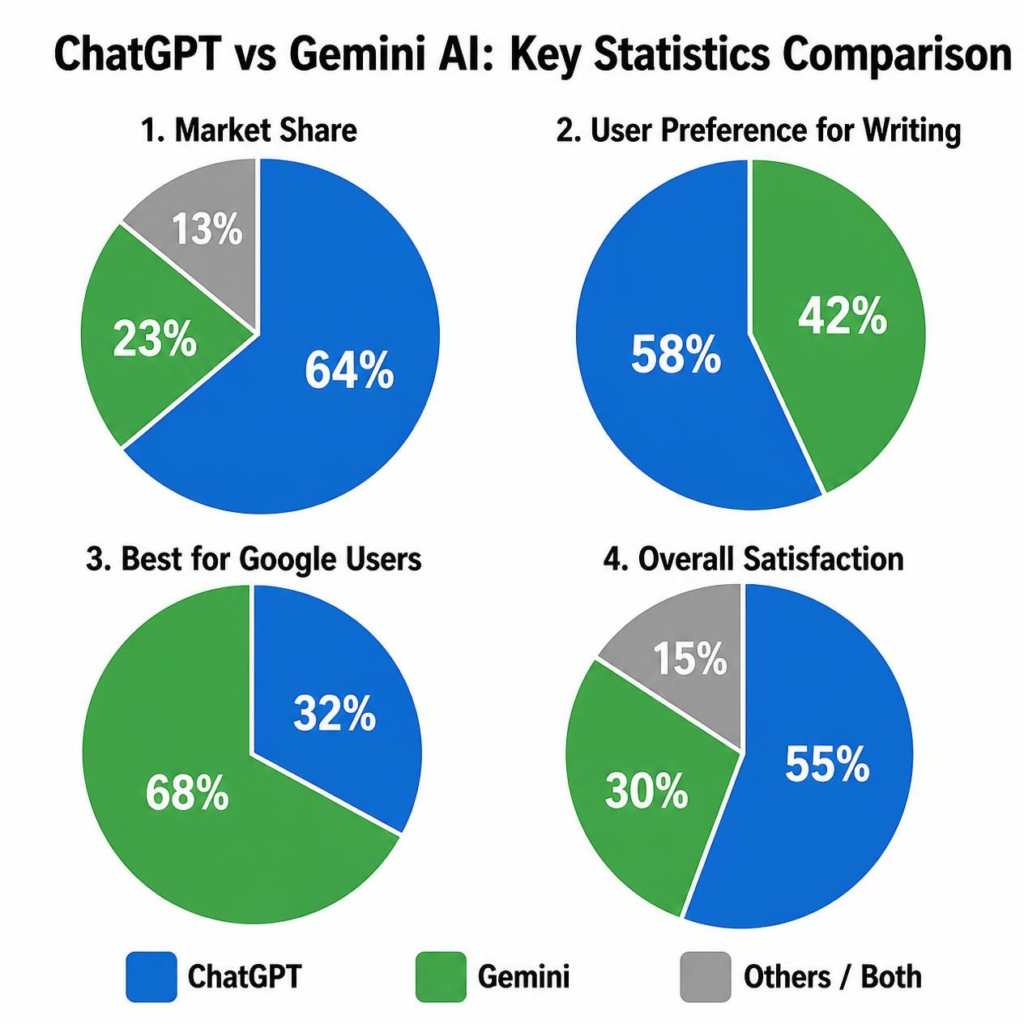
ChatGPT currently serves approximately 400 million weekly users globally, making it the most widely used AI assistant in the world. A large part of that dominance comes from first-mover advantage, brand recognition, and a consistently strong feature set.
Its most impressive capability in 2026 is arguably its computer use feature — which allows it to actually control your desktop to complete tasks like navigating web apps, filing forms, or automating repetitive workflows. That’s something most competitors still can’t do.
What Is Gemini AI?
Gemini is Google’s AI assistant, built on the Gemini 3.x model family. It’s Google’s answer to ChatGPT — and in 2026, it’s become a genuinely competitive rival, not just a catch-up attempt.
What makes Gemini different from the start is where it lives. Rather than building a standalone super-app, Google has embedded Gemini everywhere — into Search, Workspace, Android, YouTube, Maps, and Chrome. That means if you already use Gmail, Google Docs, or Google Sheets, Gemini is already inside those tools waiting to help you.
Gemini’s AI assistance works inside Gmail, Docs, Sheets, Slides, and Meet — no context-switching required. That tight integration is Gemini’s biggest competitive edge and the reason many Google-first users find it indispensable.
The other big Gemini differentiator? It processes video and audio natively — something ChatGPT still doesn’t offer at the consumer level.
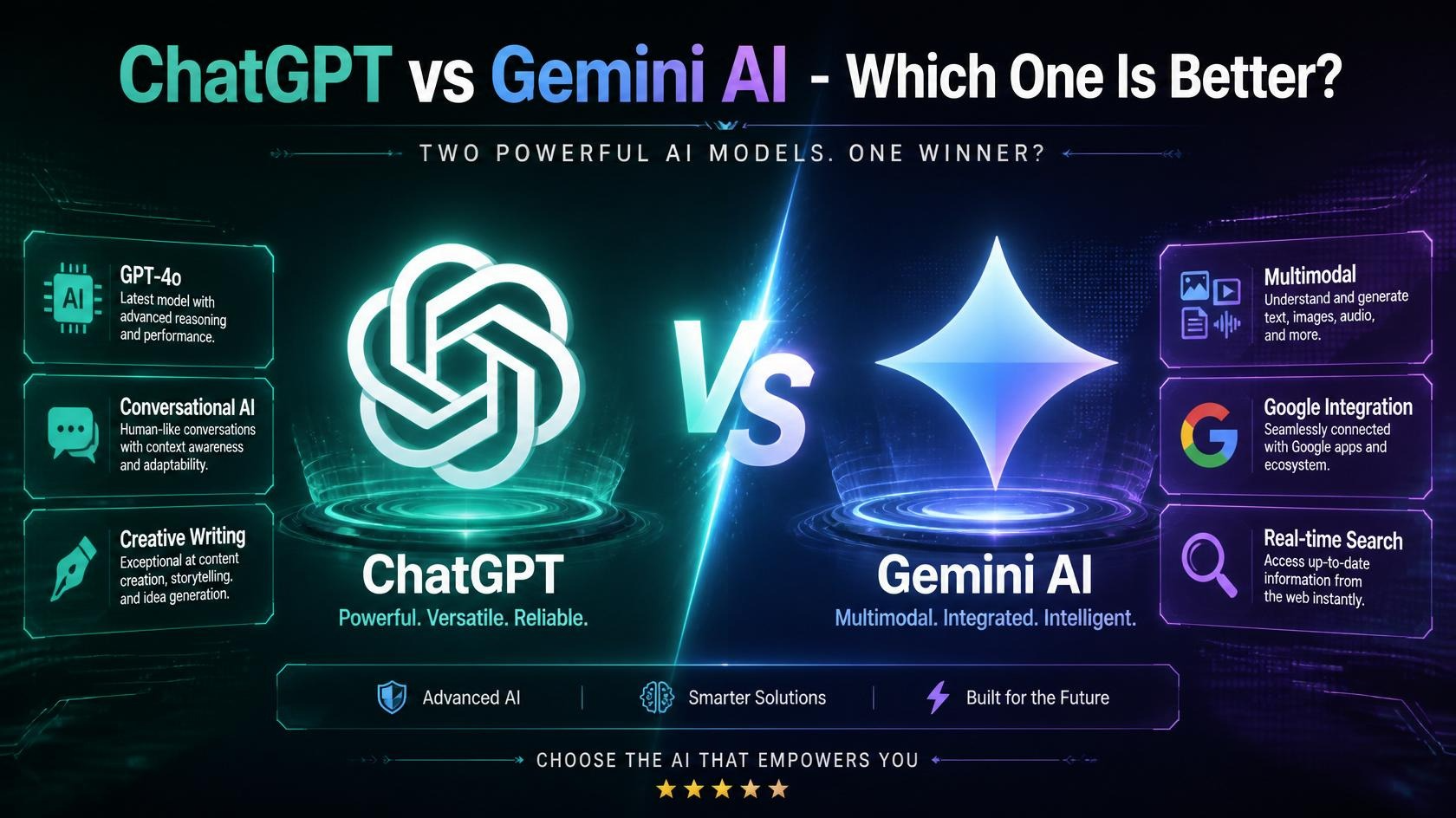
Key Features: ChatGPT vs Gemini Side by Side
Writing Quality
ChatGPT is widely considered the stronger writer. ChatGPT produces more polished prose, follows nuanced instructions more reliably, and handles complex multi-step logic chains with fewer errors. If you’re writing essays, reports, marketing copy, or long-form content, ChatGPT consistently delivers cleaner, more natural-sounding output.
Gemini writes well too — it just doesn’t quite match ChatGPT’s tone control and consistency for purely text-based tasks.
Edge: ChatGPT
Multimodal Capabilities (Images, Video, Audio)
This is where Gemini pulls ahead. Gemini processes video and audio natively — something ChatGPT still cannot do at the consumer level. If your work involves analyzing images, transcribing audio, or summarizing video content, Gemini has a clear advantage.
ChatGPT handles images well and supports document uploads, but it can’t natively process video or audio input the way Gemini can.
Edge: Gemini
Context Window (How Much It Can “Remember” at Once)
Gemini ships with a 1M token context window natively across all tiers — free, Advanced, and Ultra alike — while ChatGPT’s standard context is 272K tokens. For most casual users, 272K is plenty. But if you’re working with massive documents, lengthy code projects, or long research sessions, Gemini’s native 1M context is a real advantage.
Edge: Gemini
Memory and Personalization
ChatGPT maintains persistent memory across sessions — it remembers your preferences, past projects, and instructions without being told each time. Gemini’s memory is more limited and tends to reset between sessions.
If you want an AI that gets to know how you work over time — your writing style, your preferences, your ongoing projects — ChatGPT is significantly better at this.
Edge: ChatGPT
Google Ecosystem Integration
If you live in Google’s world, Gemini is simply more convenient. Gemini delivers AI assistance inside Gmail, Docs, Sheets, Slides, and Meet — without requiring any context-switching. You can summarize an email, rewrite a document section, or build a formula in Sheets without ever opening a separate app.
ChatGPT has integrations too, but they don’t run as natively inside Google’s tools.
Edge: Gemini (for Google users)
Coding Assistance
Both tools are strong coders in 2026. On SWE-bench Verified, Gemini 3.1 Pro scores 80.6% and GPT-5.4 scores approximately 80% — nearly tied. ChatGPT has a slight edge in explaining code clearly and handling multi-step debugging conversations, while Gemini’s built-in agentic coding feature is impressive for automated code generation tasks.
Edge: Essentially tied (slight ChatGPT edge for explanation quality)
Real-Time Web Search
Both tools support real-time web search. Gemini’s integration with Google Search gives it a slight edge for current events and factual lookups — it’s pulling from the same index that powers the world’s largest search engine. ChatGPT’s web search is solid but occasionally less current.
Edge: Gemini (slight)
Pricing: What Does Each Tool Actually Cost?
Here’s the straightforward breakdown as of mid-2026:
ChatGPT Pricing
| Plan | Price | What You Get |
|---|---|---|
| Free | $0/month | GPT-5.4, limited messages, basic features |
| Plus | $20/month | More messages, GPT-5.4 Thinking, file uploads, memory |
| Pro | $200/month | Dedicated GPU, unlimited usage, advanced agent features |
| Team/Enterprise | Custom | Admin controls, shared workspace, higher limits |
Gemini AI Pricing
| Plan | Price | What You Get |
|---|---|---|
| Free | $0/month | Gemini 3.1 standard, Google Search integration |
| Google AI Pro | $19.99/month | Gemini 3.1 Pro, full Workspace integration, 5TB storage |
| Ultra | $249.99/month | Video generation (Veo 3.1), advanced agentic features |
| Google Workspace | From $7.20/user/month | Business Gemini in Docs, Gmail, Meet, etc. |
At the consumer level, ChatGPT Plus costs $20/month and Google AI Pro costs $19.99/month — essentially identical in consumer pricing.
But here’s an angle worth considering: if you’re already paying $9.99/month for Google One storage, upgrading to Google AI Pro at $19.99/month adds full Gemini 3.1 Pro access and doubles your storage to 5TB — for just $10 more per month. For existing Google One subscribers, that’s exceptional value.
At the premium tier, Gemini Ultra at $249.99/month includes video generation with Veo 3.1, which ChatGPT Pro ($200/month) does not offer. If video creation matters to you, that extra $50 may be worth it.
Who Should Use ChatGPT?
ChatGPT is the better fit if you:
- Write a lot — essays, articles, reports, emails, scripts, or creative content
- Work with ongoing projects and want an AI that remembers context from previous sessions
- Do software development and need a capable coding partner with clear explanations
- Want desktop automation through the computer use feature
- Don’t primarily use Google tools in your daily workflow
- Are a student who needs help understanding concepts, drafting papers, and preparing for exams
Who Should Use Gemini AI?
Gemini is the better fit if you:
- Live in Google’s ecosystem — Gmail, Docs, Sheets, Drive, Meet are your daily tools
- Work with video or audio content that needs analysis or transcription
- Handle large documents and need the full 1M token context window
- Are a Google Workspace user in a team or business environment
- Want the best value from an existing Google One subscription
- Need real-time, Google-powered search for research-heavy work
How Do They Compare to the Rest of the Market?
ChatGPT and Gemini aren’t the only players in the AI assistant space. Here’s how they stack up against two notable alternatives:
Claude (Anthropic) — Known for its thoughtful, nuanced responses and excellent handling of long documents. Many users prefer Claude for detailed analysis and writing feedback. It’s a strong third option, particularly for research-heavy work.
Perplexity AI — Focused entirely on sourced, cited research. Every answer comes with references. If verifiable facts and citations are your top priority, Perplexity is worth a look alongside either of these two.
ChatGPT and Gemini are the two most complete general-purpose AI assistants available. Claude is the strongest alternative for analytical work, and Perplexity is the go-to for research with citations.
Which One Should You Choose?
Here’s the honest, no-nonsense answer:
Choose ChatGPT if you want the best overall writing assistant, an AI with persistent memory, and the strongest general-purpose performance. It’s the most polished, most widely supported, and most versatile AI tool available in 2026. For writers, developers, students, and professionals who don’t rely heavily on Google products — ChatGPT is still the default best pick.
Choose Gemini if you’re already embedded in Google’s ecosystem. The Workspace integration alone — writing inside Docs, drafting in Gmail, building formulas in Sheets — makes Gemini genuinely more convenient for Google-first users. Add in the native video and audio processing, the 1M context window, and the compelling value for existing Google One subscribers, and Gemini becomes the smarter choice for a meaningful portion of users.
The smart comparison is less about which model is objectively better, and more about which model fits the way you work. Both are excellent. Neither is a wrong choice. The real question is: where do you actually spend most of your time?
Our Rating:
| Category | ChatGPT | Gemini AI |
|---|---|---|
| Writing Quality | ⭐⭐⭐⭐⭐ | ⭐⭐⭐⭐ |
| Multimodal (Video/Audio) | ⭐⭐⭐ | ⭐⭐⭐⭐⭐ |
| Context Window | ⭐⭐⭐ | ⭐⭐⭐⭐⭐ |
| Memory & Personalization | ⭐⭐⭐⭐⭐ | ⭐⭐⭐ |
| Google Integration | ⭐⭐ | ⭐⭐⭐⭐⭐ |
| Pricing Value | ⭐⭐⭐⭐ | ⭐⭐⭐⭐ |
| Coding Assistance | ⭐⭐⭐⭐ | ⭐⭐⭐⭐ |
| Overall | ⭐⭐⭐⭐½ | ⭐⭐⭐⭐ |
Frequently Asked Questions (FAQ)
Is ChatGPT or Gemini better for free users?
Both free plans are capable. ChatGPT’s free tier gives you access to GPT-5.4 with message limits. Gemini’s free tier includes real-time Google Search integration, which is a strong advantage. For pure writing help, ChatGPT Free edges it out. For research with live web results, Gemini Free is excellent.
Can I use both ChatGPT and Gemini at the same time?
Absolutely — and many people do. A common setup is using ChatGPT for writing and drafting, and Gemini inside Google Docs for editing and summarizing. There’s no rule that says you have to pick just one.
Which is better for students — ChatGPT or Gemini?
ChatGPT is generally the better pick for students, thanks to its superior writing assistance, persistent memory, and ability to explain complex concepts clearly. That said, Gemini is excellent for research tasks and works well inside Google Docs if that’s your writing environment.
Which AI is better for coding?
Both are strong coders — they score nearly identically on industry benchmarks in 2026. ChatGPT has a slight edge for explaining what code does and debugging step-by-step. Gemini’s built-in agentic coding feature is strong for automated code generation.
Does Gemini work inside Google Docs?
Yes — and that’s one of its biggest selling points. Gemini can rewrite sections, summarize documents, and assist with writing directly inside Google Docs, Gmail, Sheets, and Slides without any copy-pasting.
Is ChatGPT Plus worth $20/month?
For regular users who rely on AI for work or school, yes. You get higher usage limits, access to GPT-5.4 Thinking (the reasoning-enhanced model), persistent memory, and file upload support. If you use ChatGPT daily, the upgrade pays for itself quickly.
Which one is better for research papers?
For sourced research, Perplexity AI is actually the strongest tool on the market. Between these two, Gemini has a slight edge for research thanks to its Google Search integration and 1M context window for analyzing long papers. But ChatGPT is better for synthesizing and writing up your findings once you have them.
Will either tool replace Google Search?
Not completely — at least not yet. Both integrate with web search rather than replacing it. That said, more and more people are using AI assistants as their first stop for questions that used to go to a search engine, especially for explanations, comparisons, and step-by-step guides.
This review reflects the state of both tools as of June 2026. AI moves fast — features and pricing may change. Always check the official OpenAI and Google websites for the most current details.
Enjoyed this breakdown? Check out our other AI tool reviews and comparisons on the blog.