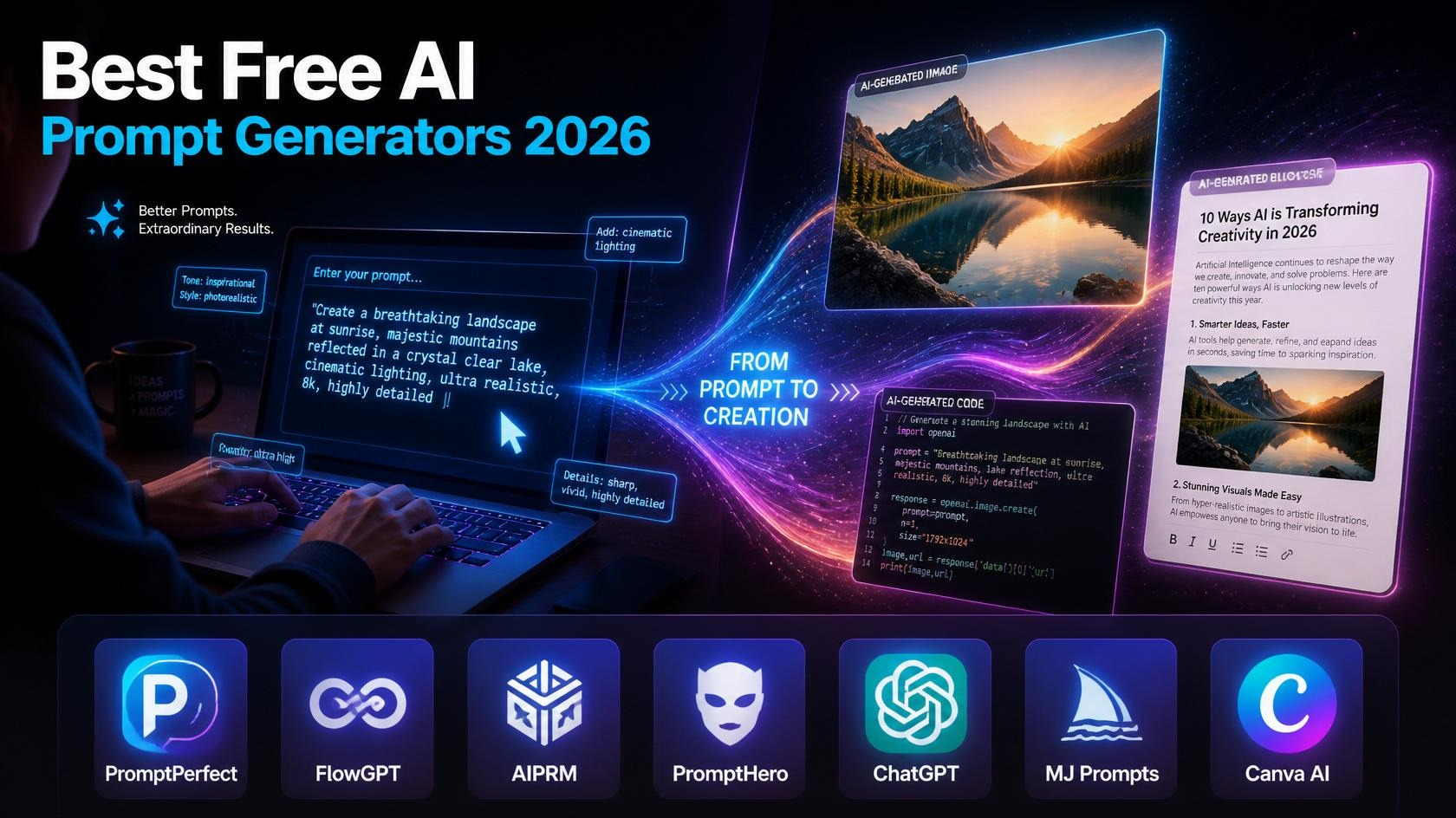
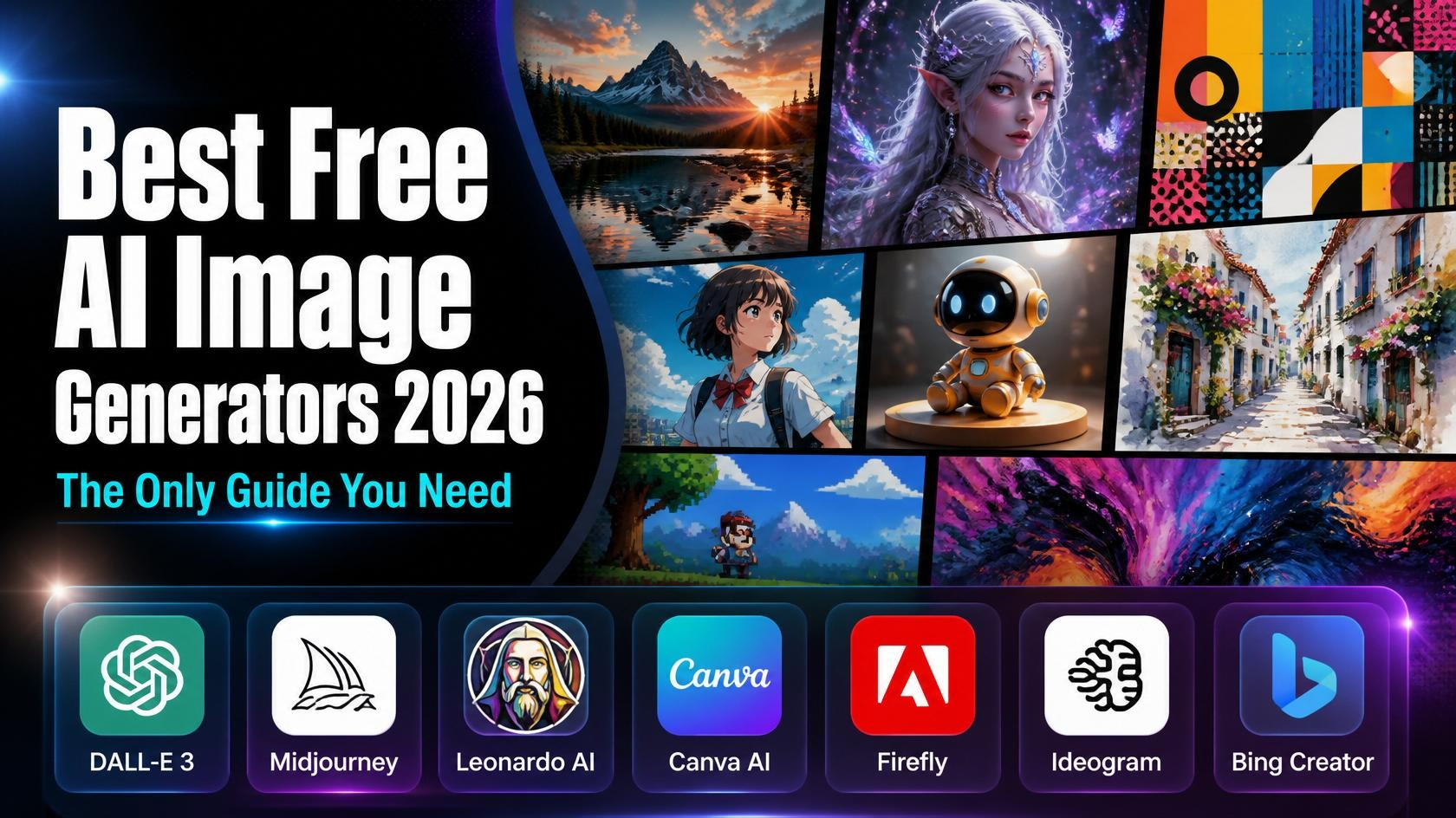
The best free AI image generators in 2026 to elevate your content without breaking the bank? Whether you are a social media creator, a YouTuber crafting eye-catching thumbnails, or a digital marketer, finding a powerful free text-to-image tool can completely transform your creative workflow. While premium platforms like Midjourney set the gold standard for AI art quality, there are incredible free alternatives—like Bing Image Creator, Leonardo AI, and Ideogram—that deliver stunning, photorealistic, and commercially safe results. In this ultimate guide, we review the top free AI art generators this year, breaking down their features, pros, cons, and how you can use them to generate high-quality visuals instantly.\
Table of Contents
- What Are AI Image Generators?
- How Do AI Image Generators Work?
- Benefits of Using AI Image Tools
- Best Free AI Image Generators in 2026
- Midjourney
- DALL·E 3
- Leonardo AI
- Canva AI
- Adobe Firefly
- Ideogram
- Bing Image Creator
- Free vs. Paid AI Image Tools — Which Is Right for You?
- AI Image Tools for Beginners
- AI Image Tools for Social Media Creators
- AI Image Generators for YouTube Thumbnails
- Tips for Writing Better AI Prompts
- FAQ
- Conclusion
1. What Are AI Image Generators?
AI image generators are tools that use artificial intelligence to create images from text descriptions (called “prompts”). You type something like “a futuristic city at sunset with flying cars” and within seconds, the AI produces a detailed, original image based on your words.
These tools have exploded in popularity because they make visual creation accessible to everyone — even people with zero design skills. You don’t need to know Photoshop. You don’t need to draw. You just need words.
Some popular uses include:
- Creating social media graphics and posts
- Designing YouTube thumbnails
- Making blog featured images
- Generating concept art and illustrations
- Producing marketing materials
- Exploring creative ideas visually
2. How Do AI Image Generators Work?
Here’s the short version: these tools are trained on billions of images from the internet, and they learn to understand the relationship between words and visuals. When you type a prompt, the AI uses that learned knowledge to generate a brand-new image that matches your description.
Most modern tools use one of two main techniques:
Diffusion models — These start with random noise and gradually “sculpt” it into a coherent image based on your prompt. DALL·E, Midjourney, and Stable Diffusion all use variations of this approach.
Transformer-based models — Similar to how ChatGPT processes language, these models understand context and relationships in your prompt to generate more nuanced results.
The result? Images that can look photorealistic, painterly, cartoonish, or anything in between — all depending on how you word your prompt.
3. Benefits of Using AI Image Tools
Why bother with AI image generators when you can just Google a stock photo? Here’s why creators are switching:
- Speed — Generate a custom image in 5–30 seconds
- Cost — Many tools are free or far cheaper than hiring a designer
- Uniqueness — Every image is original and won’t trigger copyright issues like stock photos can
- Flexibility — Instantly iterate on ideas with small prompt changes
- No skills required — Anyone can use them right away
- Scale — Create hundreds of images quickly for campaigns, content, or products
For creators especially, AI image tools have become as essential as a good camera or microphone.
4. Best Free AI Image Generators in 2026
Let’s get to the heart of it. Here are the top tools — reviewed honestly, with real pros, cons, and what each one does best.
🎨 Midjourney
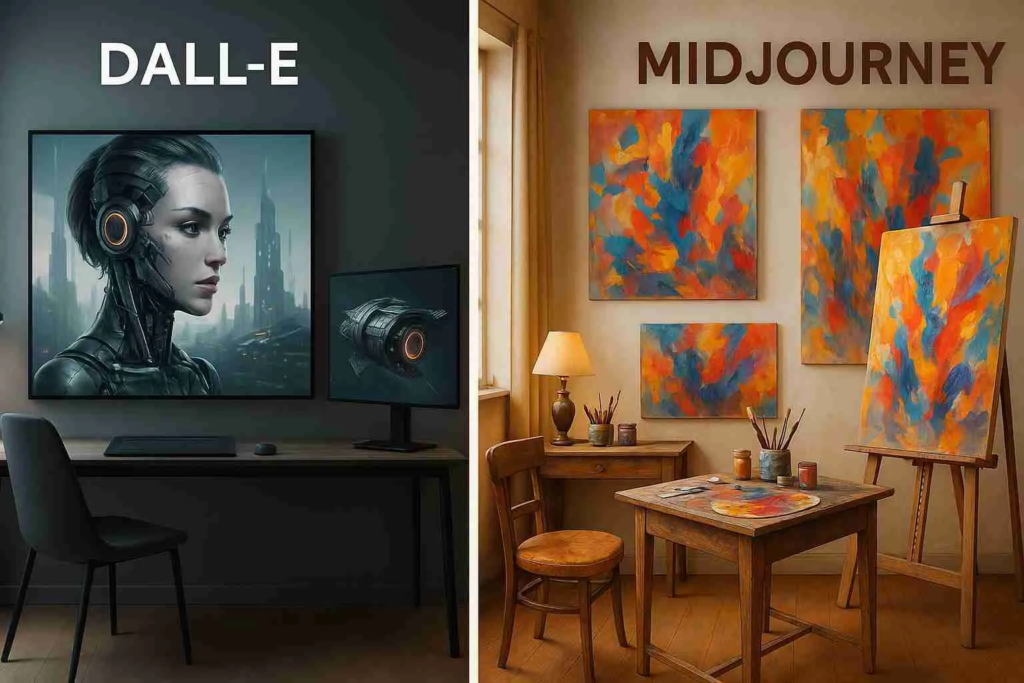
Midjourney is widely considered the gold standard of AI art quality. It produces breathtakingly beautiful, artistic images — and its latest version (V7, as of 2026) has pushed realism and creativity to new heights.
Key Features:
- Stunning artistic and photorealistic output
- Image variations and upscaling
- Style and aesthetic controls
- Now has a web interface (no longer Discord-only)
Pros:
- Best image quality overall
- Great for artistic and editorial styles
- Very active community with prompt inspiration
Cons:
- No longer has a free plan (was removed in 2023)
- Has a learning curve
- Can be expensive for heavy users
Pricing: Starts at $10/month (Basic plan). No free tier currently available.
Best For: Professional creators, digital artists, and anyone who wants the absolute best image quality.
💡 Worth the cost if you create visual content regularly.
DALL·E 3 (via ChatGPT)
DALL·E 3 by OpenAI is deeply integrated into ChatGPT, making it one of the most accessible AI image tools available. It excels at following complex, detailed prompts with remarkable accuracy.
Key Features:
- Tight integration with ChatGPT for conversational image creation
- Excellent prompt adherence
- Can add text inside images (a historically difficult task for AI)
- Inpainting and editing tools
Pros:
- Free access via ChatGPT (with usage limits)
- Very beginner-friendly
- Great at interpreting nuanced prompts
- Handles text in images better than most
Cons:
- Has conservative content filters
- Free tier has generation limits per day
- Style variety can feel limited compared to Midjourney
Pricing: Free with ChatGPT (limited daily uses). ChatGPT Plus ($20/month) unlocks more.
Best For: Beginners, writers, and people who want to generate images through natural conversation.
Leonardo AI
Leonardo AI has quietly become one of the most powerful free AI image platforms around. It offers incredible flexibility — you can fine-tune models, train your own, and generate images at a quality level that rivals paid competitors.
Key Features:
- Multiple AI models to choose from
- Image-to-image generation
- Inpainting and outpainting
- Motion and video generation (newer feature)
- Canvas editor for design work
Pros:
- Generous free plan (150 tokens/day)
- Very high quality output
- Huge range of styles and models
- Great for consistent character/style creation
Cons:
- Interface can be overwhelming for beginners
- Best features require paid plan
- Token system can feel confusing at first
Pricing: Free plan: 150 tokens/day. Paid plans from $12/month.
Best For: Intermediate to advanced users who want maximum creative control without paying a fortune.
1. Canva AI (Dream Lab)
Canva is already the world’s most popular design tool — and its built-in AI image generator (called Dream Lab, powered by Stable Diffusion) makes it even more powerful for everyday creators.
Key Features:
- Seamlessly integrated into Canva’s design editor
- Text-to-image generation
- Magic Edit and Magic Eraser tools
- AI background generation
- Works directly in social media templates
Pros:
- Super easy to use, even for total beginners
- Generated images instantly usable in designs
- Free plan available
- Great for social media posts and marketing
Cons:
- Image quality not as high as dedicated tools
- Limited prompt customization
- Fewer style options than competitors
Pricing: Free plan available. Canva Pro ($15/month) gives more AI credits.
Best For: Social media managers, small business owners, and beginners who want images that slot directly into designs.
2,Adobe Firefly
Adobe Firefly is Adobe’s answer to the AI art revolution — and it’s genuinely impressive. What sets it apart is that it was trained on licensed content, making it one of the safest tools for commercial use.
Key Features:
- Text-to-image generation
- Generative Fill (inpainting inside Photoshop)
- Text effects and font styling
- Recoloring vectors
- Deep integration with Adobe Creative Suite
Pros:
- Commercially safe (trained on licensed images)
- Stunning quality, especially for photos
- Built into Photoshop and Illustrator
- Free plan available
Cons:
- Free tier has limited monthly credits
- Full power requires Adobe subscription
- Less useful without other Adobe apps
Pricing: Free plan: 25 generative credits/month. Paid plans from $4.99/month.
Best For: Designers, photographers, and anyone already in the Adobe ecosystem.
3.Ideogram
Ideogram is one of the most exciting newer players in the space. What makes it stand out? It’s exceptionally good at generating text within images — something most AI tools still struggle with.
Key Features:
- Superior text rendering inside images
- Multiple aspect ratios
- Style presets (realistic, design, anime, etc.)
- Magic Prompt feature to enhance your prompts
Pros:
- Best free tool for image + text combinations
- Very intuitive interface
- Generous free plan
- Great for posters, logos, and social graphics
Cons:
- Less photorealistic than some competitors
- Smaller community and fewer tutorials
- Advanced features still maturing
Pricing: Free plan available. Plus plan from $8/month.
Best For: Anyone creating posters, thumbnails, banners, or any image that needs readable text in it.
4. Bing Image Creator (Microsoft Designer)
Bing Image Creator, powered by DALL·E technology through Microsoft, is one of the most generous completely free AI image tools available. You get high-quality results without any subscription.
Key Features:
- Powered by DALL·E (Microsoft partnership with OpenAI)
- Completely free to use
- Integrated into Bing search and Microsoft Edge
- Microsoft Designer for additional editing
Pros:
- Completely free — no subscription needed
- High-quality output powered by DALL·E
- No watermarks
- Very easy to get started
Cons:
- Daily usage limits (boost credits)
- Less fine-tuning control
- Content filters can be restrictive
Pricing: Free. Uses “boost credits” that refresh periodically.
Best For: Casual users, students, and anyone wanting high-quality AI images without spending a cent.
5. Free vs. Paid AI Image Tools — Which Is Right for You?
Here’s an honest breakdown:
Go free if you:
- Are just starting out and exploring
- Need occasional images (not daily use)
- Have a tight budget
- Don’t need commercial licensing
Go paid if you:
- Create content professionally or regularly
- Need high-resolution, watermark-free downloads
- Want advanced features (inpainting, style control, batch generation)
- Need commercial usage rights
- Want priority generation speeds
The good news? Most tools let you start free and upgrade when you’re ready. We recommend starting with Bing Image Creator (fully free) or Leonardo AI (generous free plan) before committing to paid tools.
6. AI Image Tools for Beginners {#for-beginners}
If you’re brand new to AI image generation, here are the friendliest options to start with:
Top picks for beginners:
- Bing Image Creator — Zero setup, completely free, great results
- Canva AI — Familiar design interface, drag-and-drop simplicity
- DALL·E 3 in ChatGPT — Just describe what you want like you’re texting a friend
The key with any of these is to just start experimenting. Don’t overthink your first prompt. Type something simple, see what comes out, and adjust from there.
7. AI Image Tools for Social Media Creators {#for-social-media}
Social media creators need images fast, at the right sizes, and with consistent branding. Here’s what works best:
- Canva AI — Generates images already sized for Instagram, TikTok, Pinterest, etc.
- Ideogram — Perfect for creating branded quote graphics with text
- Leonardo AI — Great for consistent character/aesthetic across posts
- Adobe Firefly — Professional quality for polished brand content
Pro tip: Use the same style keywords in your prompts consistently (e.g., “soft pastel, minimalist, flat design”) to maintain a recognizable aesthetic across your feed.
8. AI Image Generators for YouTube Thumbnails {#for-youtube}
YouTube thumbnails are one of the highest-value use cases for AI image tools. A great thumbnail can double your click-through rate.
Best tools for thumbnails:
- Ideogram — Adds big, bold text directly in the image
- Leonardo AI — Great for dramatic, cinematic visuals
- Midjourney — Highest quality if you want premium-looking thumbnails
- Canva AI — Lets you generate and then customize in one platform
Thumbnail prompt tips:
- Use phrases like “dramatic lighting,” “close-up face,” “bold colors,” “cinematic”
- Specify “16:9 aspect ratio” or “YouTube thumbnail” in your prompt
- Request high contrast so it reads well at small sizes
9. Tips for Writing Better AI Prompts {#prompt-tips}
The quality of your output is only as good as your prompt. Here’s how to level up fast:
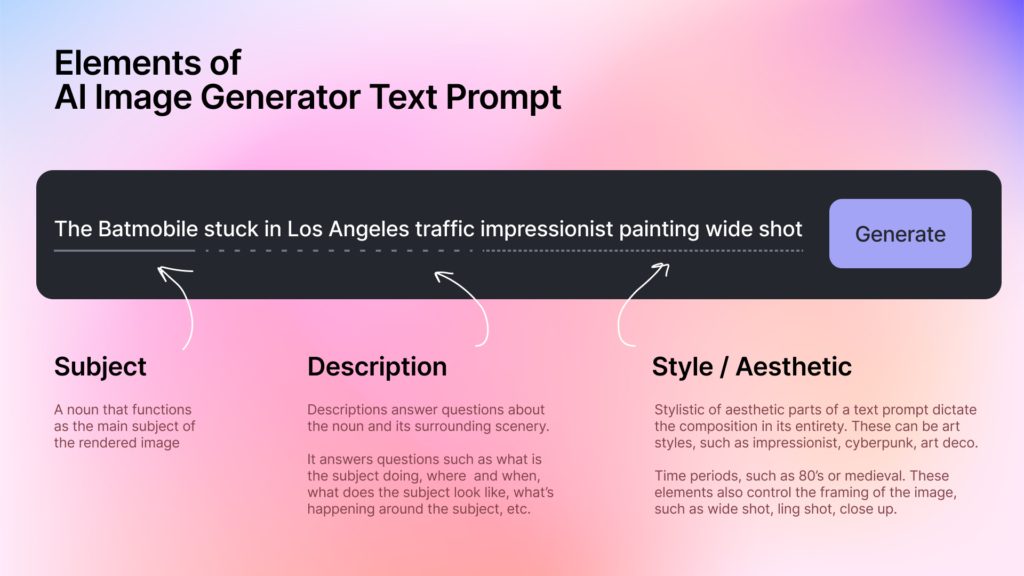
Be specific, not vague. “A dog” “A golden retriever puppy sitting in a sunlit meadow, soft bokeh background, photorealistic, Canon 5D”
Use style references. Add phrases like: “in the style of a vintage travel poster,” “Studio Ghibli aesthetic,” “corporate flat design illustration,” “dark academia mood”
Specify the medium. “Oil painting,” “watercolor,” “3D render,” “pixel art,” “digital illustration” — these dramatically change the output.
Include lighting details. “Golden hour lighting,” “dramatic shadows,” “neon glow,” “soft diffused light” make a huge difference.
Add technical camera terms for realism. “Shot on Sony A7 IV,” “85mm lens,” “shallow depth of field,” “4K resolution”
Use negative prompts where available. Most tools let you specify what not to include. Use this to remove watermarks, blurry elements, or unwanted objects.
FAQ
Q1: What is the best completely free AI image generator in 2026?
Bing Image Creator is the best completely free option — it uses DALL·E technology, produces high-quality images, adds no watermarks, and requires no subscription. Leonardo AI’s free plan (150 tokens/day) is also excellent for more advanced users.
Q2: Can I use AI-generated images commercially?
It depends on the tool. Adobe Firefly is the safest for commercial use as it was trained on licensed content. Most other tools allow commercial use on paid plans. Always check the Terms of Service for the specific platform before using images for business purposes.
Q3: Do AI image generators always get prompts right?
Not always, especially on the first try. Getting great results is a skill — you’ll improve quickly with practice. Most experienced users go through 3–5 iterations, refining their prompt each time. That’s normal and part of the process.
Q4: Are AI image generators safe to use?
Yes, for general creative use. Major platforms have content filters to prevent harmful or inappropriate images. Just be aware that some tools may limit what you can create, and you should always review the platform’s usage policies.
Q5: Will AI image generators replace human artists and designers?
This is a hotly debated topic. The consensus among most creatives is that AI tools are best viewed as assistants rather than replacements. They’re exceptional at rapid ideation, variations, and execution of concepts — but they still lack the intentionality, cultural nuance, and emotional depth that great human artists bring. Many designers now use AI as a starting point, not an endpoint.
The Future of AI-Generated Images
We’re living through a genuine creative revolution. Just a few years ago, creating professional-quality visuals required years of training, expensive software, and significant time investment. Today, you can do it in seconds with a sentence.
The best free AI image generators in 2026 — from the artistic excellence of Midjourney to the accessibility of Bing Image Creator, from Leonardo AI’s power to Canva AI’s ease of use — have collectively made visual creation more democratic than ever before.
But here’s what’s truly exciting: we’re still in the early chapters of this story.
The next few years will bring even more realistic outputs, video generation that matches image quality today, AI tools that understand brand identities automatically, and real-time collaboration between human creativity and machine execution.
For creators, marketers, educators, and entrepreneurs, the message is clear: learn to use these tools now. The skills you build today in writing effective prompts and integrating AI into your creative workflow will be foundational assets as this technology continues to evolve.
The canvas is infinite. The tools are mostly free. The only limit is your imagination.
Last updated: June 2026 | Tools and pricing subject to change. Always verify current plans directly on each platform’s website.