What is Canva AI?
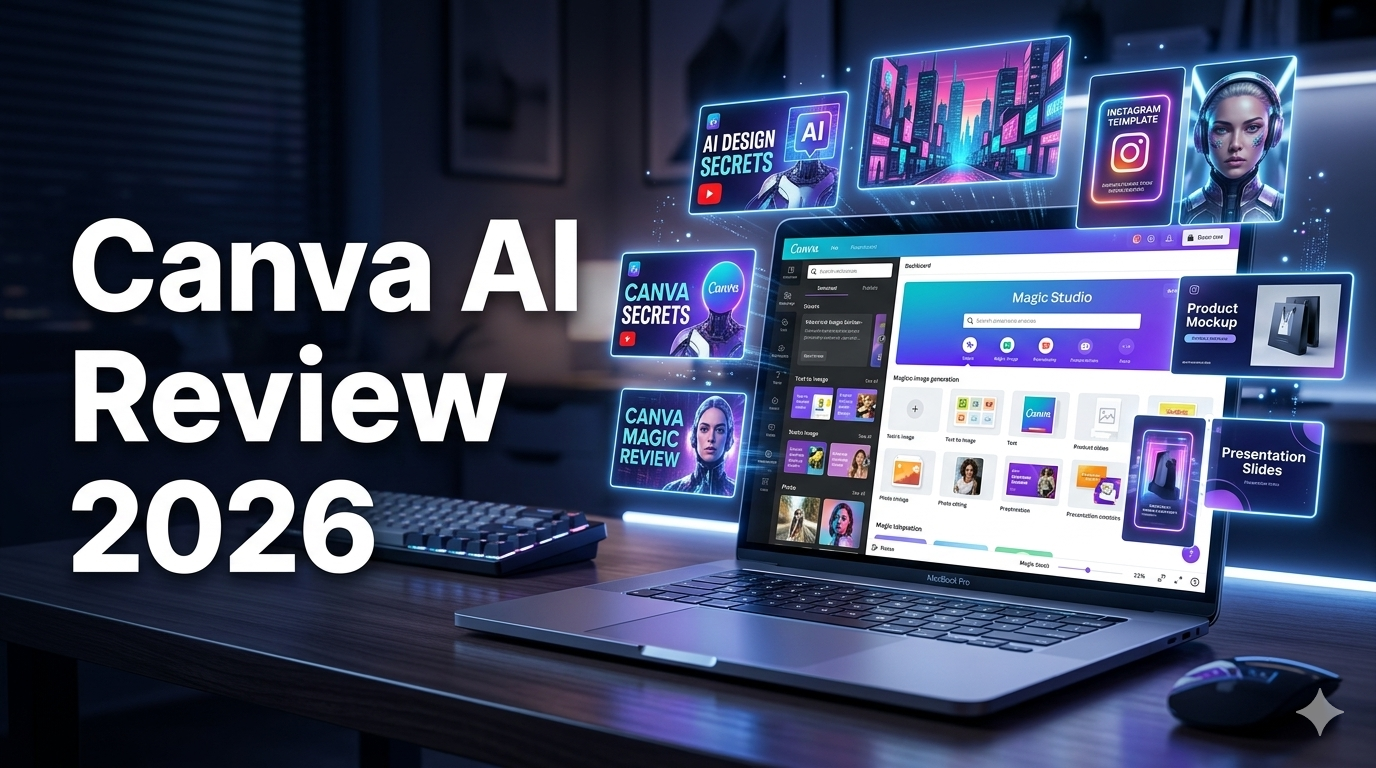
If you’ve ever stared at a blank slide or a blank social post and wished something could just do the heavy lifting — Canva AI is basically built for that moment.
Canva has been around since 2013 as a drag-and-drop design tool anyone could use. No Photoshop skills required, no design degree needed. Over the years it became the go-to for small business owners, marketers, teachers, and content creators who needed clean, professional-looking graphics fast.
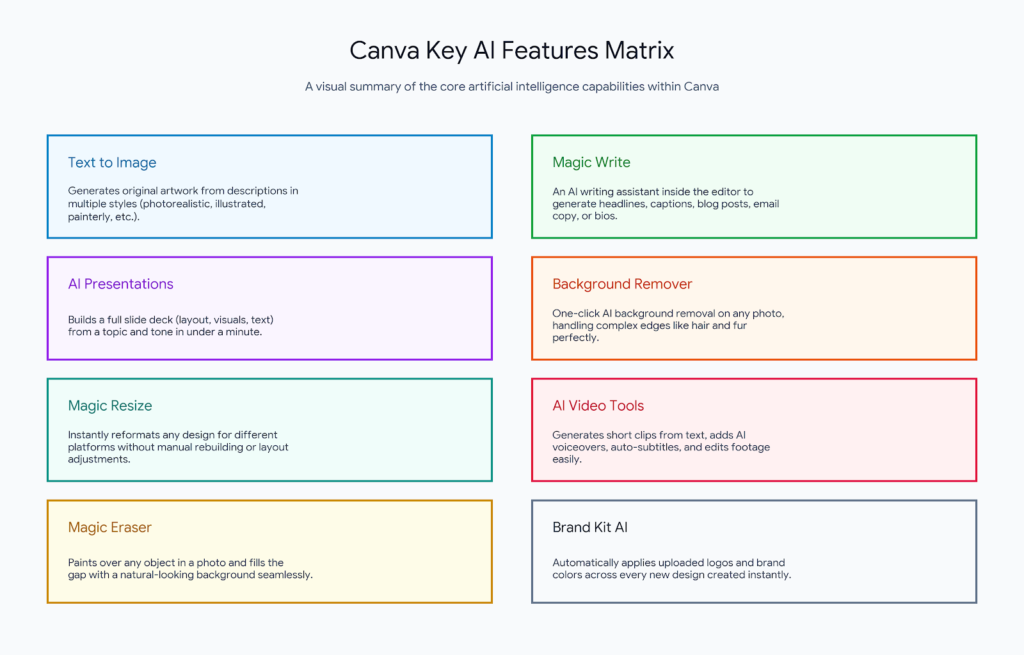
In the last couple of years, Canva has gone deep on AI. Not just adding one feature here or there — they’ve woven AI into nearly every corner of the product. Type a prompt, get an image. Paste a topic, get a full presentation. Upload a photo, remove the background in one click. The AI layer now touches almost everything you do inside the editor.
What makes Canva AI different from tools like Midjourney or Adobe Firefly is that the AI doesn’t exist in isolation. It’s embedded inside a full design workflow. You generate something, and then you immediately edit it, resize it, add text to it, and export it — all without switching tabs.
Who should use Canva AI?
1 .Content creators
Fast social graphics, thumbnails, and short-form video — all in one place.
2 .Small business owners
Marketing materials, flyers, menus, and ads without hiring a designer.
3 .Marketers
Rapid campaign assets, email graphics, and on-brand social content at scale.
4.Educators
Presentations, worksheets, and visual aids that look professional with minimal effort.
5.Marketing teams
Collaborate in real time with brand guardrails that keep everything consistent.
6.Non-designers
Anyone who needs to look professional but doesn’t have design skills or a big budget.
Canva AI is not the right fit for professional graphic designers who need pixel-level control, or photographers who need advanced retouching. For those users, Adobe Creative Cloud is still the industry standard. But for everyone else — Canva AI is hard to beat for the price.
Canva Pricing Plans
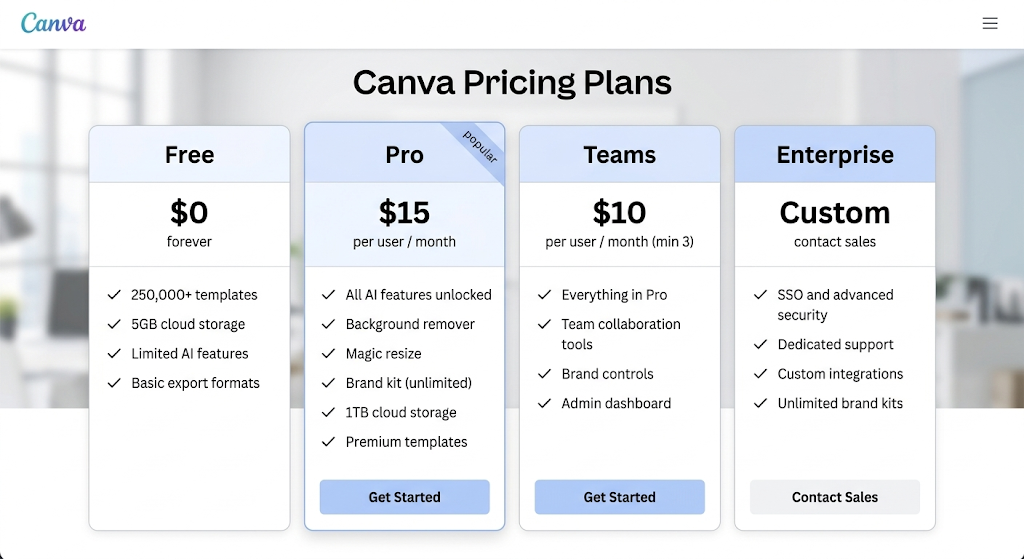
Canva AI is one of the best value tools in the creative software market right now. It won’t replace Adobe for professionals, and it won’t out-generate Midjourney for pure AI imagery. But it does something neither of those tools does: it gives non-designers a complete creative toolkit that actually produces great results, fast. If you create content for work or business, the Pro plan at $15/month is a no-brainer investment. Start on the free plan, get a feel for the workflow, and upgrade when the AI features become indispensable — which, for most people, happens pretty quickly.
FAQ
Q1 .Is Canva AI free to use?
Yes — Canva has a free plan that includes access to basic AI features and over 250,000 templates. However, the most powerful AI tools (like Magic Resize, unlimited background removal, and AI image generation credits) require a Pro subscription at $15/month.
Q2 .How good is Canva’s AI image generator compared to Midjourney?
Honest answer: Midjourney produces better raw AI images. Canva’s text-to-image is solid for illustrations and social graphics, but it doesn’t match Midjourney’s photorealism or artistic range. Where Canva wins is workflow — the image drops straight into your design, no copy-pasting between tools.
Q3. Can I use Canva AI for commercial projects?
Yes. Content created with Canva — including AI-generated elements — can be used commercially, as long as you’re on a paid plan for premium assets. Free plan content has some restrictions on commercial use, so check Canva’s Content License Agreement if you’re publishing for business purposes.
Q4. Does Canva work offline?
Canva is primarily a browser-based tool and requires an internet connection for most features. There’s a desktop app available, but even that syncs to the cloud and has limited offline functionality. If you need fully offline design tools, Adobe Illustrator or Affinity Designer are better options.
Q5. Is Canva AI good for beginners with no design experience?
It’s genuinely one of the best tools for beginners. The interface is intuitive, the templates do the structural work for you, and the AI features reduce the skill barrier even further. Most new users can produce something that looks polished within their first 15 minutes on the platform.