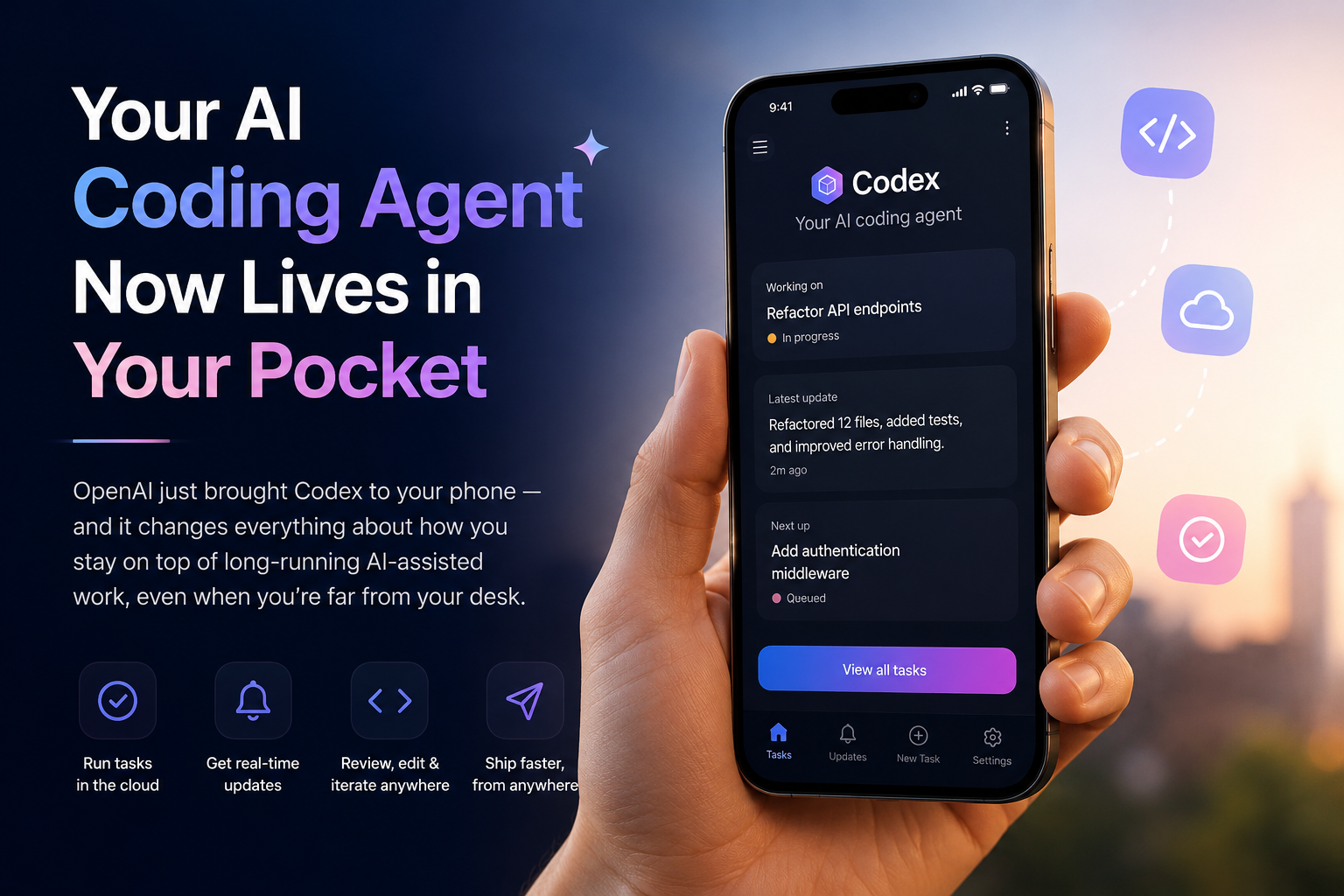
The launch of OpenAI Codex mobile functionality just put a powerful AI coding agent right on your phone. Here’s why that’s a much bigger deal than it sounds.
How Does the New OpenAI Codex Mobile Feature Work?
4 million developers already use Codex every week. Now they can do it from anywhere.
For years, the promise of AI-powered development has been simple: let the machine handle the grunt work while you focus on the thinking. But there’s always been a catch — you had to be at your desk for any of it to matter.That changes today.
OpenAI has officially launched Codex inside the ChatGPT mobile app, and it’s available right now in preview on iOS and Android — for every plan, including Free.
This Isn’t Just a Mobile App. It’s a New Way to Work.
Let’s be clear about what this is — and what it isn’t.
This is not a watered-down remote control for your computer. This is not a simple task-dispatch tool. Codex on mobile is a fully featured experience that connects live to whichever machine Codex is already running on — your laptop, a dedicated Mac mini, a cloud devbox, or a managed remote environment.
Everything loads on your phone exactly as it is in real time: active threads, pending approvals, plugins, project context — all of it. Screenshots, terminal output, diffs, and test results flow back to you the moment they happen.
Your files, credentials, and local setup never leave your machine. What travels to your phone is just the intelligence — the updates, the questions, the work in progress.
The New Rhythm of Working with AI
As AI agents take on longer, more complex tasks — work that unfolds over minutes or hours, not seconds — a new kind of collaboration is emerging.
The bottleneck is no longer the AI. It’s you.
A single unanswered question can stall an entire thread. A judgment call that takes thirty seconds to make can sit waiting for hours simply because you weren’t at your laptop. Multiply that across a busy day and you start to see how much forward motion gets lost.
Codex on mobile solves exactly that. It keeps work moving the moment your input is needed — not the next time you happen to sit down.
“A quick check-in can keep a thread moving, prevent unnecessary rework, or help Codex make progress with the right context.” — OpenAI
Four Ways Codex on Mobile Changes Your Day
While You’re Getting Your Morning Coffee Spot a bug report before leaving your desk? Start the investigation from your phone. By the time you’re back with your coffee, Codex has already inspected the relevant files, reproduced the issue in the browser, run tests, and drafted a fix — waiting for your review.
During Your Commute You asked Codex to handle a major refactor before heading out. Mid-commute, it surfaces two viable approaches and needs your direction. You review the tradeoffs, pick a path, and by the time you walk into the office, the work has already continued in the direction you chose.
Before a High-Stakes Customer Call You come out of back-to-back meetings to find a support issue spreading across Slack, email, and documents — with a customer call starting in ten minutes. From your phone, you ask Codex to synthesize everything, flag the open questions, and prepare a tight briefing. You walk in prepared.
When an Idea Strikes Out of Nowhere On a walk. At lunch. In the middle of something else entirely. The best ideas don’t wait for your desk. Now neither does the work that follows them. Send the thought to Codex from your phone — and it starts taking shape before you’ve even arrived back.
Under the Hood: How the Connection Works
Codex uses a secure relay layer to keep your machines reachable across all your devices — without ever exposing them directly to the public internet. Active session state and context stay synced wherever you’re signed into ChatGPT.
Your setup stays where it is. The intelligence travels with you.
Big New Features for Teams and Enterprises
The mobile launch isn’t the only thing shipping today. OpenAI is also rolling out three major updates for teams building with Codex at scale:
Programmatic Access Tokens Issue scoped credentials directly from ChatGPT workspace settings — purpose-built for CI pipelines, release workflows, and internal automations. Available on Enterprise and Business plans.
Hooks — Now Generally Available Hooks let you customize Codex behavior at the repository and directory level. Scan prompts for secrets, run validators, log conversations, create memories, or tailor how Codex operates across different projects. Available on all plans.
HIPAA-Compliant Environments for Healthcare ChatGPT Enterprise workspaces can now use Codex in local environments — CLI, IDE, and App — in a HIPAA-compliant way. Healthcare organizations can move faster on patient care and operational workflows without compromising on compliance.
Who Can Use It Right Now?
| Feature | Who Gets It |
|---|---|
| Codex in ChatGPT mobile app (iOS & Android) | Everyone — all plans including Free |
| Remote SSH & Hooks | All plans |
| Programmatic access tokens | Enterprise & Business |
| HIPAA-compliant local environments | ChatGPT Enterprise only |
| Windows phone support | Coming soon |
To get started: Update the ChatGPT mobile app and the Codex app on macOS. The preview is live now across all supported regions.
More than 4 million people already use Codex every week. They’ve been building a new habit — delegating focused, multi-step work to an AI agent and checking in when it matters. Until today, that check-in required a laptop.
Now it requires a phone and thirty seconds.
The work doesn’t stop when you step away from your desk anymore. And honestly? That’s not a burden — it’s the point. The best version of working with AI isn’t being glued to a screen waiting for results. It’s staying connected just enough to keep things moving, while the heavy lifting happens in the background.
That’s exactly what Codex on mobile makes possible.
Get started at developers.openai.com/codex/remote-connections
Tags: OpenAI · Codex · AI Agents · ChatGPT Mobile · Developer Tools · Productivity · 2026
https://developers.openai.com/codex/remote-connections