
You’ve probably heard the term “Generative AI” thrown around everywhere lately — from news headlines to your coworker’s Slack messages. But what exactly is it? And more importantly, how can you start using it without feeling lost?
What Is Generative AI?
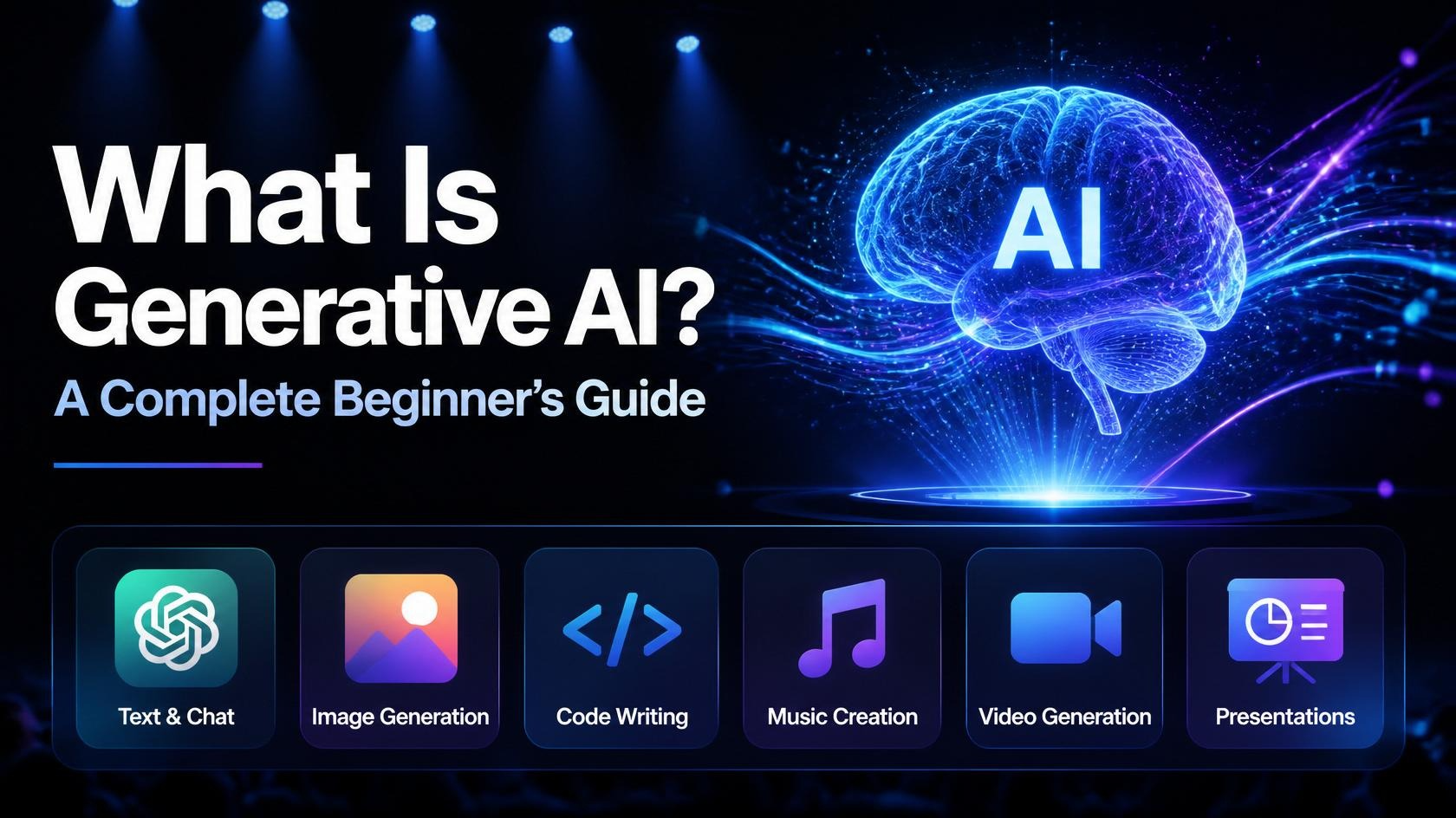
Generative AI refers to artificial intelligence systems that can create new content — text, images, music, code, video — based on patterns learned from massive amounts of existing data.
Think of it like this: you’ve read thousands of books, articles, and conversations over your lifetime. If someone asks you to write a short story, you draw on all of that experience to produce something new. Generative AI does the same thing, except it has been trained on far more data than any human could ever read.
Some real-world examples you’ve probably already encountered:
- ChatGPT — answers questions, writes essays, explains concepts
- DALL·E / Midjourney — generates images from text descriptions
- GitHub Copilot — suggests code as you type
- Suno / Udio — creates music from a text prompt
- Claude (that’s me!) — helps with research, writing, analysis, and problem-solving
Generative AI is not just a tech trend. It’s rapidly changing how people work, create, and learn.
Step 1: Understand the Core Concepts
Before you dive in, it helps to know a few key terms. Don’t let them intimidate you — they’re simpler than they sound.
What Is a “Model”?
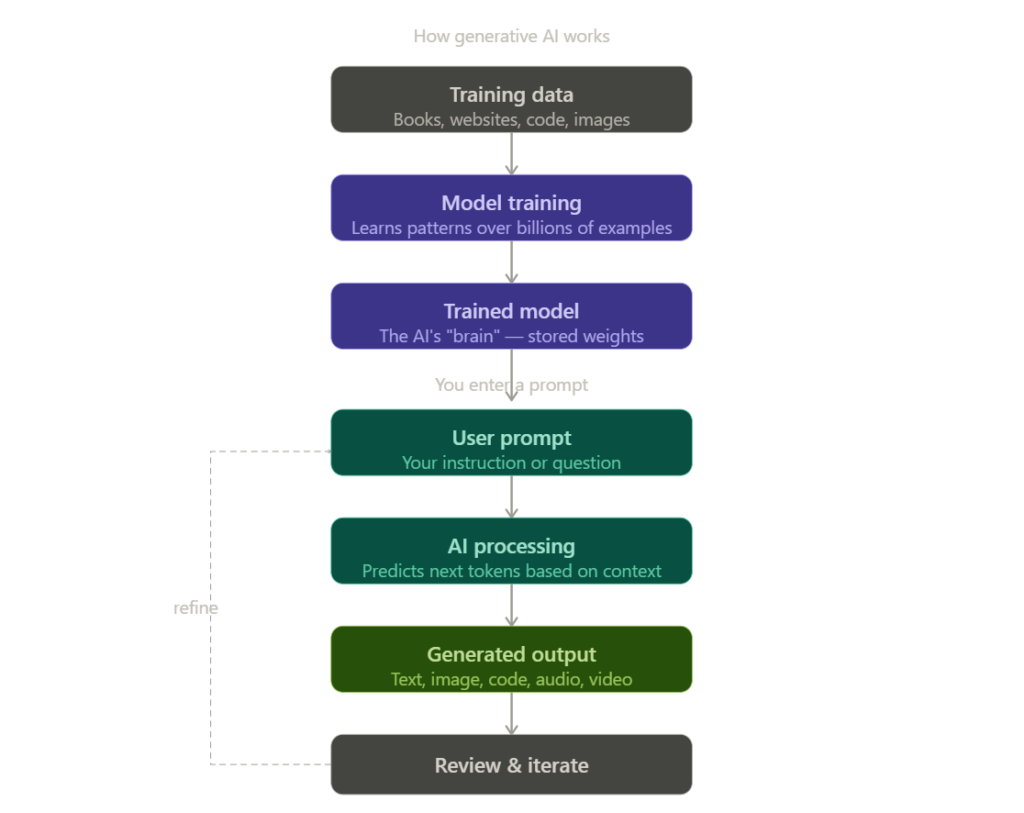
A model is the AI’s “brain.” It’s a massive mathematical system trained on data (text, images, code, etc.) to recognize patterns and generate responses. When you use ChatGPT or Claude, you’re talking to a model.
What Is a “Prompt”?
A prompt is simply the instruction or question you type into an AI tool. The quality of what you ask directly affects the quality of what you get back. We’ll cover how to write better prompts in a few steps.
What Is “Training Data”?
This is the information the AI learned from — books, websites, articles, code repositories, and more. The model didn’t memorize all of this; it learned patterns from it, much like how you learned language by hearing and reading it repeatedly.
Large Language Models (LLMs)
Tools like ChatGPT and Claude are built on what’s called a Large Language Model (LLM). These are specifically designed to understand and generate human language. They’re the backbone of most text-based AI tools you’ll encounter.
Step 2: Choose the Right Generative AI Tool for You
There are dozens of tools out there. Here’s a quick breakdown by use case so you can pick the right starting point:
| Your Goal | Recommended Tool |
|---|---|
| Writing, research, Q&A | Claude or ChatGPT |
| Generating images | Midjourney or Adobe Firefly |
| Writing or fixing code | GitHub Copilot |
| Creating presentations | Gamma |
| Generating music | Suno |
| Video generation | Runway |
Recommendation for beginners: Start with a text-based AI like Claude or ChatGPT. They’re the most versatile and easiest to learn from. You can use them for almost any task — writing, summarizing, explaining, brainstorming, and more.
Step 3: Set Up Your First AI Account
Let’s get you up and running. Here’s how to create your first account on Claude (the process is nearly identical for other platforms):
- Go to claude.ai
- Click “Sign Up” and enter your email address
- Verify your email via the confirmation link
- Set a password and complete your profile
- You’re in — you’ll land on the main chat screen
Most tools offer a free tier that’s perfect for getting started. You can always upgrade later if you need more usage or advanced features.
Tip: You don’t need to install anything. Generative AI tools run entirely in your web browser.
Step 4: Write Your First Prompt (And Write It Well)
This is the skill that separates frustrated beginners from confident AI users. The AI is only as good as the instructions you give it.
Bad Prompt vs. Good Prompt
Bad prompt:
“Write something about marketing.”
This is too vague. The AI doesn’t know your audience, tone, format, or purpose.
Good prompt:
“Write a 200-word Instagram caption for a small bakery launching a new croissant flavor called ‘Honey Lavender.’ Keep the tone warm, playful, and end with a call to action.”
This gives the AI context, a goal, a tone, a format, and a constraint. The result will be far more useful.
The Simple Prompt Formula
Use this structure when you’re stuck:
[Role] + [Task] + [Context] + [Format]
Example:
“Act as a personal finance advisor. Explain the difference between a Roth IRA and a Traditional IRA to a 25-year-old just starting their career. Use simple language and bullet points.”
More Practical Examples to Try Right Now
- “Summarize this article in 5 bullet points: [paste text here]”
- “Translate this email to a more professional tone: [paste email here]”
- “Give me 10 creative names for a pet grooming business.”
- “Explain quantum computing like I’m 12 years old.”
Step 5: Learn to Refine and Iterate
One of the biggest mistakes beginners make is accepting the AI’s first response as final. The real power of generative AI comes from iteration — going back and forth to improve the output.
If the first response isn’t quite right, try:
- “Make it shorter” — to trim down a long response
- “Make it more casual/formal” — to adjust the tone
- “Give me 3 more options” — to get alternatives
- “Add more examples” — to deepen explanations
- “Now rewrite it as a LinkedIn post” — to reformat the same content
Think of the AI as a smart collaborator, not a vending machine. You’re working with it, not just ordering from it.
Step 6: Understand What AI Can and Cannot Do
Generative AI is powerful, but it’s not perfect. Setting the right expectations will save you from frustration.
What AI Does Well
- Drafting and editing text (emails, essays, blog posts)
- Brainstorming ideas and overcoming creative blocks
- Summarizing long documents
- Explaining complex topics in simple terms
- Generating and debugging code
- Translating languages
- Answering general knowledge questions
Where AI Falls Short
- Real-time information: Most AI models have a knowledge cutoff date and may not know about very recent events (though many now include web search capabilities)
- Accuracy on niche facts: AI can sometimes “hallucinate” — confidently stating something that’s incorrect. Always verify important facts
- Deep personal advice: For medical, legal, or financial decisions, consult a qualified professional
- True creativity: AI remixes patterns from its training data. It doesn’t have genuine creative vision or lived experience
Pro tip: Always cross-check any facts, statistics, or citations the AI gives you, especially for high-stakes decisions.
Step 7: Practice With Real Use Cases
The fastest way to get comfortable with generative AI is to use it for tasks you already do. Here are some everyday starting points:
For students:
- Explain a confusing concept from your textbook
- Get feedback on a draft essay (without having AI write it for you)
- Create a study plan or quiz yourself on a topic
For professionals:
- Draft emails or meeting summaries
- Brainstorm ideas for a project
- Summarize reports or research papers
For creatives:
- Generate character names or plot ideas for a story
- Write product descriptions for an Etsy shop
- Create social media captions in bulk
For everyday life:
- Plan a week of meals based on ingredients you have
- Get travel itinerary ideas for a trip
- Understand a confusing contract clause (remember: not legal advice!)
Pro Tips for Getting the Most Out of Generative AI
Here are some hard-won insights that most beginners don’t discover until much later:
Be specific, not general. The more detail you give, the better the output. Think of it like giving directions — “turn left at the old oak tree” is more helpful than “go that way.”
Use system prompts or personas. Telling the AI to “act as” a specific expert (a marketing strategist, a Socratic tutor, a copyeditor) dramatically improves relevance.
Break complex tasks into steps. Instead of asking for an entire business plan at once, ask for one section at a time.
Save your best prompts. When you find a prompt that works well, keep a personal library of them. Many power users maintain a “prompt cheat sheet” in Notion or Google Docs.
Don’t be afraid to say “no, that’s wrong.” The AI won’t get offended. Correct it and ask again.
Use it to learn, not just to produce. Ask the AI to explain why it made certain choices. This makes you smarter over time.
Frequently Asked Questions (FAQ)
Q: Is generative AI free to use? Most tools have a free tier with limited usage. Paid plans (typically $10–$25/month) unlock higher limits, faster models, and advanced features. For casual use, free tiers are usually plenty to start.
Q: Is my data safe when I use AI tools? It depends on the platform. Most reputable tools allow you to opt out of having your conversations used for training. Review the privacy policy of any tool you use — especially before entering sensitive personal or business information.
Q: Can AI replace my job? This is the big question. The honest answer: AI will change many jobs, but it’s more likely to change how you work than eliminate your role entirely — at least in most fields. Learning to use AI effectively is one of the best career investments you can make right now.
Q: Do I need to know how to code to use generative AI? Absolutely not. Tools like Claude and ChatGPT are designed for everyday language. No coding required.
Q: How do I know if AI-generated content is accurate? You don’t, automatically. Always verify important facts from authoritative sources. Use AI as a starting point for research, not the final word.
Q: What’s the difference between ChatGPT and Claude? Both are powerful text-based AI assistants. ChatGPT is made by OpenAI; Claude is made by Anthropic. They have slightly different strengths — Claude is often praised for nuanced writing and longer document analysis, while ChatGPT has a larger ecosystem of plugins and integrations. Try both and see which fits your workflow.
Generative AI is one of those rare technologies that genuinely changes what’s possible for ordinary people — not just engineers and researchers. Whether you’re a student trying to learn faster, a professional looking to work smarter, or a creator exploring new ideas, there’s a generative AI tool that can help.
Here’s your quick action plan to get started today:
- Sign up for a free account on Claude or ChatGPT
- Try the prompt formula: Role + Task + Context + Format
- Use AI for one real task you’re working on right now
- Iterate — refine until the output genuinely helps you
- Build your prompt library as you go
The best way to understand generative AI is to use it. Start small, stay curious, and don’t worry about doing it “perfectly.” The tools are designed to be forgiving.
Welcome to the future of work and creativity. It’s friendlier than you might think.
Want to go deeper? Check out Anthropic’s research blog for the latest thinking on AI safety and capabilities, or explore MIT Technology Review’s AI section for balanced industry coverage.